Tags Node
Tags can be added to templates as an organizational tool. Tags display as folders under the TAGS node. Several preconfigured templates include tags, which appear after you import those templates into the Administration Console. A template can have multiple tags added, and the system displays the template in the folder for each tag. If you add a new tag, refresh the TAGS node to view its folder.
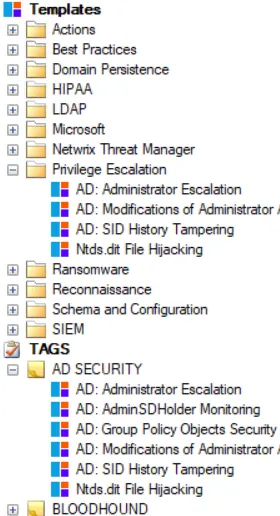
Adding tags to a template doesn't create a duplicate template, but rather multiple places to access the template. When you modify a template within a folder under the TAGS node, that modification applies to the template regardless of where you access it afterward—from the Templates node or from another TAGS node folder.