Saved Investigations
You can apply filters on the Investigate Interface to filter event data as desired. You can save filter settings.
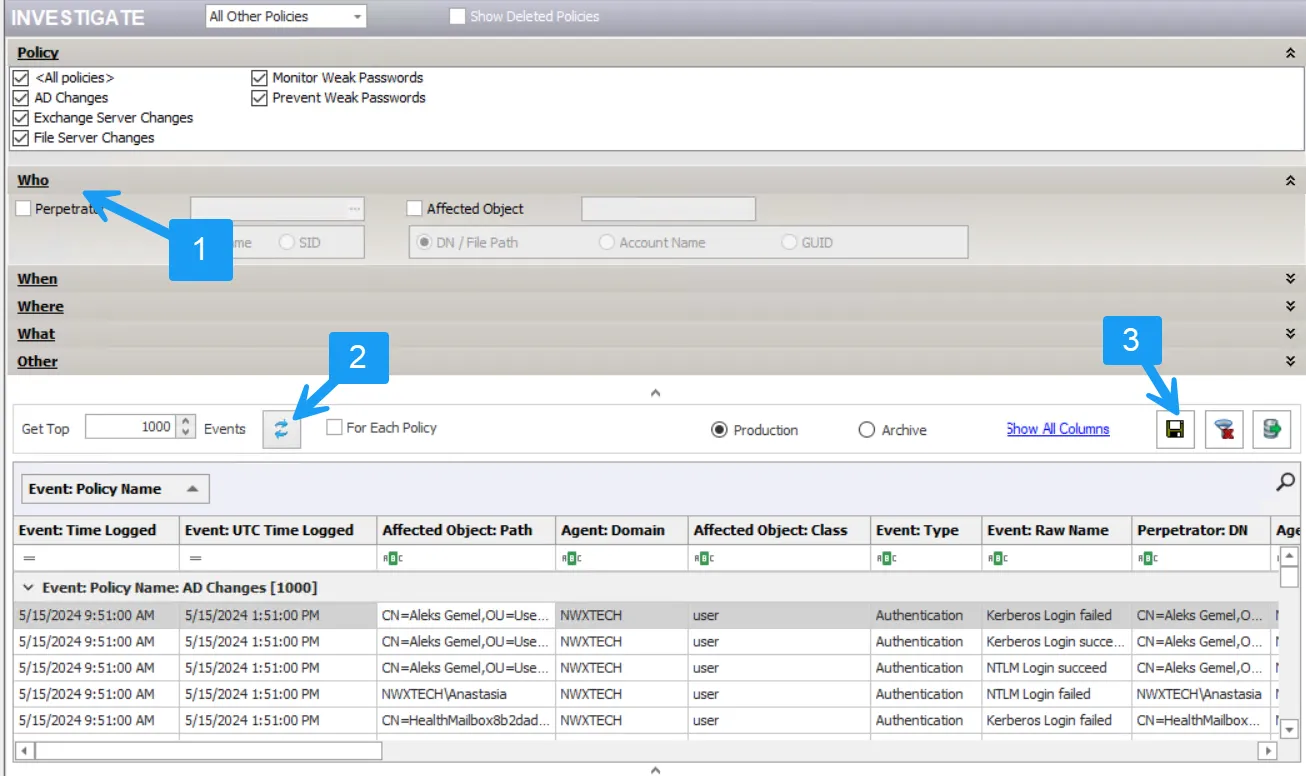
Step 1 – Click Investigate in the left pane to launch the Investigate interface.
Step 2 – Set the filter [1] as desired, Refresh the data grid [2], and click Save Filter Settings and Layout [3]. The Filter Set Name window opens.

Step 3 – Enter a name for this filtered view and click OK.

The saved filtered view becomes a node in the Navigation pane under the Investigate node. Select the node to return to the saved filtered Investigate view.