Modify User Access
Step 1 – Click Configuration > Users on the menu to open the Users and Roles window.
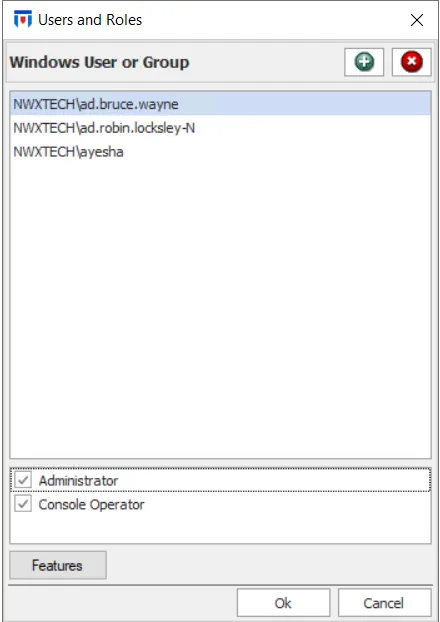
Step 2 – Select a user to modify their assigned rights.
- If the user is an administrator, you can deselect the Administrator checkbox and select the Console Operator checkbox to downgrade the role.
- If the user is a Console Operator, select the Administrator checkbox to assign a higher role to them.
- To manage some permissions for the Administrator role, see the Administrator Permissions topic.
Step 3 – (Optional) Repeat this action for as many roles as required before clicking OK.
Step 4 – Click OK to save changes on the Users and Roles window.
The user now has the appropriate updated access rights.