Exchange Lockdown Considerations
When an Exchange Lockdown policy is first enabled, operations that are expected to be locked down by the policy may not be blocked due to existing connections. Ensure users are logged off before testing the blocking behavior of the policy. The safest way to resolve existing connections and ensure that events intended to be blocked are being blocked:
- For Outlook – Restart the MSExchangeRPC service
- For w3wp clients (e.g. OWA, PowerShell, EWS, ECP, ActiveSync) – Restart IIS
Delegations through Outlook
In Microsoft Outlook 2010, delegation through Outlook performs three operations:
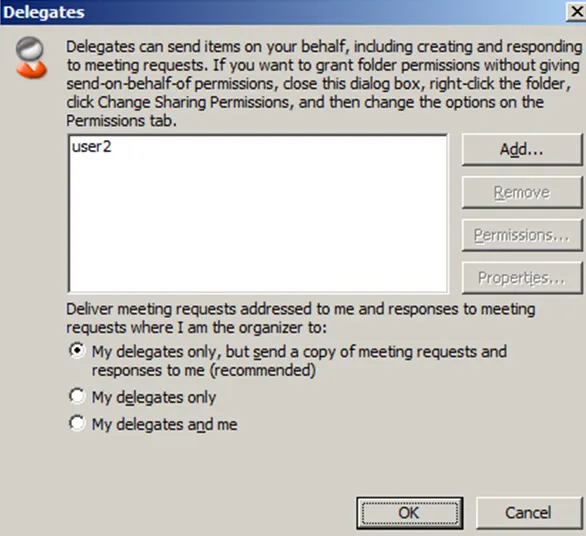
- The delegate acquires Send on Behalf of permission for the user’s mailbox
- Outlook updates the ACLs for individual mailbox folders with the permissions that were set for the delegate on the Delegates tab
- Outlook creates a hidden rule in the user’s inbox to forward incoming meeting and task requests and responses to the delegate
The first option doesn't use an Exchange API, so it can't be blocked by an Exchange Lockdown Event Type policy. To block this behavior, create a corresponding Active Directory Lockdown Event Type policy to block Send on Behalf of permission changes.
Netwrix recommends using the following event filters on the respective Active Directory Lockdown policy:
-
On the AD Event Filter tab:
- Operations – All (Object Add, Object Deleted, Object Modified, and Object Moved or Renamed)
-
On the AD Classes and Attributes Filter tab:
- Block Attributes – publicDelegates
Impact of Lockdown Policies
When both the Exchange Lockdown policy and the Active Directory Lockdown policy are enabled, performing delegation or folder permission changes will result in warnings.

The Active Directory Lockdown policy will block the Send on Behalf of permission changes.
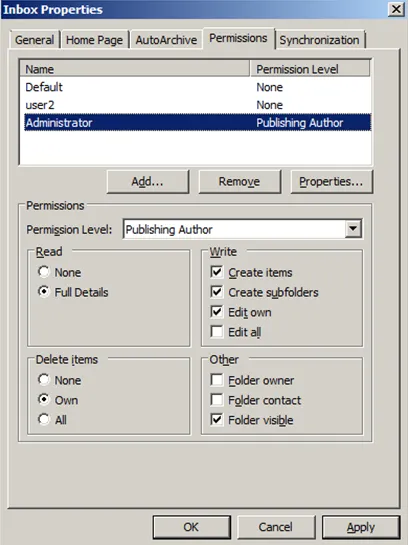
A message will appear as follows:

The Exchange Lockdown policy blocks the folder permission changes.
When both lockdown policies are enabled together, you can block changes to existing connections.