Okta Page
On the Okta page, you can access all the Okta tenants that you have configured through the Okta Page.
Click Okta in the left pane to open the Okta page.
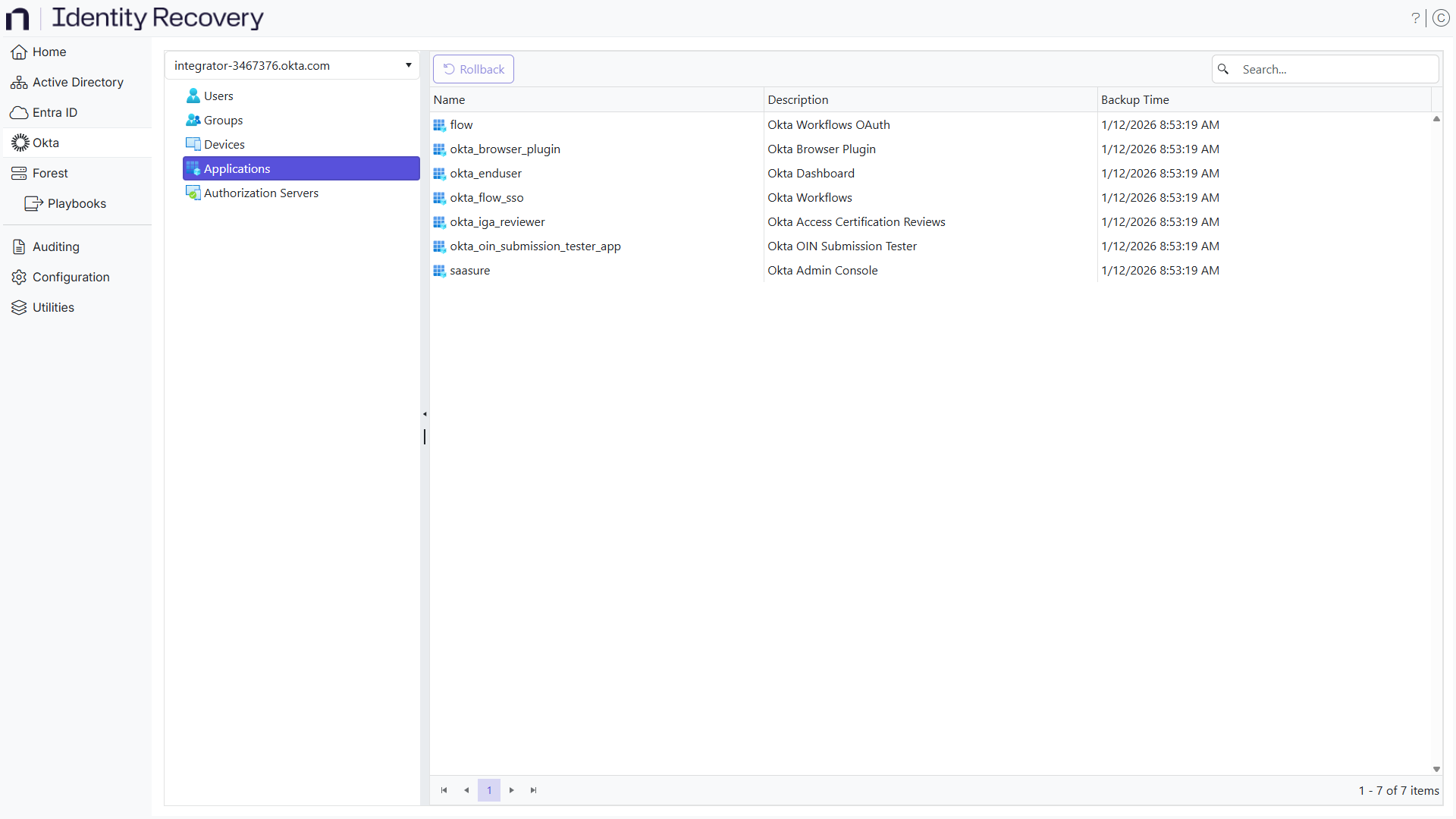
Select a tenant from the drop-down menu and expand it to view the supported object types.
The page displays the following information:
- Name – The display name of the object
- Description – A description of the object
- Backup Time – The date and time of the last the backup
You can perform the rollback operations for objects.
Search for an Object
There are several ways to find an object:
- Column Filters – Click a column header to organize the table alphabetically by the column header. An arrow appears by the column name. Use it to arrange the entries by ascending or descending order.
- Search box – Enter a text string in the search box to filter the table for results that contain the text.
Rollback an Object
Select and expand a tenant in the left pane and locate the object you want to rollback. Right-click this object and select Rollback on the menu. See the Rollback Objects topic for additional information.