Add Password Complexity Policy
To add a password policy to the console.
Step 1 – Navigate to the Policy > Platforms > Password Complexity page.
Step 2 – In the Password Policy list, click the Plus icon.
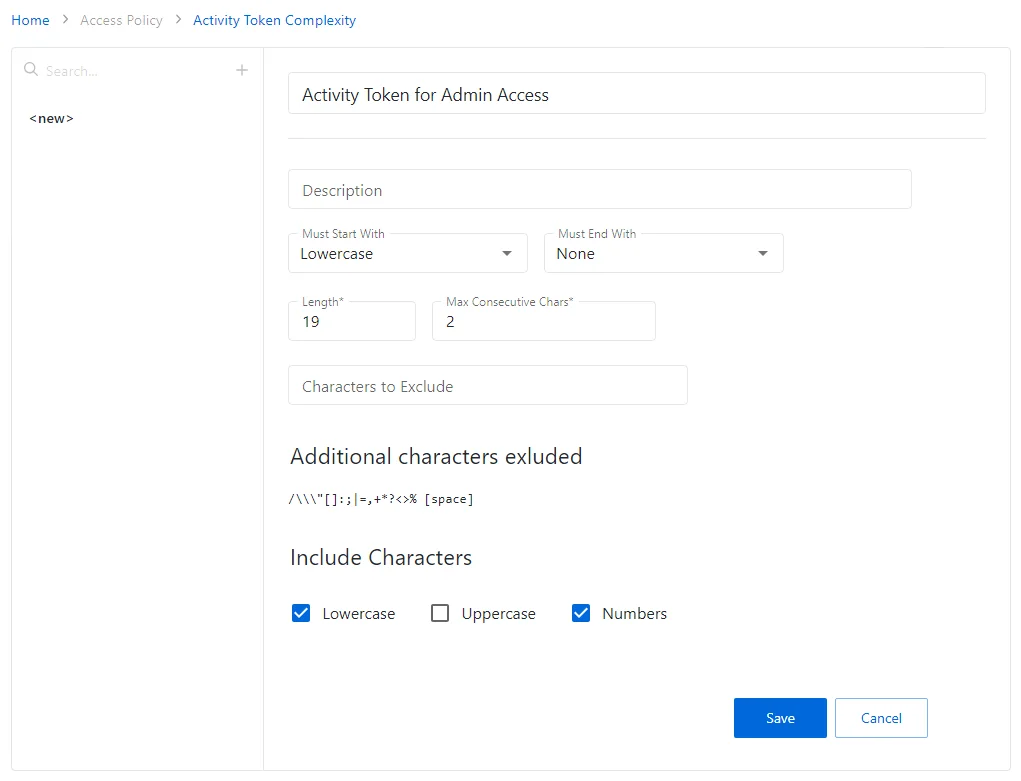
Step 3 – Complete the following fields:
-
Name – This is a snippet
-
Description – Description of the policy
-
Must start with – Enter the symbol type from which the password must start with (uppercase, symbol, etc.)
-
Must end with – Enter the symbol type from which the password must end with (uppercase, symbol, etc.)
-
Length – Provide the password you want length
-
Max consecutive chars – Select maximum number of consecutive characters
-
Characters to exclude – select characters to exclude from the password body
-
Include characters – select characters type to be excluded from the password body. Possible values are:
-
Lowercase
-
Uppercase
-
Symbols
-
Spaces
-
Numbers
Step 4 – Click Save to create the new password policy.
The new password policy is added to the Password Policy list.