Website Details Page
The Website Details page shows additional information for the selected website resource. You can open this page from any linked resource within the various interfaces.
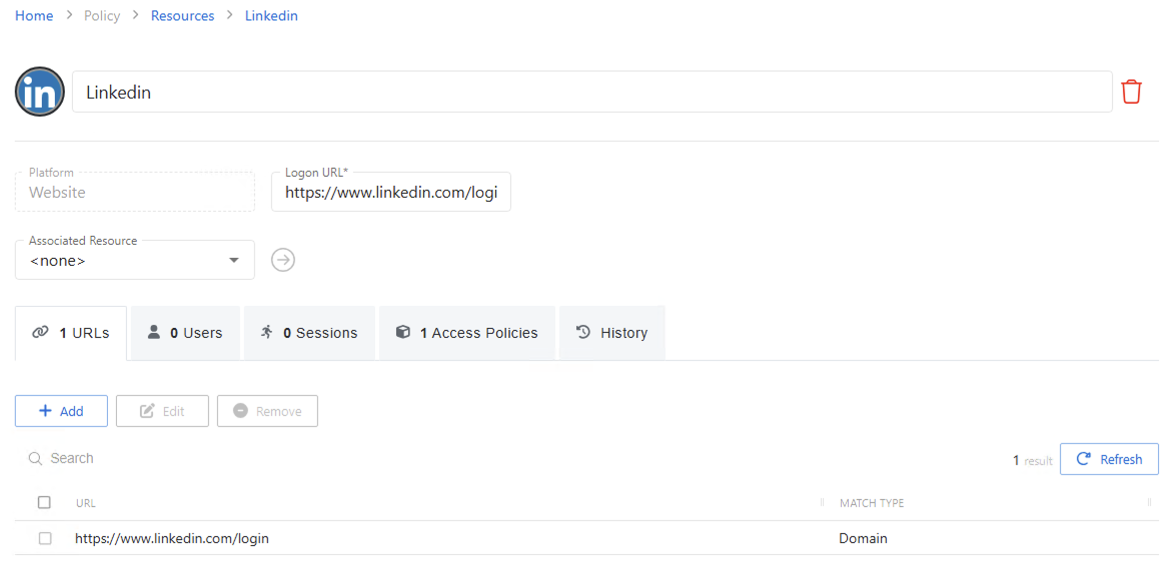
The details page shows the following information:
- Name — Displays the name of the resource
- Trashcan icon — Stops the application from managing the selected resource. A confirmation window displays.
- Platform — Displays the type of platform, which defines the resource
- Logon URL — Displays the primary logon page. This is only used if no URL is specified when defining a website activity.
- Associated Resource — If the website is hosted on a server that is also managed by Privilege Secure, it may be associated to the website management. This ensures that AD account operations are performed on the domain controller the website resource is bound to.
- Blue arrow button — Opens the Service Account details page.
- Green plus button — Opens the Add New Service Account window.
If you modify any of these settings, Save, and Cancel buttons appear. Click Save to commit the modifications. Click Cancel to discard the modifications.
The details page has the following tabs: