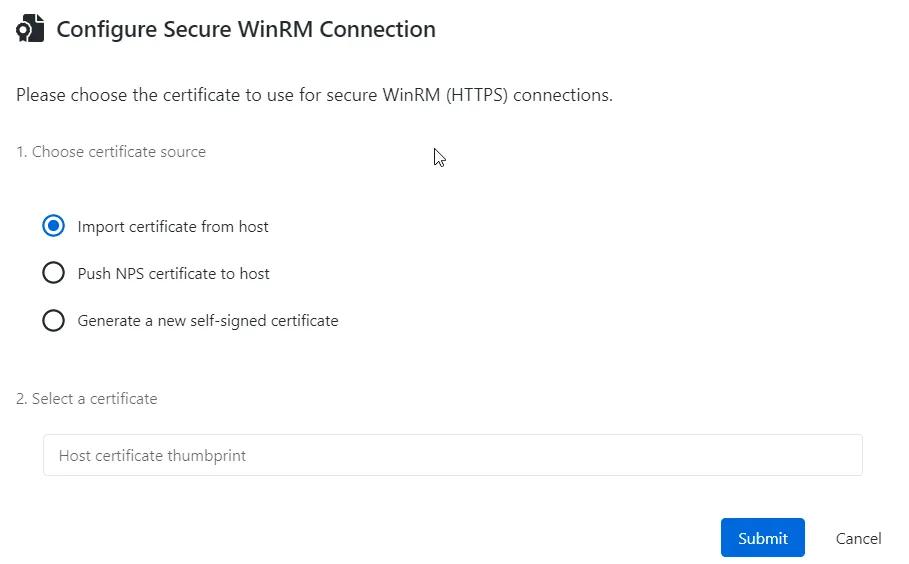
Configure Secure WinRM Connection Window
To configure secure WinRM connection for the selected host:
-
Navigate to the Resources page.
-
Select the resources to modify.
-
Click the WinRM Config button.
-
Perform the following steps:
-
Choose certificate source — Select the source to apply the certificate for the secure WinRm connection to the host you want to secure. The following options are available:
- Import certificate from host;
- Push NPS certificate to host;
- Generate a new self-signed certificate.
-
Select a certificate — Provide a certificate thumbprint.
noteThis option is applicable to the host and NPS certificates. If you selected a new self-signed certificate option, it is generated automatically and imported to Netwrix Privilege Secure.
-
-
Click Submit.
Secure WinRM connection is configured for the selected host.