Add Credential Groups
To add credential groups to the Privilege Secure Console.
-
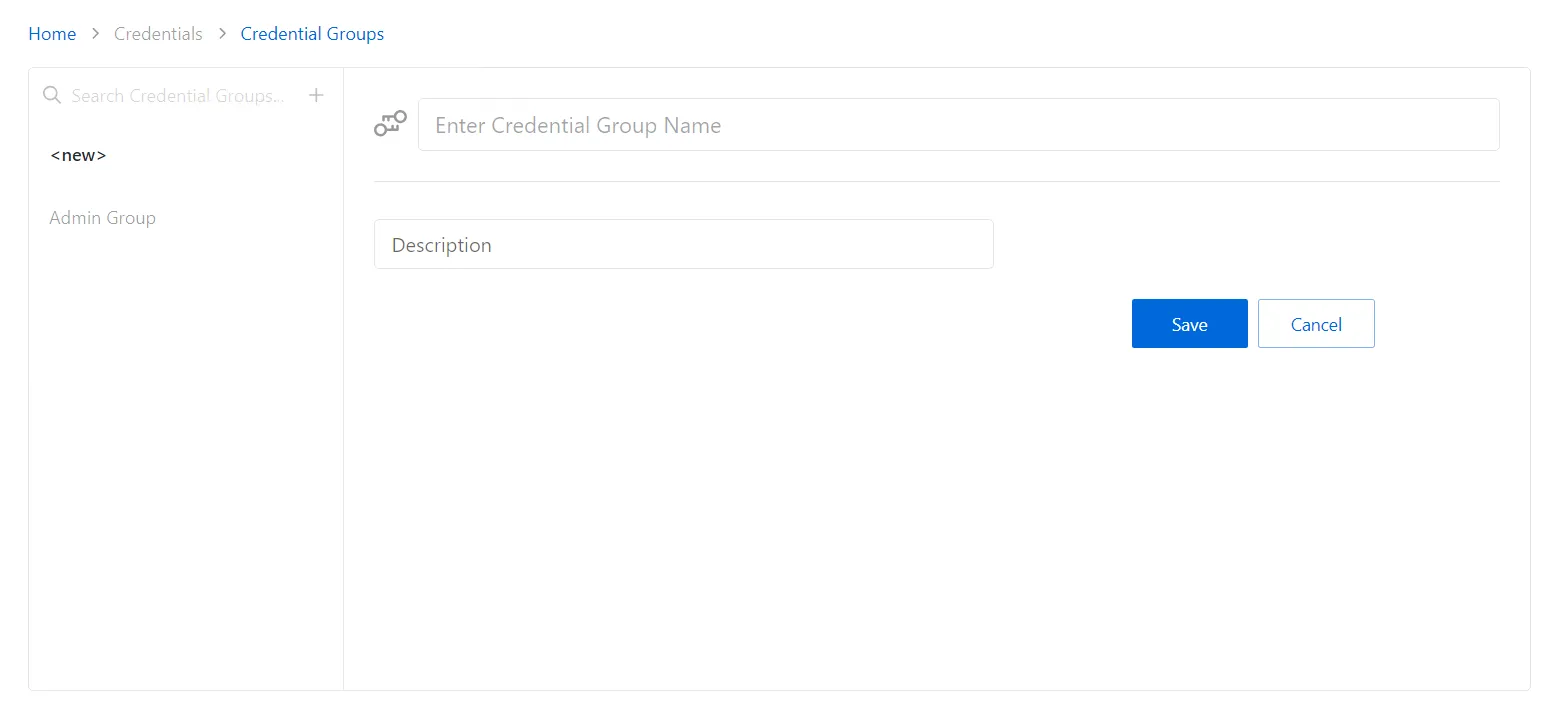
Navigate to the Policy > Credentials > Credential Groups page.
-
In the Credential Groups list, click the Plus icon.
-
Enter or select the following information:
- Name — Displays the name of the credential
- Description — Description of the policy
-
Click Save to create the new credential group.

-
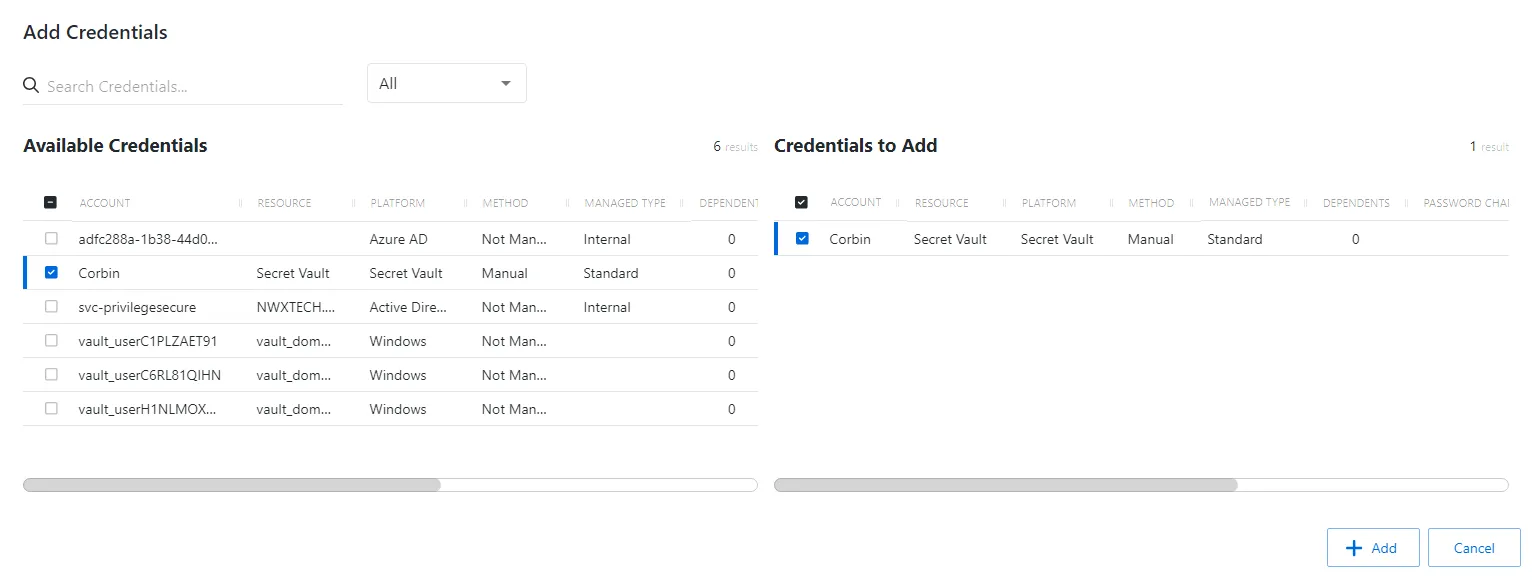
With the new credential group selected, click the + Add Credentials button to open the Add Credentials window.
-
Select the checkbox for the credential and click Add to save the credential to the Credential Group. See the Add Credentials to a Credential Group topic for additional information.
The new credential group is added to the console and is shown in the Credential Groups list.