Services Page
The Services page is accessible from the Navigation pane under Configuration > System Settings. Configure and register services on the Web Service host.
After a website certificate is installed in IIS, update the Netwrix Privilege Secure web services to ensure they are calling the correct URL. If the Web Services are set to the wrong address, the services shows offline in the Services Node area.
note
ensure that you update the web certificate in IIS before setting a new value in Netwrix Privilege Secure. ensure the Binding Hostname in IIS, the certificate Subject, and the NPS Rest URL value in the Services page exactly match.
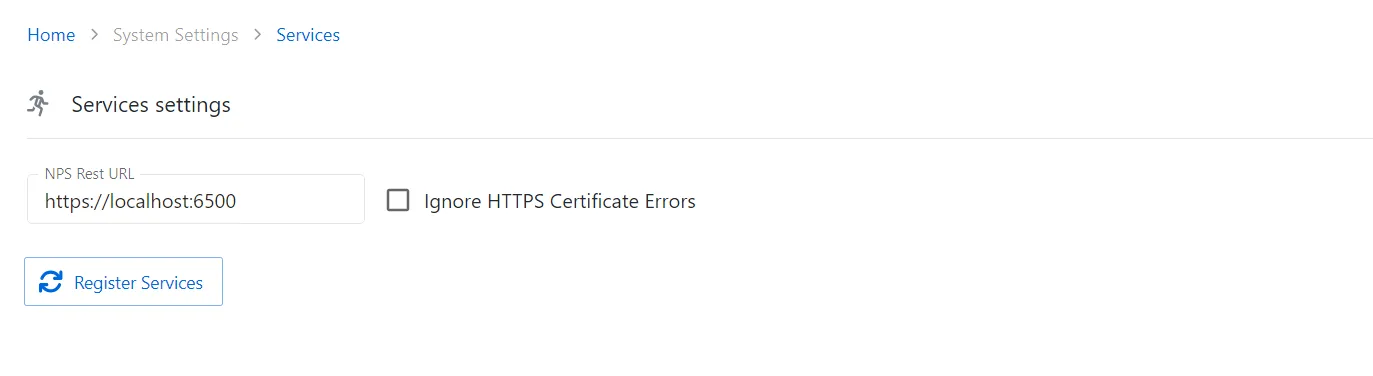
The Services Settings page has the following features:
- NPS Rest URL — The full qualified domain name (FQDN) of the new IIS web certificate
- Ignore HTTPS Certificate Errors — When checked, the console will ignore any HTTPS certificate errors (not recommended for production environments)
- Register Services — Applies the new URL value to the Netwrix Privilege Secure web services and re-registers them
- Save button (only visible when editing) — Saves changes
- Cancel button (only visible when editing) — Discards changes