Local Account Password Options Page
The Local Account Password Options page is accessible from the Navigation pane under Configuration > System Settings.
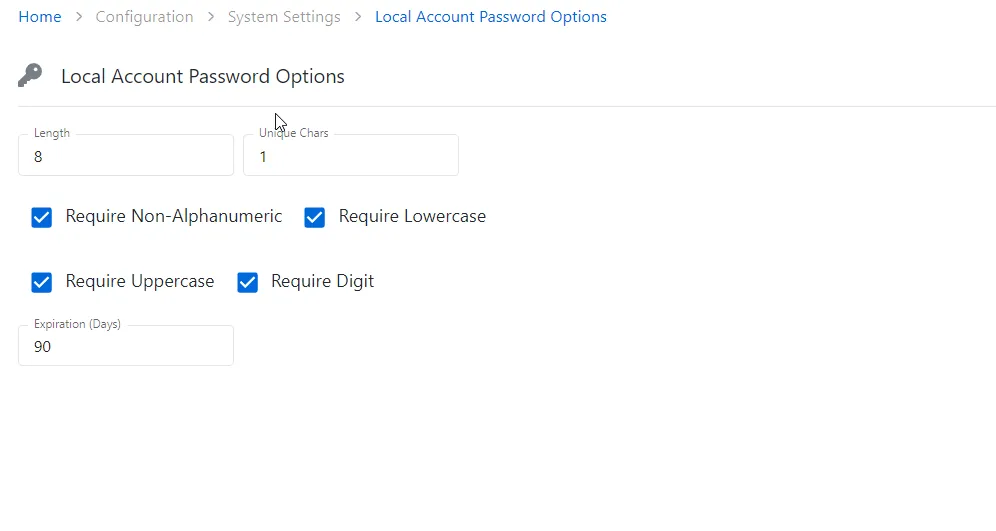
Provide the following information for the local accounts:
- Length — Specify the length of the local account password
- Unique Chars — Specify the number of the unique characters to include in the local account password
- Configure the following requirements to the local account password:
- Require Non-Alphanumeric
- Require Lowercase
- Require Uppercase
- Require Digit
- Expiration days — The number of days the password can be used before the password expires