SIEM Templates Page
The SIEM Templates page is accessible from the Navigation pane under Configuration > SIEM. Privilege Secure can output events to third-party SIEM solutions for reporting, correlation, and notification. The SIEM Templates page determines the format and the nature of the event data.
Privilege Secure provides two built-in templates for most common use cases, Common Event Format (CEF), and Log Event Extended Format (LEEF). You can configure new templates according to the requirements of the target SIEM solution, and the specific event data that must be sent. Privilege Secure supports 1.0 versions of CEF and LEEF.
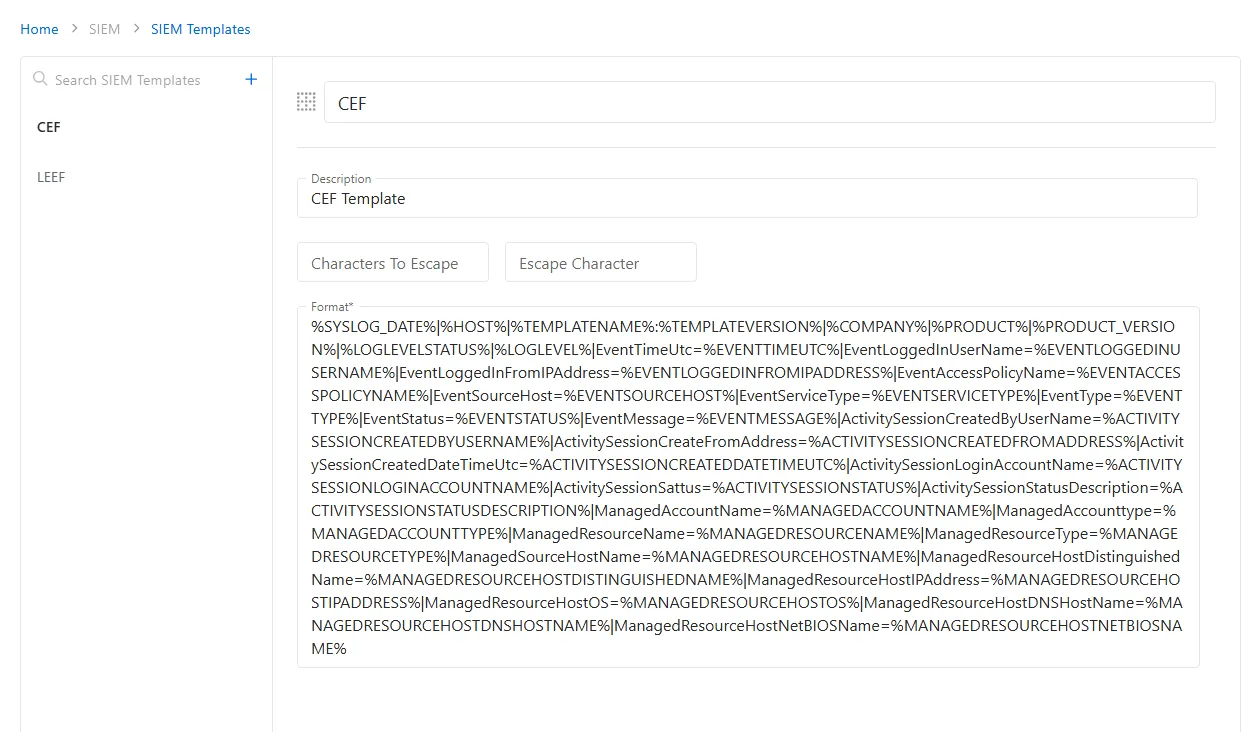
Add a custom SIEM template
To add a custom SIEM template to the Privilege Secure Console.
-
Navigate to the Configuration > SIEM > SIEM Templates page.
-
Click the Plus icon.
-
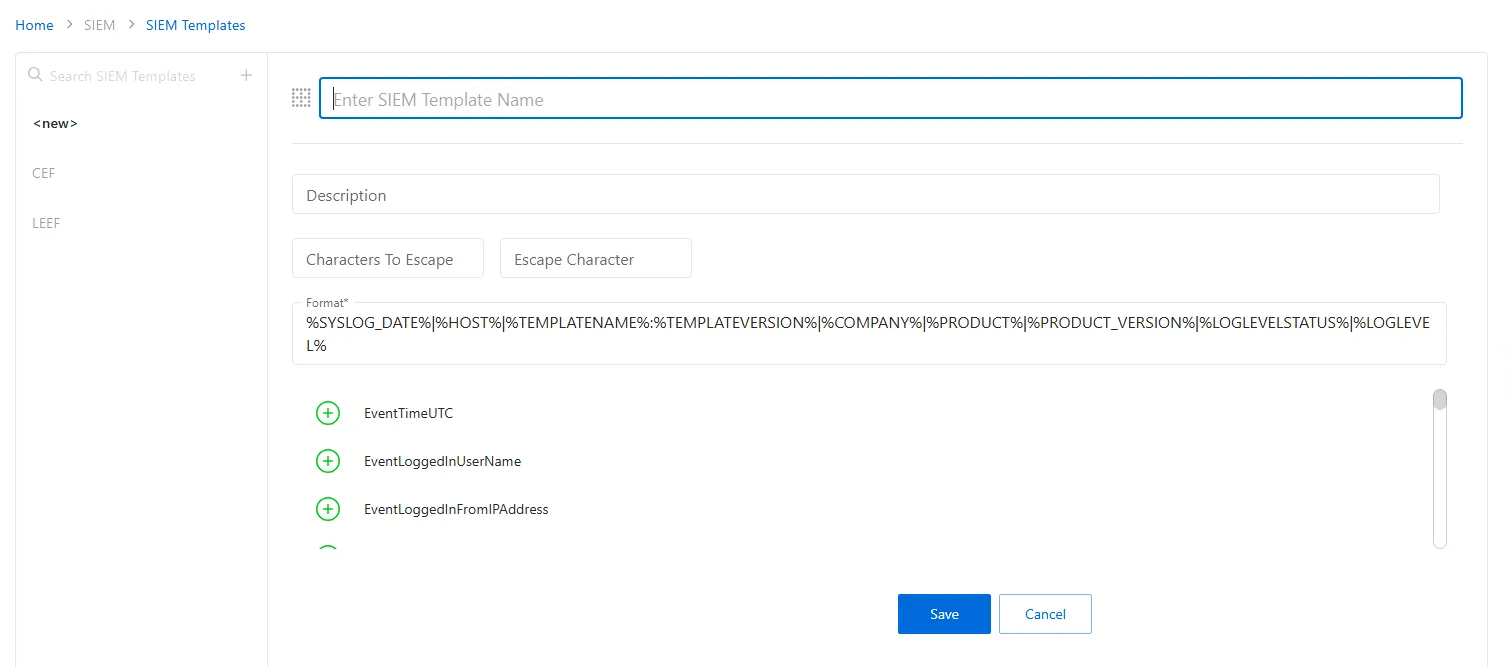
Enter the following information:
- Template Name — Enter the name for the custom template.
- Description — Description of the policy
- Characters To Escape — Characters that need to be escaped
- Escape Characters — Characters used to escape
- Format — The event data string that is sent to the SIEM Server displays in the Format field. This can be edited directly
- Event Picker — A list of events that can be sent displays in a scrollable list. To add events, position the cursor in the Format field and select the green plus icon next to the events you wish to add in the event picker
-
Click Save to create the new custom SIEM template.
The new custom SIEM template is added to the SIEM templates list.