Bring Your Own Vault (BYOV) Integration
Privilege Secure contains a built-in vault for credential management, but can integrate with vaults from other vendors using the Bring Your Own Vault® (BYOV) integration.
Add a vault connector for BYOV
To add the BYOV Connector.
-
Navigate to the Configuration > Integration Connectors page.
-
In the Integration Connectors list, click the Add Integration Connector icon.
-
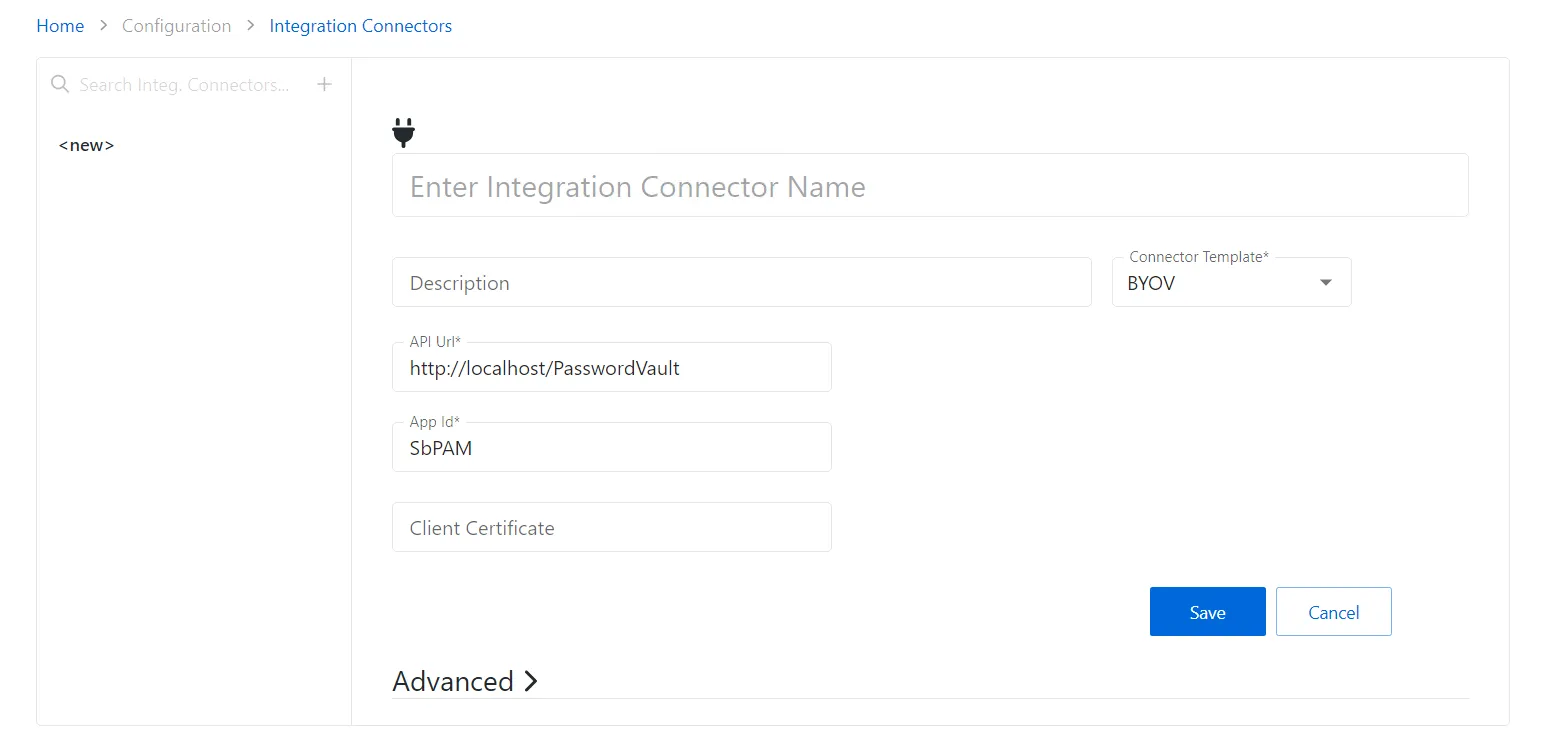
Enter the following information:
- Connector Name — Enter a name to uniquely identify the connector
- Connector Description (Optional) — Enter a brief description to identify the service account
- Connector Template — A selection of templates for connector configurations. Select BYOV from the dropdown list.
- API Url — The base URL for the API being used for the vault integration. Ex:
https://localhost/PasswordVault. - App ID — The application ID for the vault
- Client Certificate — The base 64 string from the certificate file being used to authenticate to the vault
- Advanced — Use this section to override the default behavior of the connector by providing a custom PowerShell script. Click the Advanced section to edit the Checkout Script Block and the Checkin Script Block or Skip the Certificate Check.
-
Click the Save icon to create the new integration connector.
The Build Your Own Vault is configured.