Log Files Page
The Logs page shows the log files. From here, search, and investigate the records.
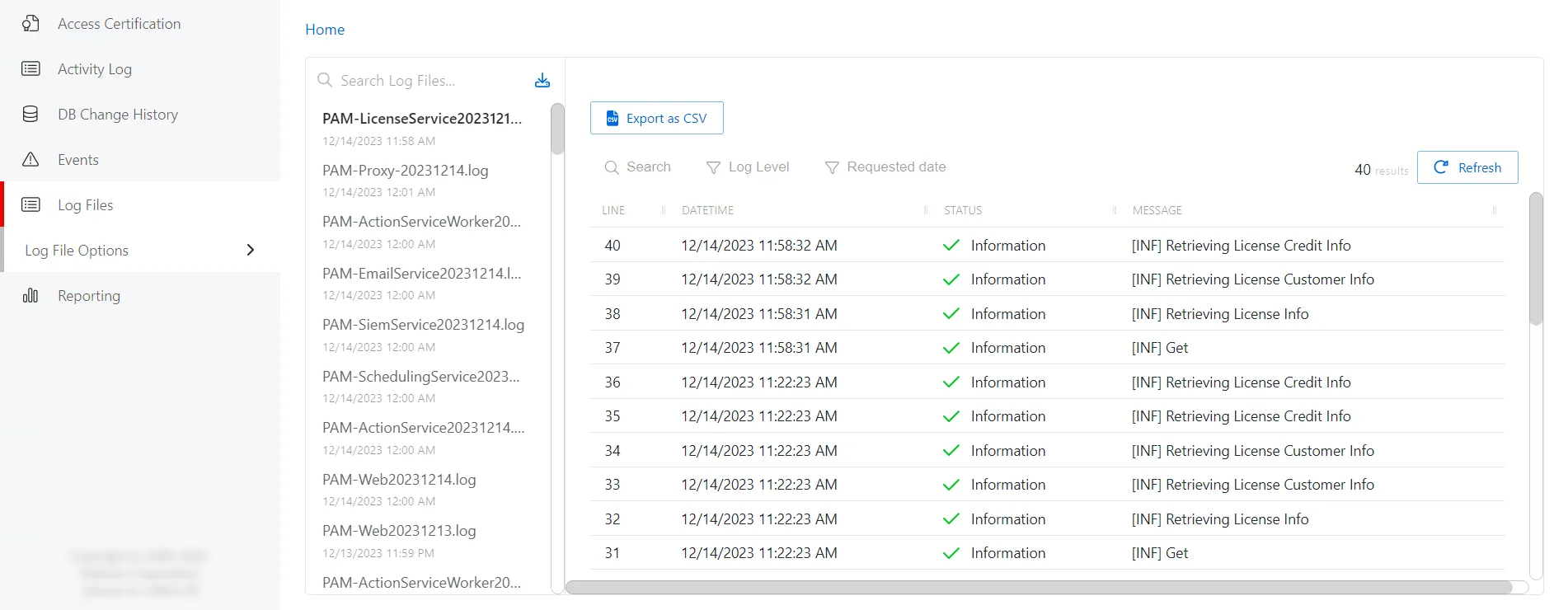
On the left of the page, the Log list shows the log files:
- Search — Searches the table or list for matches to the search string. When it finds matches, it filters the table or list to the matching results.
- List of Log files — Select a log file from the list to view it contents
The right of the page shows the contents of the selected log file and has the following features:
- Search — Search the contents of the log file
- Oldest/Newest Are At The Top button — Click to toggle the list by ascending or descending order
- Go To Top button — Return to the top of the list
- List of log entries — Itemized lines from log entry file
Privilege Secure saves the log files in the default location:
C:\ProgramData\Stealthbits\PAM\Log
The log file names use the format PAM-[Service][yyyymmdd]. For example:
PAM-ActionService20191002.log