DB Change History Page
The DB Change History page shows the database entries (Additions, Updates, Deletes). From here, search, and investigate the records.
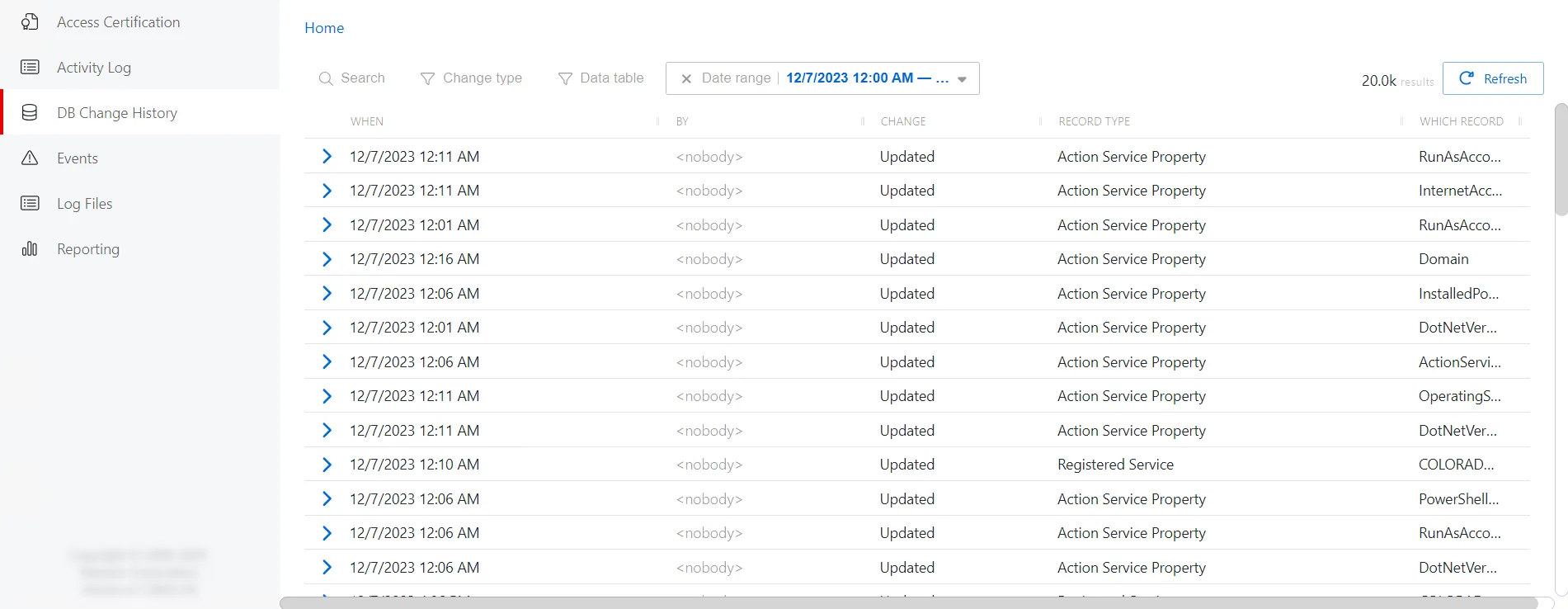
The DB Changes page has the following features:
- Search — Searches the table or list for matches to the search string. When it finds matches, it filters the table or list to the matching results.
- Filter by:
- Change Type:
- Additions
- Updates
- Deletes
- Data Table — Specify a database table
- Date Range — Set a date and time range to filter history
- Change Type:
- Refresh button — Reload the information displayed.
The DB Changes table has the following features:
- You can sort column headers in ascending or descending order:
- When — Timestamp of database entry
- By — The user associated with the entry
- Change — Type of database entry (Additions, Updates, Deletes)
- Record Type — Type of record modified
- Which Record — Record ID