Entitlements Tab for Access Certification
The Entitlements tab shows the activities associated with the users in the selected access certification task.
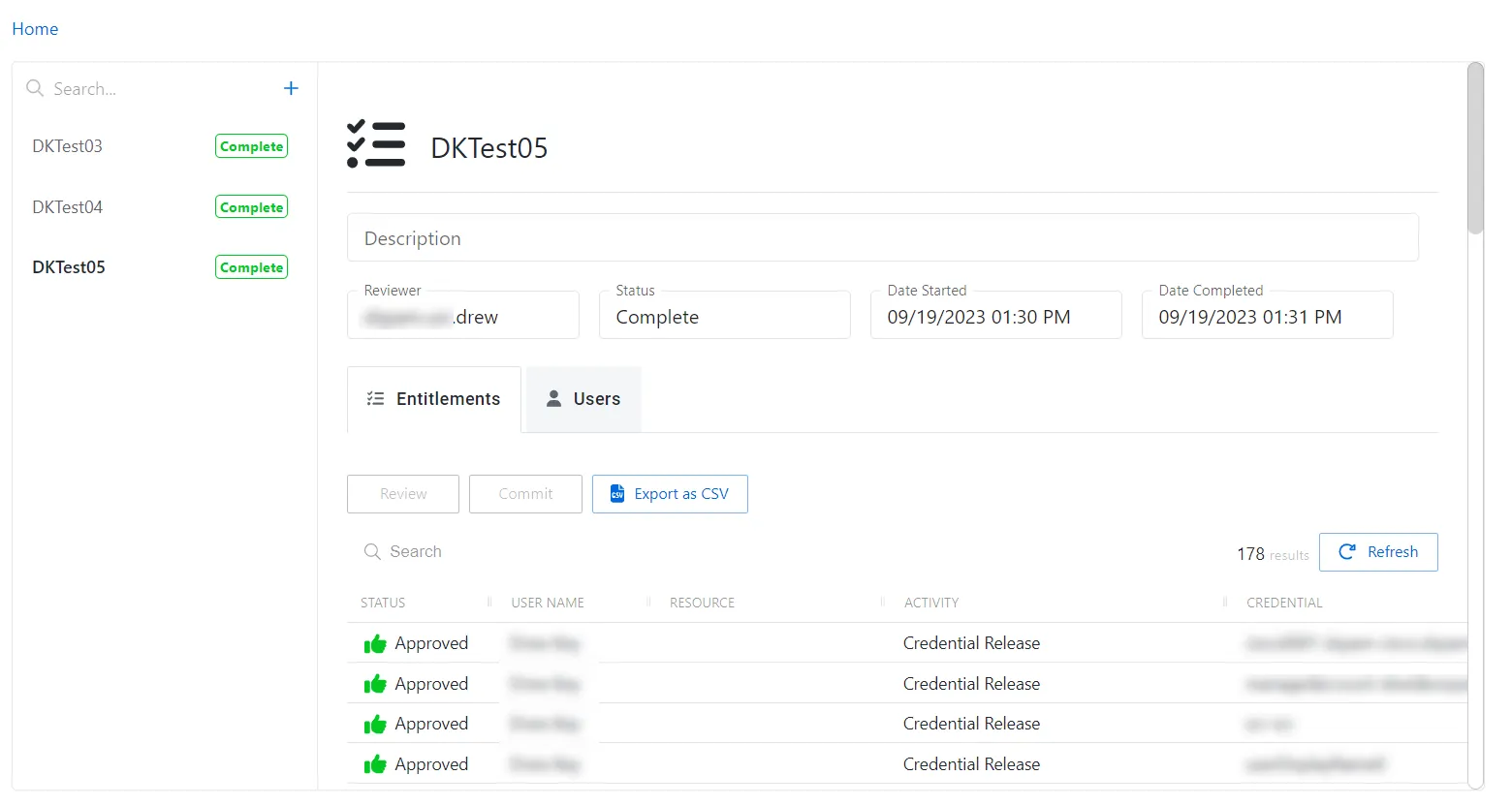
The Entitlements table has the following features:
The tab shows no entitlements until you add a user in the Users tab.
- Search — Searches the table or list for matches to the search string. When it finds matches, it filters the table or list to the matching results.
- You can resize column headers and sort them in ascending or descending order:
-
Status — Shows status information on the user’s access:
- Requested — Review of access initiated
- Approved — Existing access is approved
- Denied — Access is removed for that specific user/resource/permission
notePrivilege Secure doesn't remove the user from the access policy. Instead, it sets a ‘deny flag’ against that attribute so that you can re-enable it in the future.
-
User Name — Displays the name of the account
-
Resource — Name of the resource
-
Activity — The name of the credential permitted to be released by the access policy
-
Credential — The credential the activity has permission to release by the access policy
-
Permissions — The permissions the access policy grants
-
- The entitlements tab has three buttons:
- Review (only enabled for the reviewer) — Opens the Review Activity Details window. See the Review Entitlements topic for additional information.
- Commit (only enabled when all access has been reviewed) — Commits the modified access. After you commit the entitlements, you can't make further changes or delete the task.
- Export Entitlements as CSV (only enabled when changes have been committed) — Export activity details as CSV
Now the assigned Reviewer can accept or deny access. See Audit and Reporting: Reviewer