What happens to each component when PolicyPak gets unlicensed or the GPO or policy no longer applies?
This KB explains what happens when PolicyPak gets unlicensed or the GPO no longer applies.
An endpoint can become unlicensed due to a variety of reasons. Examples include:
- On-Prem, MDM or Cloud License expires
- Computer moves to unlicensed / never licensed location
- Using PolicyPak Cloud, you specifically unlicense a component
- Using PolicyPak Cloud, you specifically revoke the CSE
- You hand-uninstall or use SCCM or similar to un-intsall the PolicyPak CSE
- You remove the computer from a licensed domain
You may encounter a pop-up like this if you are using pre-CSE 24.4. Note the pop-up is opt-in only from 24.4. You won't see any pop up if you're using 24.4 or later.
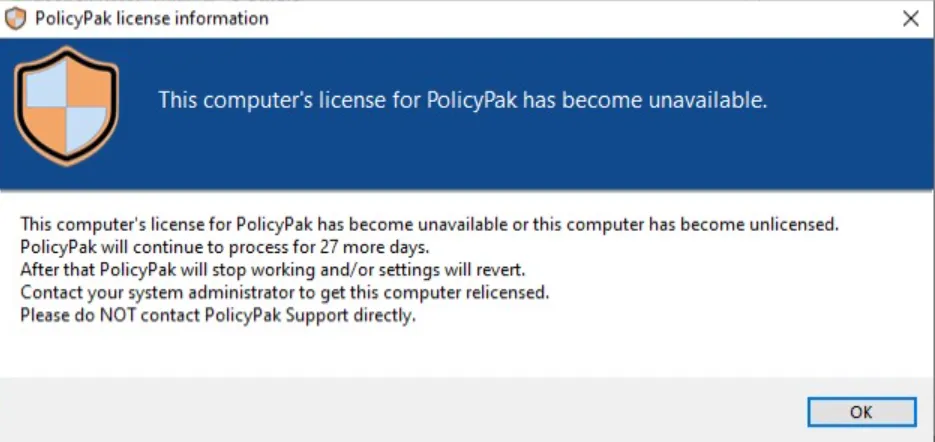
See How do I make the Grace Period licensing pop-up go away? for additional information on Pop-Up behavior.
The actual behavior may be somewhat different than what is described here. An endpoint can have its directives removed because of a variety of reasons. Examples include:
- Deleting / unlinking a GPO.
- Removing an XML file placed with SCCM or by hand.
- Removing an XML directive from PolicyPak Cloud.
- ILT evaluates to FALSE.
- WMI evaluates to FALSE.
Different components react somewhat differently when their licenses are removed, the policy which affects them is removed, or when the Client Side Extension is forcefully removed. In any of those cases, the PolicyPak Client Side Extension component(s) will react to that. In general:
- What happens when the component is unlicensed is that the endpoint simply doesn't pick up new directives for that component
- What happens when the policy is removed is that the setting will revert or be maintained (depends on the component)
You might want to get a better grasp on the unlicensed / revert behavior for each component. Each component is listed here (current as of January 2018).
Application Settings Manager
Will not honor new PolicyPak Application Manager requests.
Unlicensed or Policy Reverts
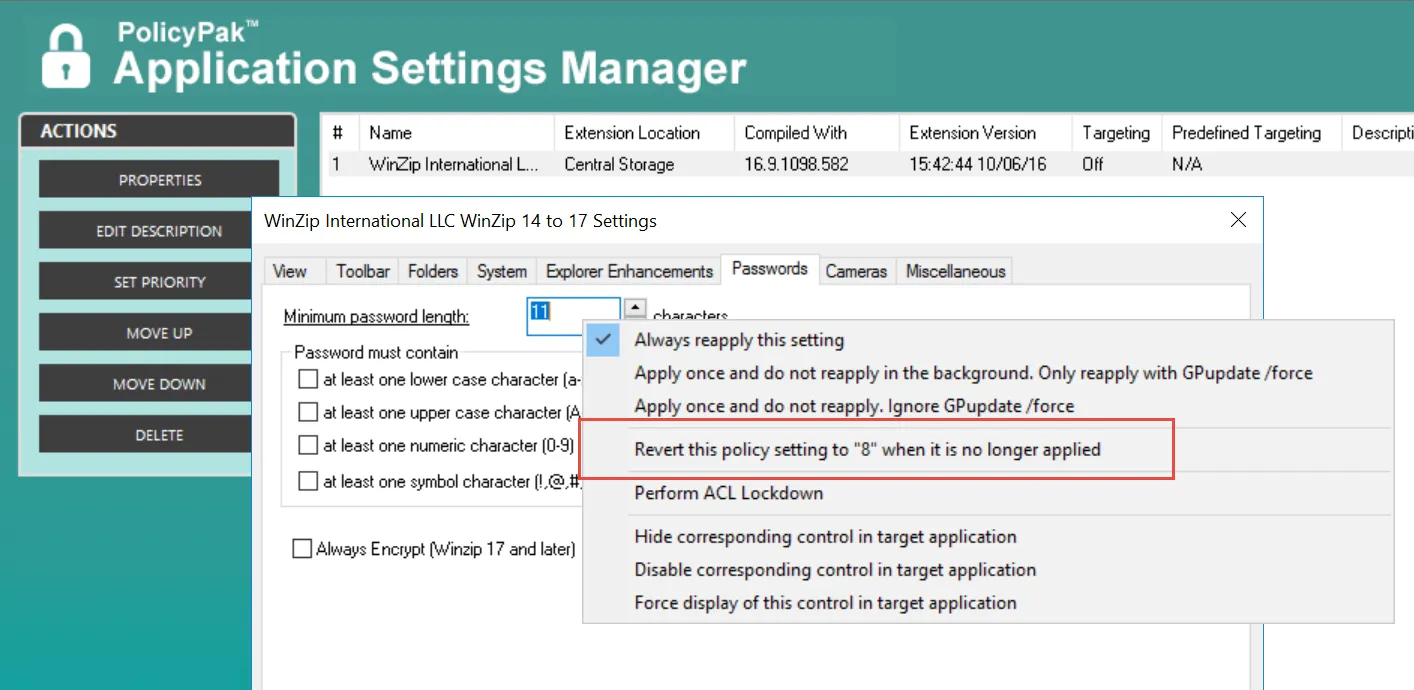
A setting may be set to Do Nothing at Revert, which is the default policy, or
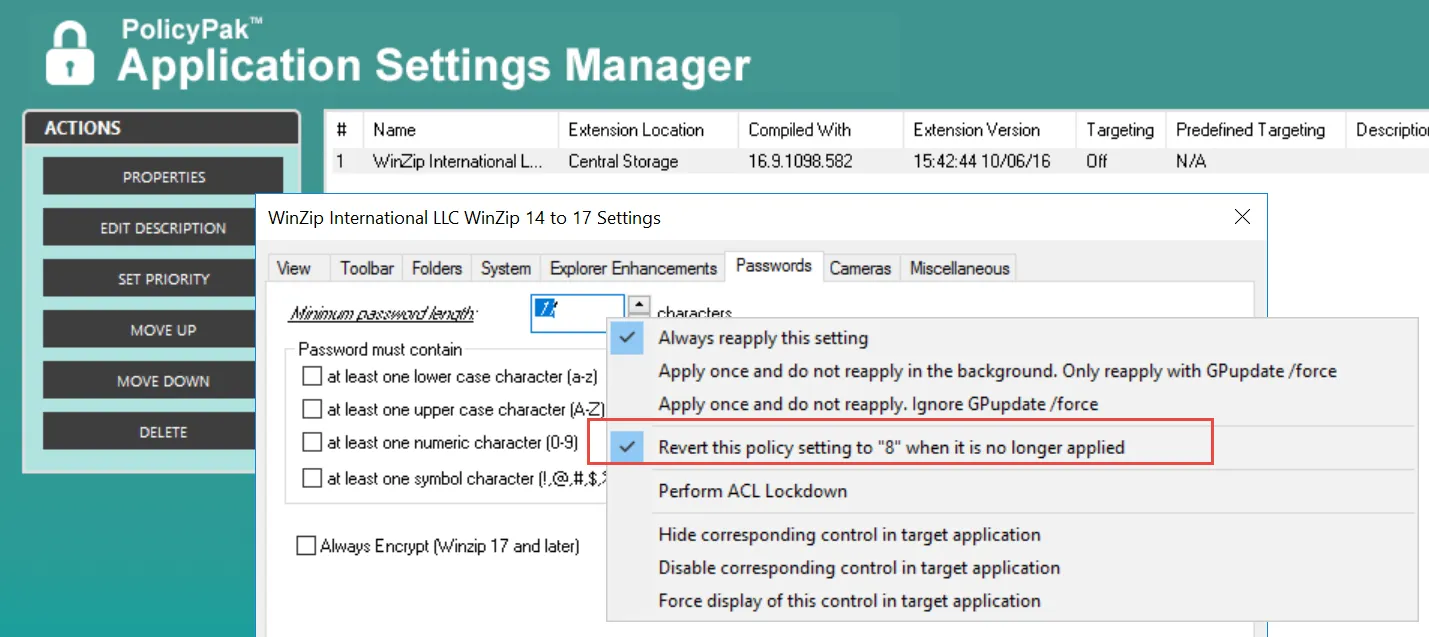
If the setting is set to Revert, the policy setting is reverted. The value displayed will be performed at revert time.
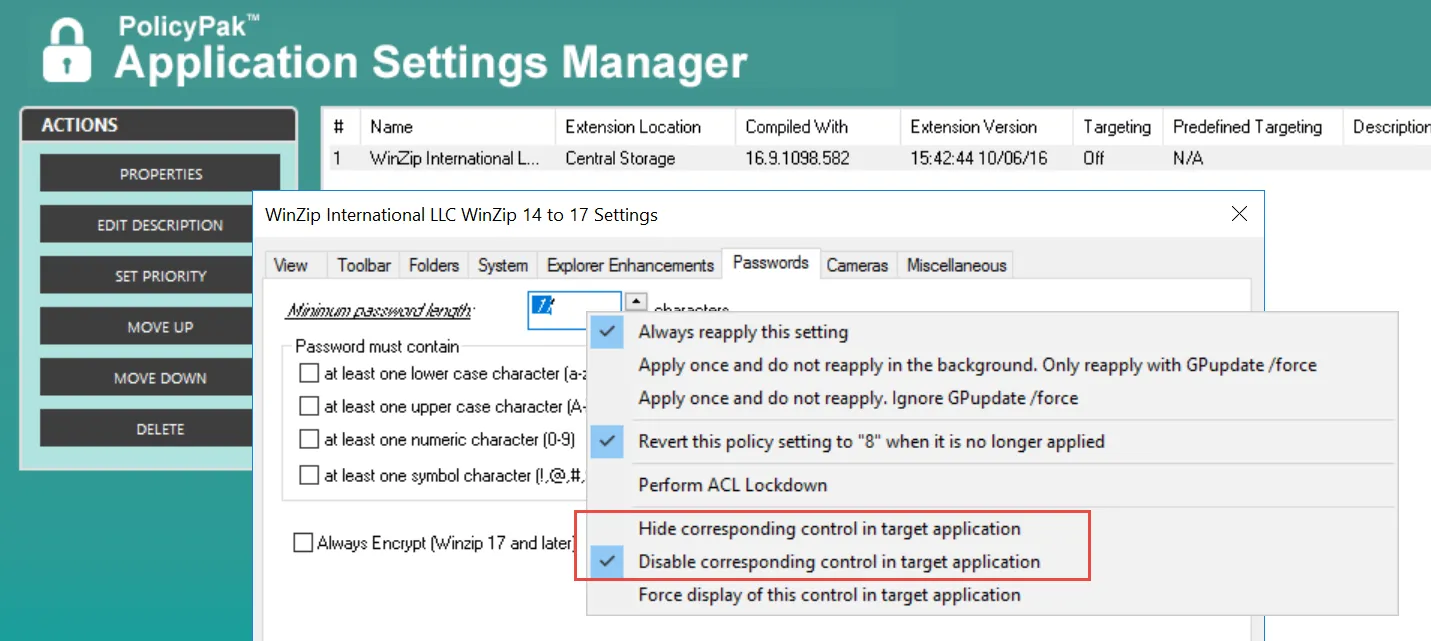
For Win32 apps where AppLock (UI restrictions) are used, like in this example, the UI becomes unrestricted.
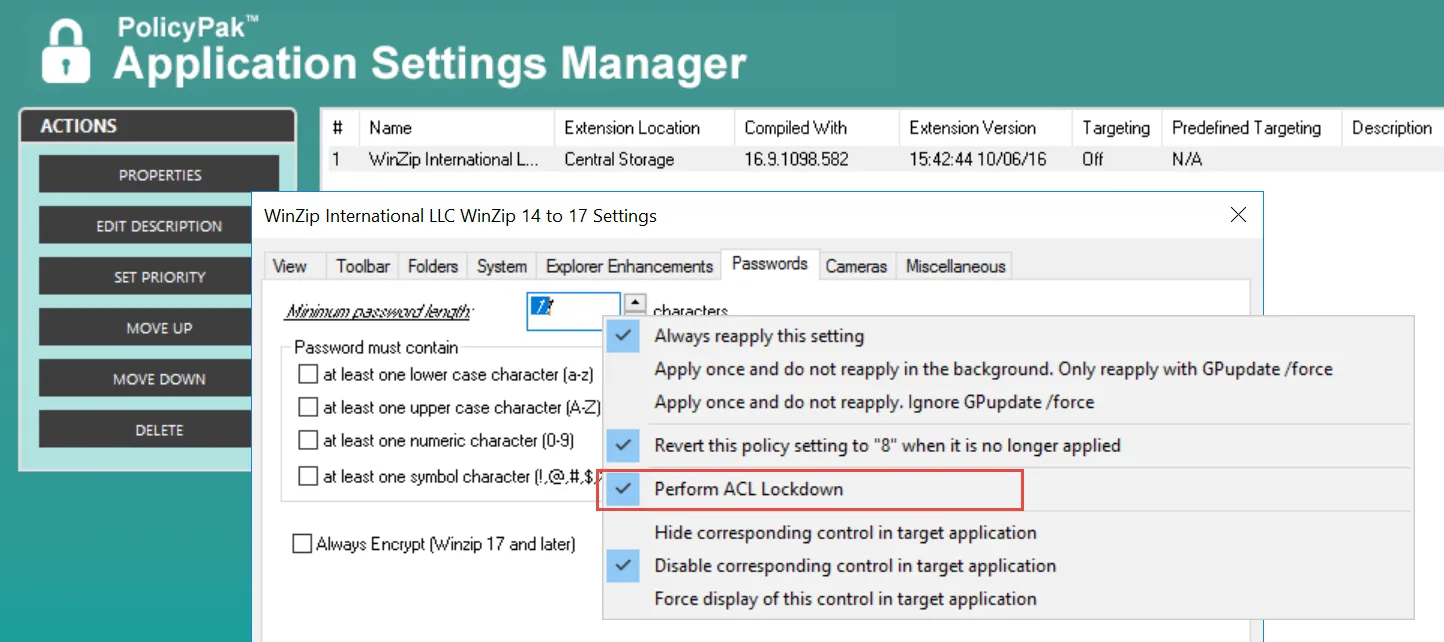
When NTFS / ACL Lockdown is used, the end-user will be free to change these settings inside the (previously restricted) registry.
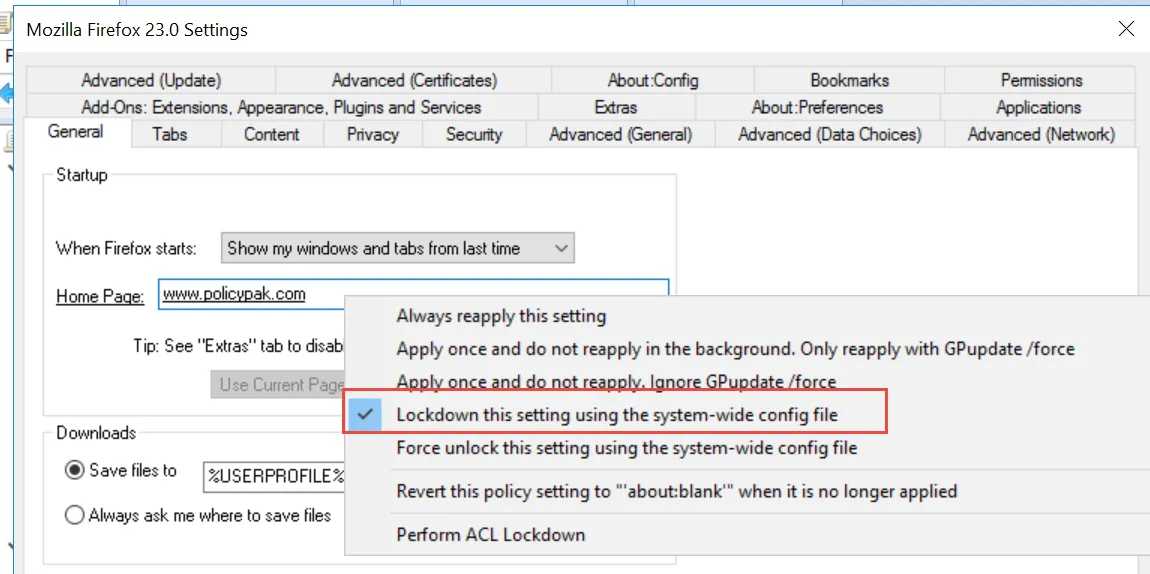
Some Paks may be set to System Wide Lockdown, like Java and Firefox, as seen above. In those cases, all users on the system are free to make changes after the GPO no longer applies.
Least Privilege Manager
When unlicensed:
- PPLPM will stop honoring new policies when unlicensed
Additionally, and/or when the GPO / XML no longer applies:
- Applications / MSIs / Scripts, etc. with elevated tokens will not elevate
- SecureRun(TM) will stop preventing users from self-installing items
Browser Router
When PolicyPak Browser Router is uninstalled or becomes unlicensed:
- The original default browser (as the user had it set before PolicyPak Browser Router was installed) will be placed back as default
Additionally, and/or when the GPO / XML no longer applies, any PolicyPak Browser Router "routes" are no longer honored. See Why doesn't PolicyPak Browser Router routes take effect the first time I log on to Windows 8.1 or Windows 10?
PolicyPak Admin Templates Manager
When PolicyPak Admin Templates Manager becomes unlicensed PolicyPak Admin Templates Manager will no longer apply new PPATM policies:
- Within GPOs
- XML Based files or
- Via PolicyPak Cloud
Additionally, and/or when the GPO / XML no longer applies, policy setting items work and revert exactly like Microsoft's Admin Templates Policy settings. So when PolicyPak Admin Templates Manager policy settings no longer apply, they revert back to their Not Configured value.
PolicyPak Preferences Manager
When licensed: PolicyPak Preferences manager becomes the intermediary which calls Microsoft's Group Policy Preferences CSEs. By default, we do not give our PolicyPak Preferences Manager licenses unless specifically requested by the customer (and this must be done each year).
When PolicyPak Preferences manager becomes unlicensed:
- In-box Group Policy Preferences is called directly; no more PolicyPak involvement
- PolicyPak will not process file-based XML directives
- PolicyPak will not process PolicyPak Cloud XML directives
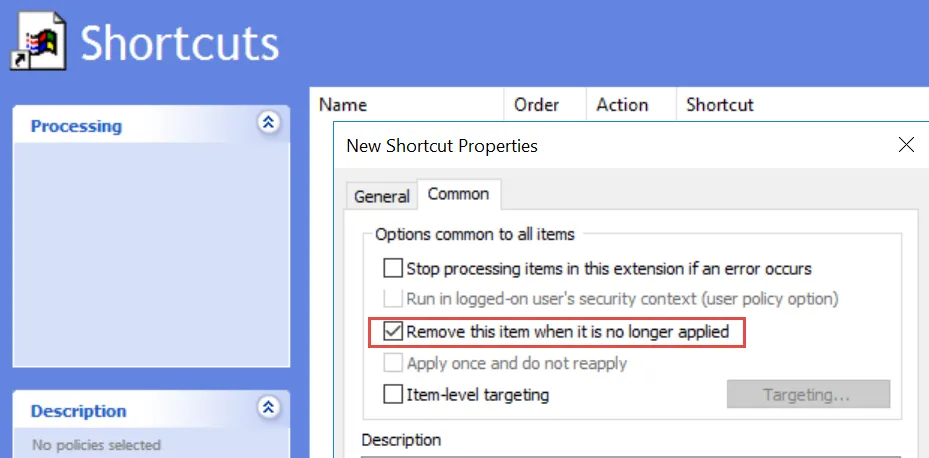
When the GPO no longer applies, or Policy XML no longer applies:
-
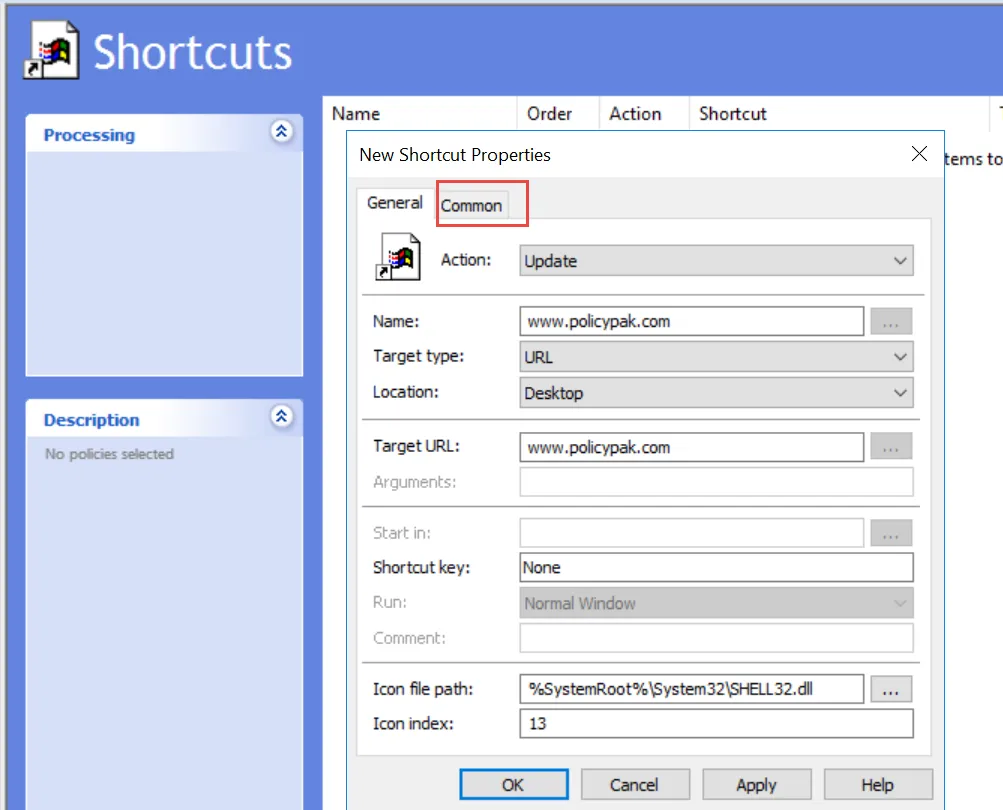
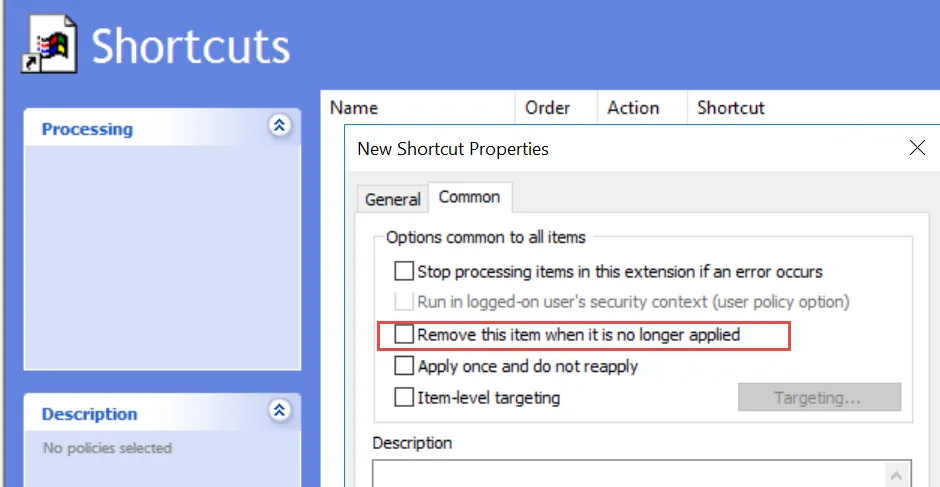
PolicyPak will leave the Microsoft GPPrefs item intact / alone on revert when the item's Common> Options tab is set like this:
-
Or PolicyPak will delete the Microsoft GPPRefs item when the item's Option tab is set like this:
Java Rules Manager
When PolicyPak Java Rules Manager becomes unlicensed, PPJRM will not honor new PPJRM policies. Additionally, and/or when the GPO / XML no longer applies PolicyPak will stop existing mappings of websites to Java.
File Associations Manager
When PolicyPak File Associations Manager becomes unlicensed, PolicyPak File Associations Manager will no longer honor new directives. Additionally, and/or when the GPO / XML no longer applies:
- The system will maintain the last settings placed by PolicyPak File Associations Manager
- The system will permit users to make their own changes going forward
- Other users on the system may make changes such that they will affect other users
Start Screen & Taskbar Manager
When PolicyPak Start Screen & Taskbar Manager becomes unlicensed:
- PolicyPak Start Screen & Taskbar Manager will not honor new directives
Additionally, and/or when the GPO / XML no longer applies:
- The system will permit users to make their own Start Menu and taskbar changes
- New users with new profiles on the system will get system default Start Menu groups
Security Settings Manager
When PolicyPak Security Settings Manager becomes unlicensed:
- PPSEC will no longer process directives from PolicyPak Cloud and
- PPSEC will no longer process XML based directives
Additionally, and/or when the GPO / XML no longer applies:
- PPSEC items work exactly like Microsoft's Security Settings Policy settings when the GPO is removed, or the policy is no longer applied or PPSEC becomes unlicensed
- Like built-in Microsoft Security policy settings, when these settings no longer apply, they are maintained; and not reverted back
Local admins can then make changes to these settings if desired.
Feature Manager for Windows
When Feature Manager for Windows becomes unlicensed:
- The last set of Features and Optional Features on the machine will be maintained and will not revert
- PPFMW will no longer process directives from PolicyPak Group Policy
- PPFMW will no longer process directives from PolicyPak Cloud and
- PPFMW will no longer process XML based directives
PolicyPak VPN Manager
When PolicyPak VPN Manager becomes unlicensed it will remove any managed VPN connection on the client endpoint. It will not honor new PolicyPak VPN Manager policies.
Scripts & Triggers Manager
When Scripts & Triggers Manager becomes unlicensed:
PPSCRIPTSwill not honor newPPSCRIPTSpoliciesPPSCRIPTSwill process theREVERTScriptPPSCRIPTSwill not process triggers
PolicyPak RDP Files Manager
When PolicyPak RDP Files Manager becomes unlicensed it will maintain any delivered .RDP files on the client endpoint. It will not honor new PolicyPak RDP Files Manager policies.
PolicyPak Software Package Manager
When PolicyPak Software Package Manager (AppX Delivery) becomes unlicensed, it will maintain any delivered UWP (Windows Store) apps on the endpoint. It will not honor new PolicyPak Software Package Manager (AppX Deliver) policies.
PolicyPak Remote Work Delivery Manager
When PolicyPak Remote Work Delivery Manager becomes unlicensed, it will:
- Not honor new PolicyPak RWDM policies
- RWDM will process the actions on the REVERT actions pane (including running the script and optionally deleting the copied files or folders as specified)
PolicyPak Device Manager
When PolicyPak Device Manager becomes unlicensed, it will:
- Not honor new PolicyPak Device Manager policies
- Any removable drive protections are stopped and existing rules will be unenforced, basically reverting it back to normal Windows' in-box behavior