Set Access and Permissions
By default, Platform Governance for Salesforce grants access only to system administrators. To extend access to other users:
-
Open Salesforce Setup > Users > Users

-
Click an existing User name.
-
Click Permission Set Assignments
-
Click Edit Assignments.

-
Select Netwrix Grant Permissions from the Available Permission Sets
-
Click Add. The permission set now appears in the Enabled Permission Sets list.
-
Click Save.
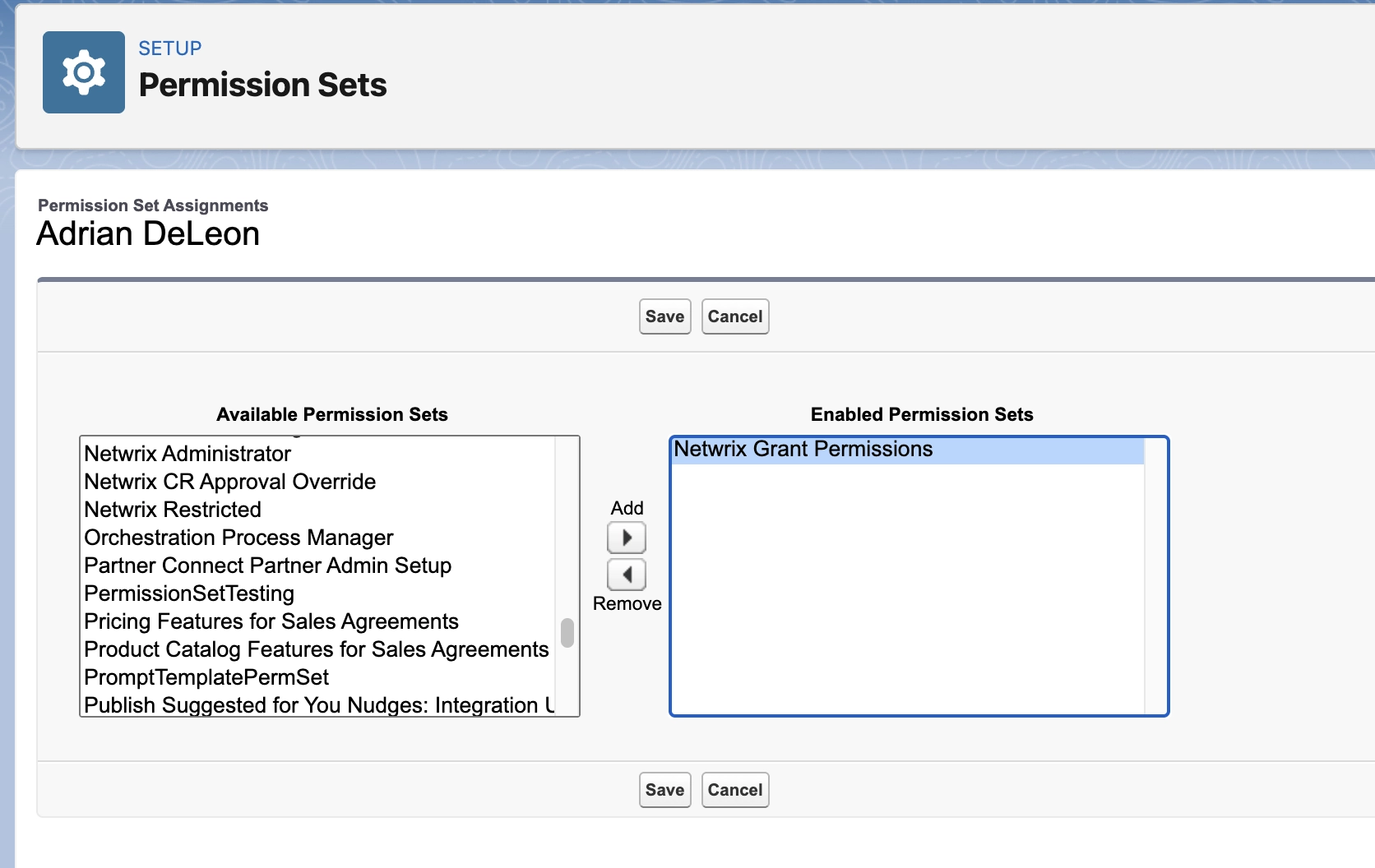
The user is ready to view and use Platform Governance for Salesforce.
The previous image shows additional Permission Sets included in the package. The following is a brief description of each:
-
Netwrix Administrator
Provides access to Netwrix configuration settings. -
Netwrix CR Approval Override
Users with this permission set can approve a Change Request regardless of the current policy. -
Netwrix Restricted
A restricted set of permissions required for users who make data updates to tracked or controlled objects.