Change Log for ReportFolder and DashboardFolder
Overview
This document describes the Change Log structure for Salesforce types "ReportFolder" and "DashboardFolder", following the Netwrix Style Guide.
Change Log Layout
The Change Log is organized into two main panels:
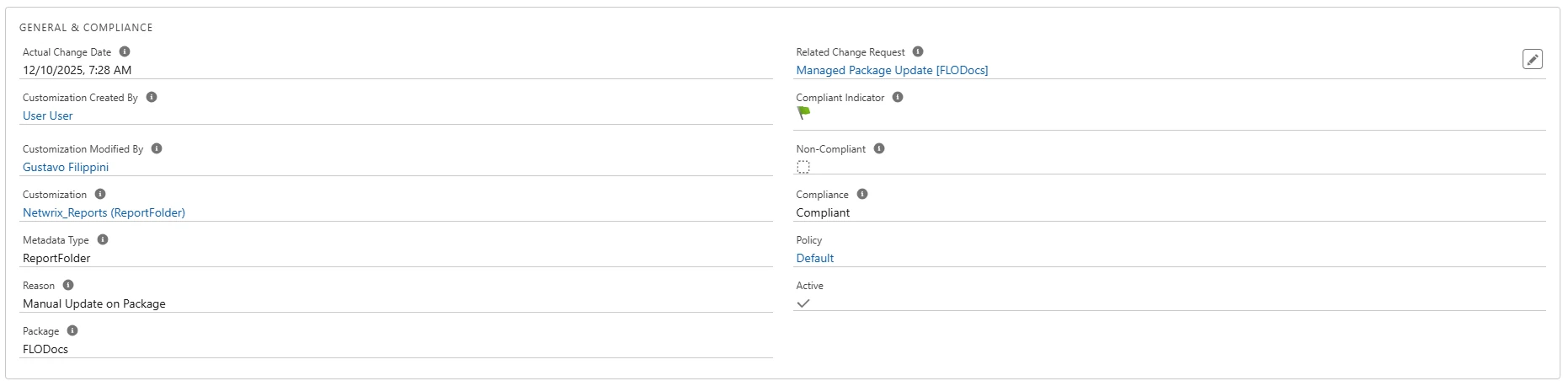
1. "GENERAL & COMPLIANCE" Panel
Fields and Meanings:
| Field | Description |
|---|---|
| Actual Change Date | Timestamp of the effective change |
| Customization Created By / Modified By | Users who created/last modified the customization record |
| Customization | Link to the specific folder customization record |
| Metadata Type | Indicates "ReportFolder" or "DashboardFolder" |
| Reason | Explanation for the change (for example, "Manual Update on Package") |
| Package | The package where the change was logged |
| Related Change Request | Reference to the associated Change Request (if any) |
| Compliant Indicator | Compliance status according to the active policy |
| Active | Whether the customization is active |
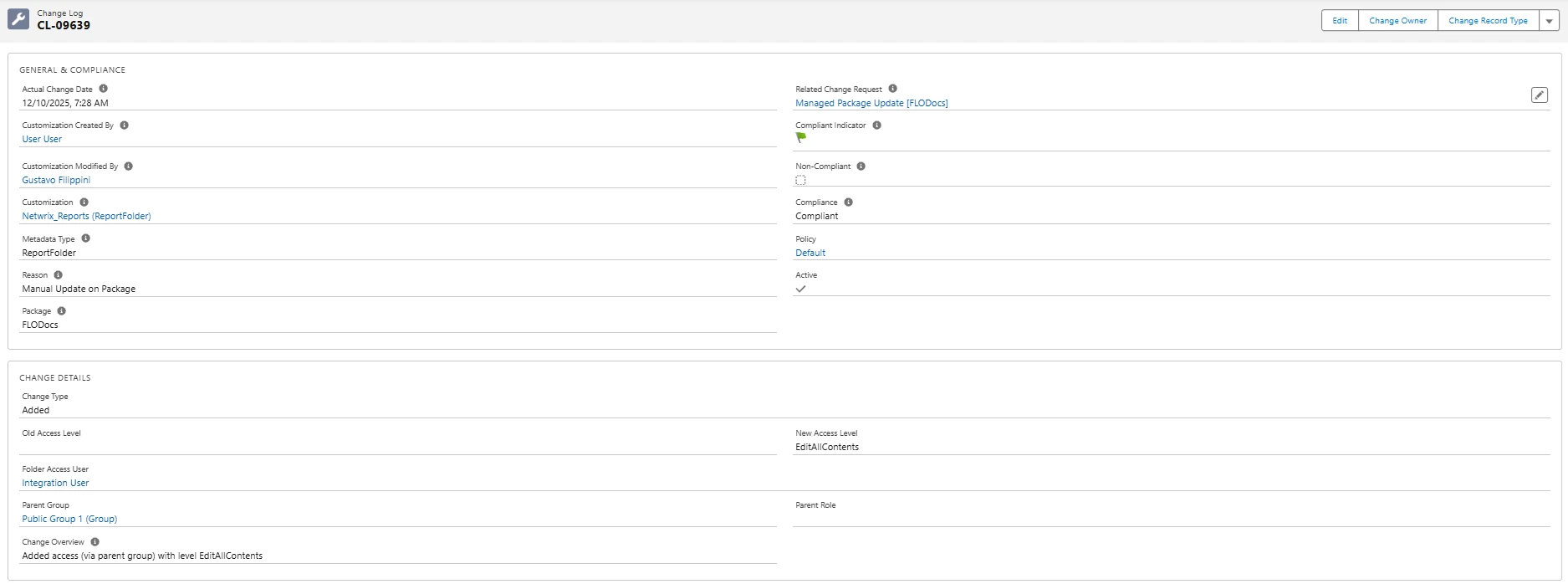
2. "CHANGE DETAILS" Panel
Fields and Meanings:
| Field | Description |
|---|---|
| Change Type | Type of operation (Added, Removed, Access Changed) |
| Old Access Level / New Access Level | Previous and new access levels (for example, View, Edit, or Manage) |
| Folder Access User | Target user who was granted or revoked access |
| Parent Group | Public Group through which access was granted (if applicable) |
| Parent Role | Role through which access was granted (if applicable) |
| Change Overview | Human-readable explanation of the change |
Access Permission Behaviors
Parent Group
- Direct user permission or via Role: "Parent Group" is empty
- Permission through a Public Group: Shows the Public Group that provided the access
Parent Role
- Direct user permission or via public group: "Parent Role" is empty
- Permission through a Role: Shows the Role that provided the access
Additional Notes
- The system tracks access changes with specific indicators:
- "Change Type" shows the nature of the modification
- When access is revoked, "Change Type" displays "Removed"
- The layout is consistent for both ReportFolder and DashboardFolder
- Complies with Netwrix public documentation on Customizations and Change Logs
UI Examples
- GENERAL & COMPLIANCE panel (ReportFolder example)
- CHANGE DETAILS panel (access change details)

- Full Change Log view
References
- For additional information, see Using Change Logs.