Web Application
What is the Web Application
Netwrix Password Secure version 8.3.0 replaced the previous WebAccess function with the Web Application. The newly developed Web Application serves as the basis for the constant enhancement of the functional scope. The objective is to provide the full functional scope of the client in the Web Application. The Web Application will thus be constantly enhanced. You can view all available functions in the Functional scope section.
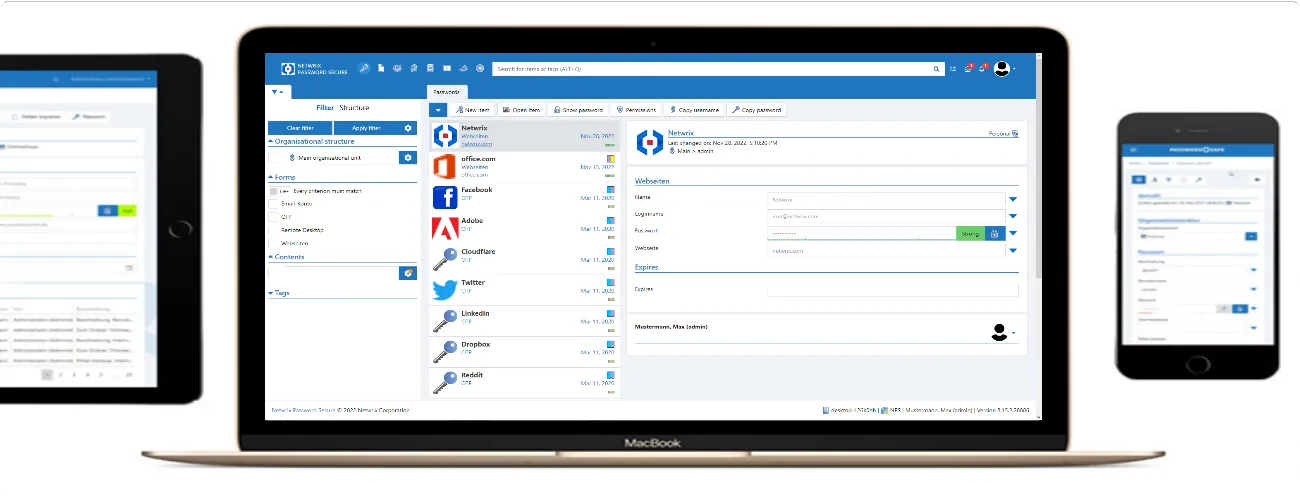
Netwrix Password Secure Web Application enables platform-independent access to the database via a browser. JavaScript support is the only browser requirement — it runs on Microsoft Windows, macOS, and Linux. As the Netwrix Password Secure Web Application has a responsive design, you can also use it on all mobile devices such as tablets and smartphones.
The Web Application mirrors the Netwrix Password Secure client in both appearance and operation. Users can only access the data they have permissions for. The Installation Web Application section describes the installation.
UI lock
When you refresh the Netwrix Password Secure web app or click the "Lock" entry in the menu, the application displays a lock screen. This is a client-side lock that isn't related to your session.
The UI lock is a convenience feature. Because your session remains active on the server, you can regain access without completing the full authentication process again — your second factor isn't required.
While the UI lock is active:
- You can't interact with the application until you unlock it
- Your session remains active on the server
- The application can't decrypt or display critical content (like passwords) — it removes all key material
The UI lock is independent of your session timeout settings.