View Event Logs in Windows Event Viewer
Step 1 – Open Windows Event Viewer.
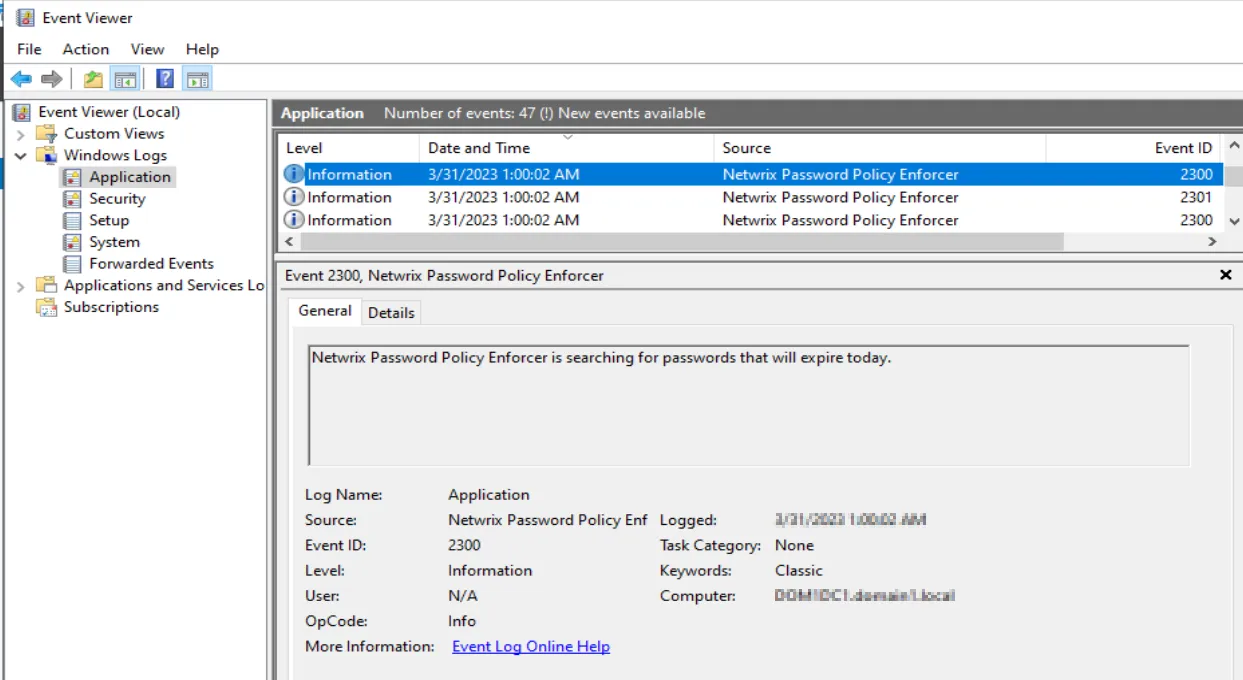
Step 2 – Navigate to Windows Logs > Application.
Step 3 – In the Application list, select a Netwrix Password Policy Enforcer event under the Source column.
The General tab shows details for the selected event. The Details tab shows...
View Log Properties
To view Log Properties, navigate to the Actions menu and select Properties.
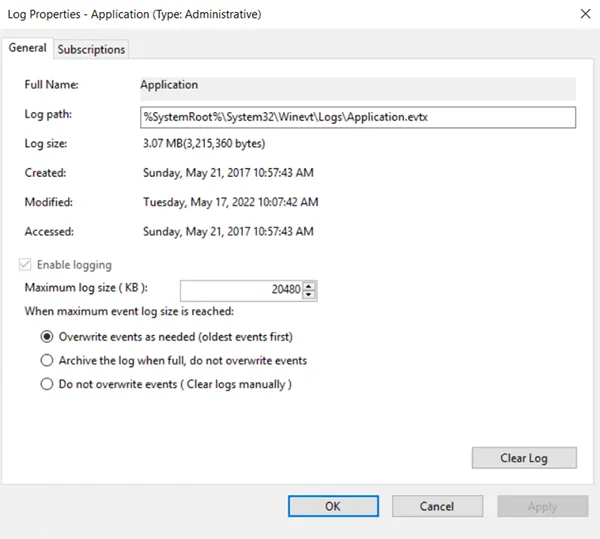
The Log Properties window displays. Configure settings for this log from this window.