ProfileAdministrationAccessControlRules
Gives a profile the rights to create, update, and delete profiles.
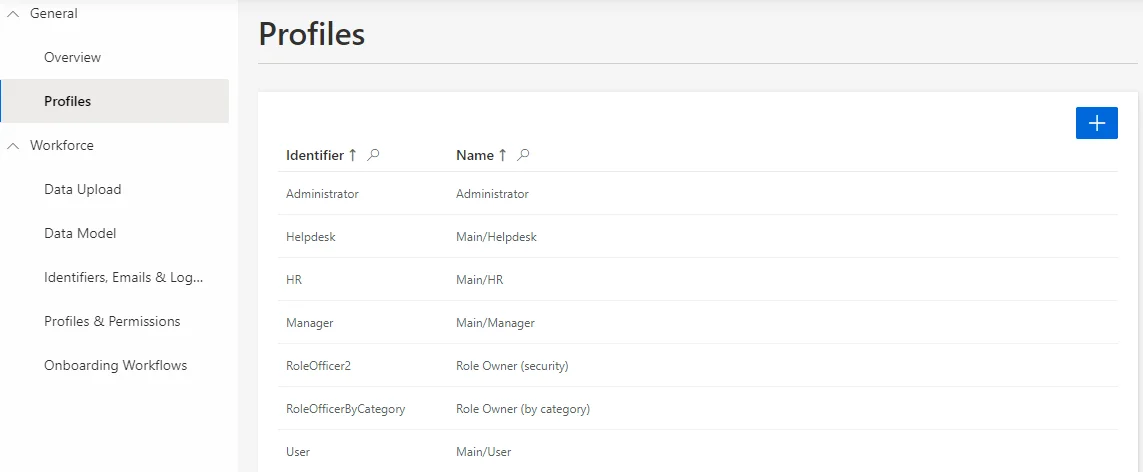
Profiles are listed on the Profiles screen, from Settings in the Configuration section.

Examples
The following example gives to the Administrator profile the rights to create, update, and delete profiles.
<ProfileAdministrationAccessControlRules Profile="Administrator"/>
Properties
| Property | Details |
|---|---|
| Profile required | Type: String Description: Identifier of the profile involved in the scaffolding. |
Generated XML
The example above generates the following configuration:
<AccessControlRule Identifier="Administrator_Profile_AccessControl_Profile" DisplayName_L1="Administrator - Profile Configuration" DisplayName_L2="Administrator - Configuration des profils" EntityType="Profile" Profile="Administrator">
  <Entry CanExecute="true" Permission="/AccessControl/Profile/Create" />
  <Entry CanExecute="true" Permission="/AccessControl/Profile/Delete" />
  <Entry CanExecute="true" Permission="/AccessControl/Profile/Update" />
</AccessControlRule>