Requesting an Elastic IP
Complete this step so the Endpoint Protector Clients can communicate with the same IP Address in case of an instance restart. Without an Elastic IP (Static IP), the instance will assign a new IP address every time it restarts, and you must reinstall the Endpoint Protector Clients.
An Elastic IP keeps the address stable when the instance restarts, but not when you migrate to a new instance. Create a DNS record for a fully qualified domain name (FQDN) that points to the Elastic IP, and configure clients and integrations with the FQDN. See Use an FQDN Instead of an IP Address.
To request an Elastic IP, in the AWS Management Console, go to Network & Security > Elastic IPs and click Allocate New Address.
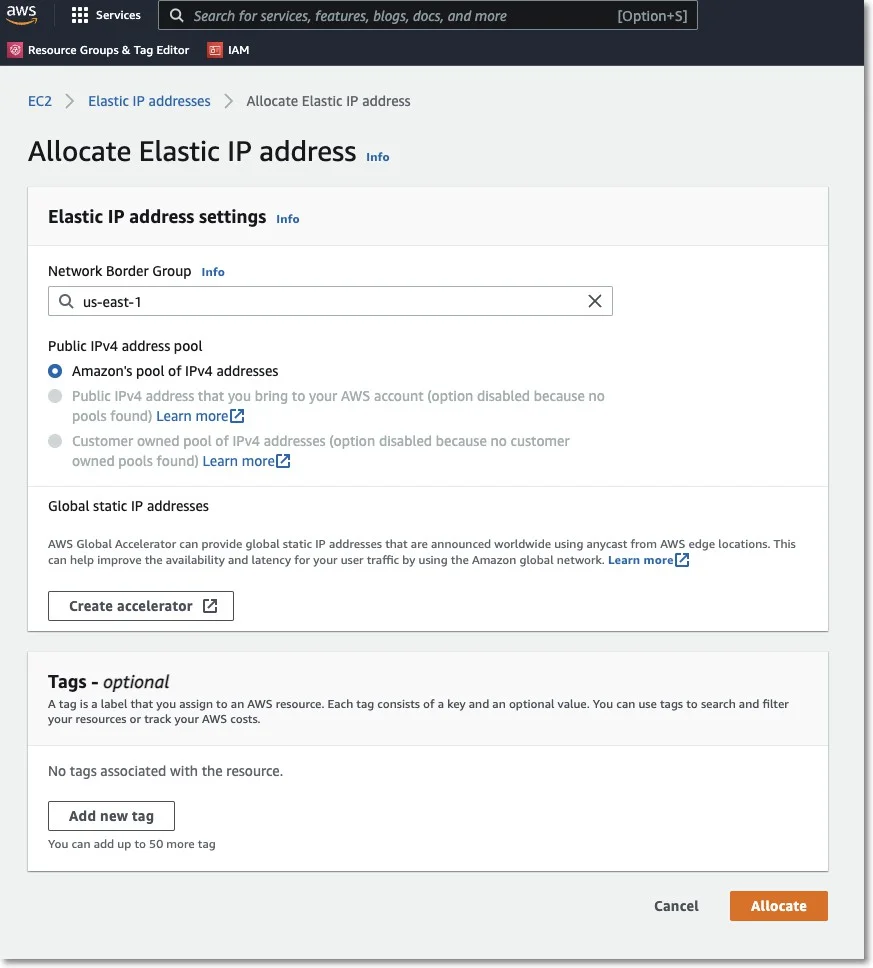
Step 1 – Associate the Elastic IP with your Endpoint Protector Instance.
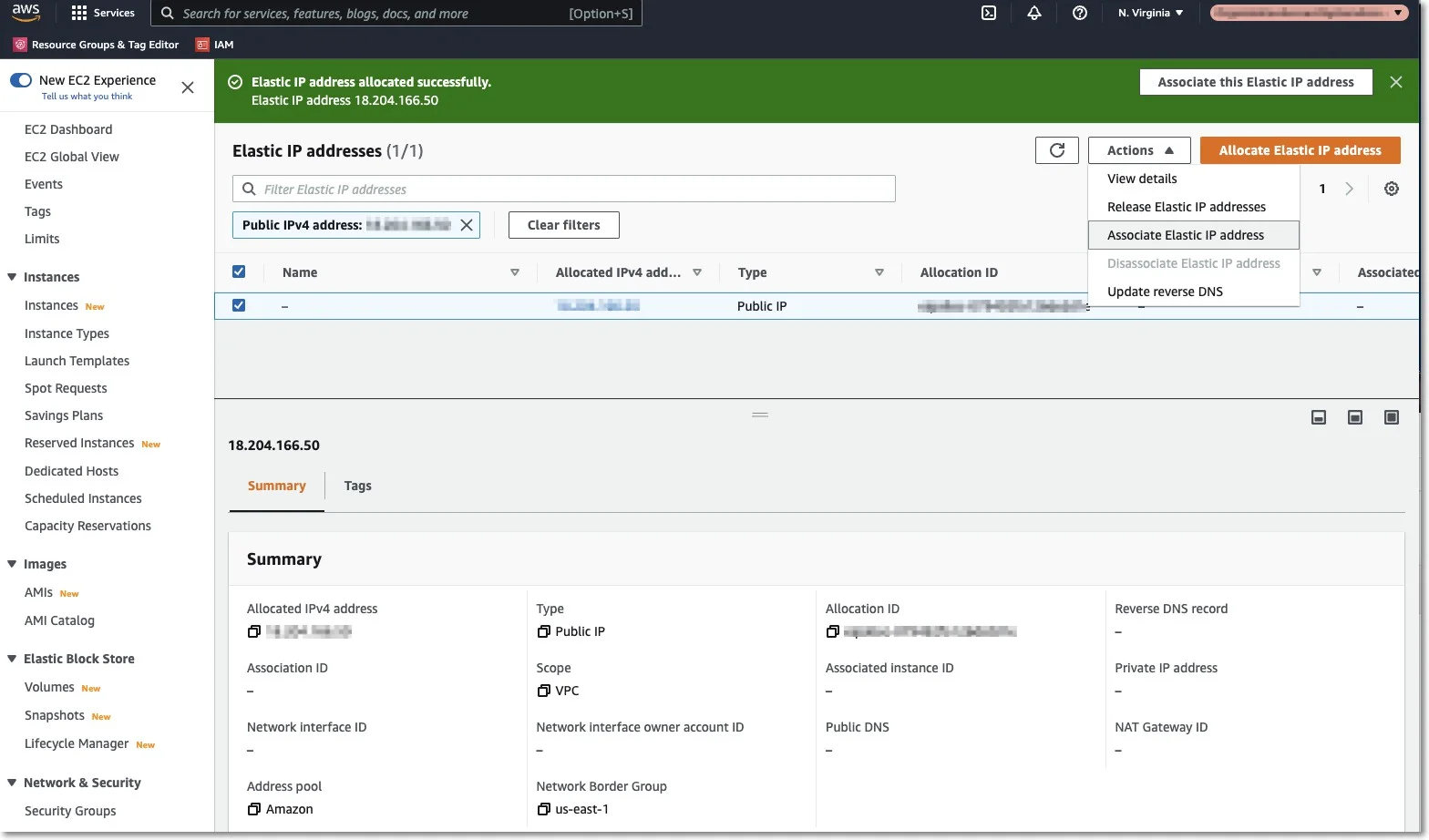
Step 2 – Select the Endpoint Protector Instance from the dropdown list, the Private IP address, and then click Associate;
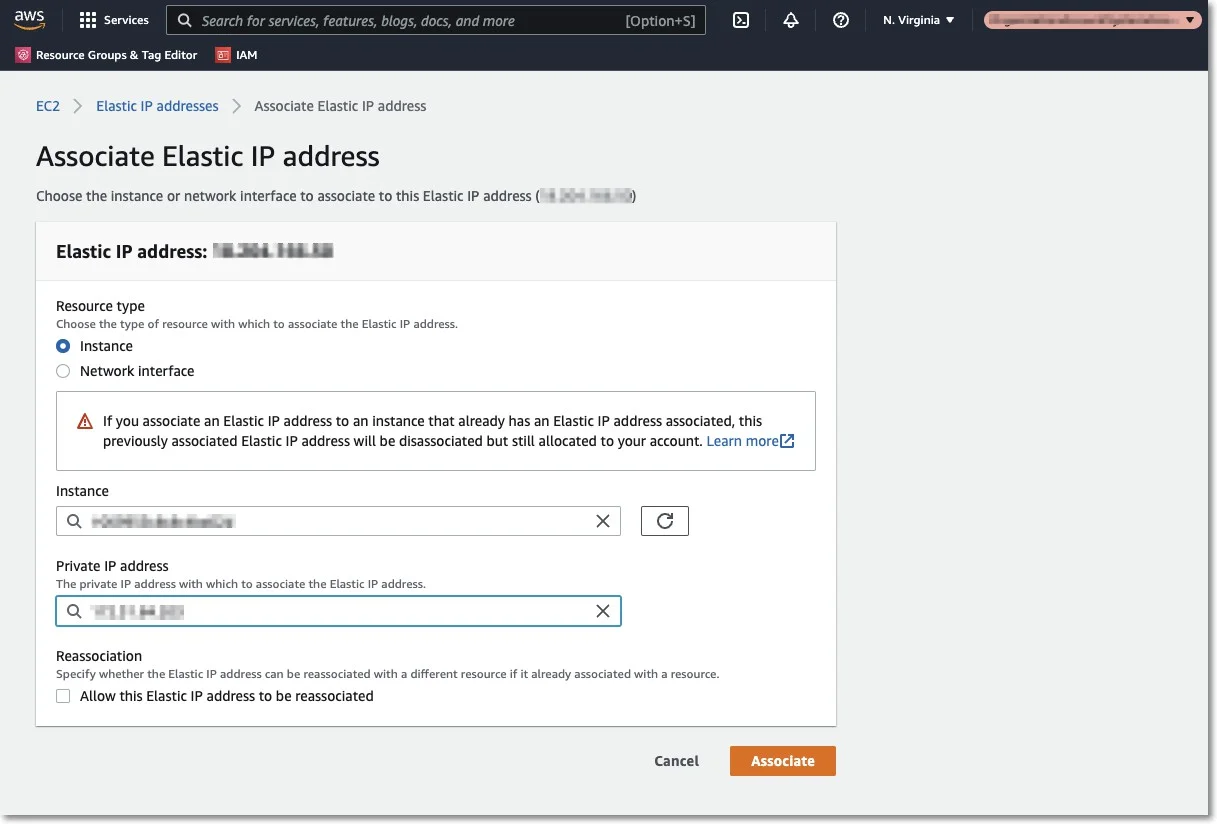
You now have the Elastic IP associated with your Endpoint Protector Instance. After a few minutes, the Endpoint Protector Instance will run with the Elastic IP.
Further secure your Instance by making all possible settings in the AWS Interface under Security Groups.