Configuration Backup
Only available for ‘Superusers’
The Backup utility lets you migrate complex Netwrix Data Classification instance configurations.
Use this feature to safely design and test a Netwrix Data Classification configuration in a development environment, then copy the configuration, or specific parts of it, to a different environment (for example, production).
The tool supports text replacement so you can replace user-defined URLs with the equivalent destination URL. The following configuration options are available for import / export:
-
Source Registrations
-
SharePoint Termset Registrations
-
Workflow Configurations
-
Core Configuration Options:
- Files Excluded
- Files Included
- Mapped Metadata Fields
- Mapped Metadata Values
- Supported Languages
- Pages Excluded
- Pages Included
- SharePoint Excluded
- Text Patterns
To create configuration backup:
Step 1 – Go to Settings > Config > Utilities.
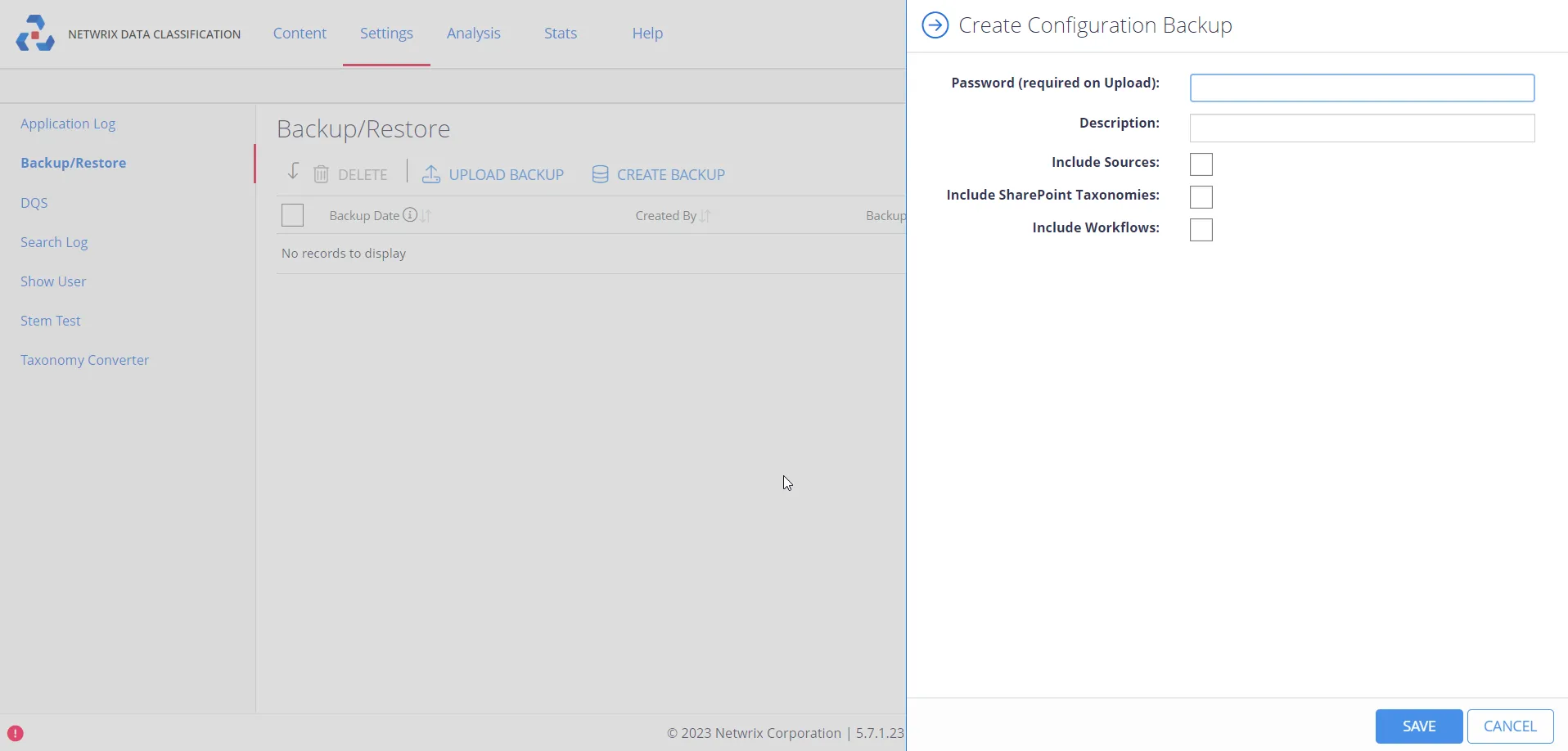
Step 2 – From the navigation menu on the left, click Backup/Restore.
Step 3 – Click Create Backup and select the elements that you want to include (sources, SharePoint taxonomies, or workflows).
You need the backup password if you export a backup to XML and re-import to a different environment. This option is required on Upload Backup step.
Step 4 – Click Save.
Upon import, the system skips any items that already exist.