Search and Filter Taxonomies
The page displays the taxonomies in a hierarchical structure on the left hand side, where you can select and manage specific terms. The dropdown list shows all available taxonomies.
The console groups SharePoint Terms by the SharePoint Term Group.
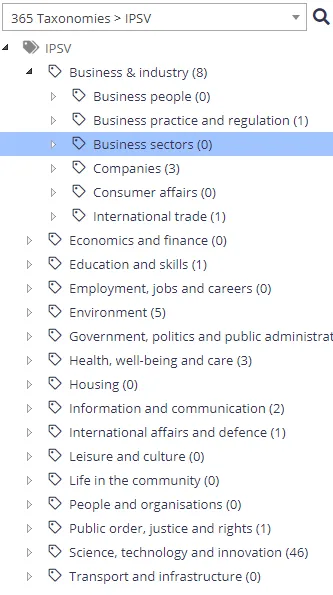
Right-clicking the tree view nodes provides a number of management options at both the term and termset level including:
- Add Child Term
- Rename Term
- Delete Term
- Re-Classify Term
- Re-Classify Tagged
- Pin Term With Children
- Reuse Terms
- Export CSV
You can also drag-and-drop a node from one location on the tree view to another. After dropping the node, you can select to either move, copy, or merge the nodes.
Browser rendering restrictions limit the maximum suitable size per level within the tree view at 10,000 terms. Structure the tree view across multiple branches for both performance and usability. Once a branch within the taxonomy reaches 10,000 terms the tree view caps the returned nodes and logs a warning to the event logs.
Review the following for additional information:
- Searching for Taxonomy Terms
- "Sync Enabled" Treeview Filter
- Source Filter
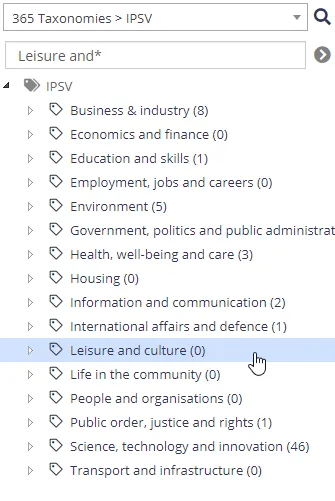
The system provides a search facility to locate terms containing specified text:
Click the magnifying glass icon to the right of the taxonomy dropdown and a new edit box appears where you can enter search text:
"Sync Enabled" Treeview Filter
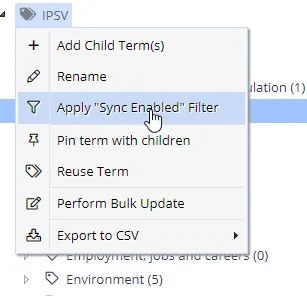
For SharePoint Term Sets you can optionally filter the treeview to only show terms that are enabled for synchronisation (configured on the term Settings screen).
This setting is session specific and applicable only to the current user:
See Taxonomy Settings for more information.
The system also provides a filter facility to restrict all search/browse results to a specific source. Click the source filter link in the top right of the display, then, select a source:

You can store the filter setting for the session, or maintain it only for the browser window.