Multi-User Environments
When several users maintain the taxonomy structure simultaneously, you need to prevent concurrent access to individual classes so that another user working in the same area of the taxonomy doesn't overwrite one user’s work.
To allow multiple users to work simultaneously, a locking facility enables each user to reserve one or more classes for private editing. When they have finished a batch of work, they can unlock the classes to release.
To enable this facility the administrator should “Enable User Locking” under Config → Core → Query Server.
The administrator should also ensure that Anonymous Access is disabled for the administration web application in IIS so that individual Windows identities are available within Taxonomy Manager for locking purposes.
When you enable this facility, a Lock Class button appears in the treeview context menu for all classes:
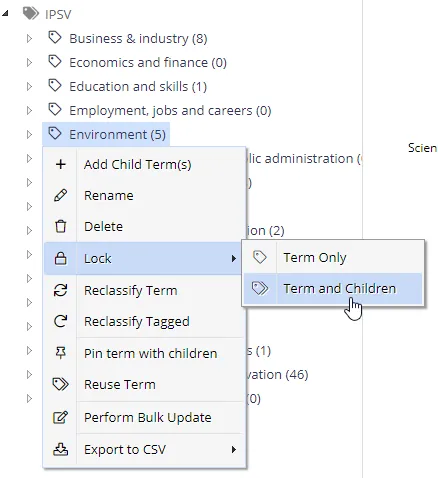
You can also optionally lock all of its children in a single operation. After you lock a term, the context menu items change to allow unlocking the selected term and its children.
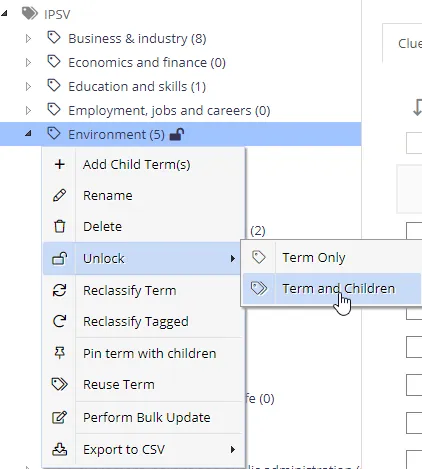
Other users will see a closed padlock symbol to indicate the status of the term.
Other users can't alter or unlock a term that another user locked. However, super-users can unlock a term.