Calculations
To review the calculations for your taxonomy:
-
Select Content > Taxonomies.
-
Choose the required taxonomy.
-
Select Browse.
-
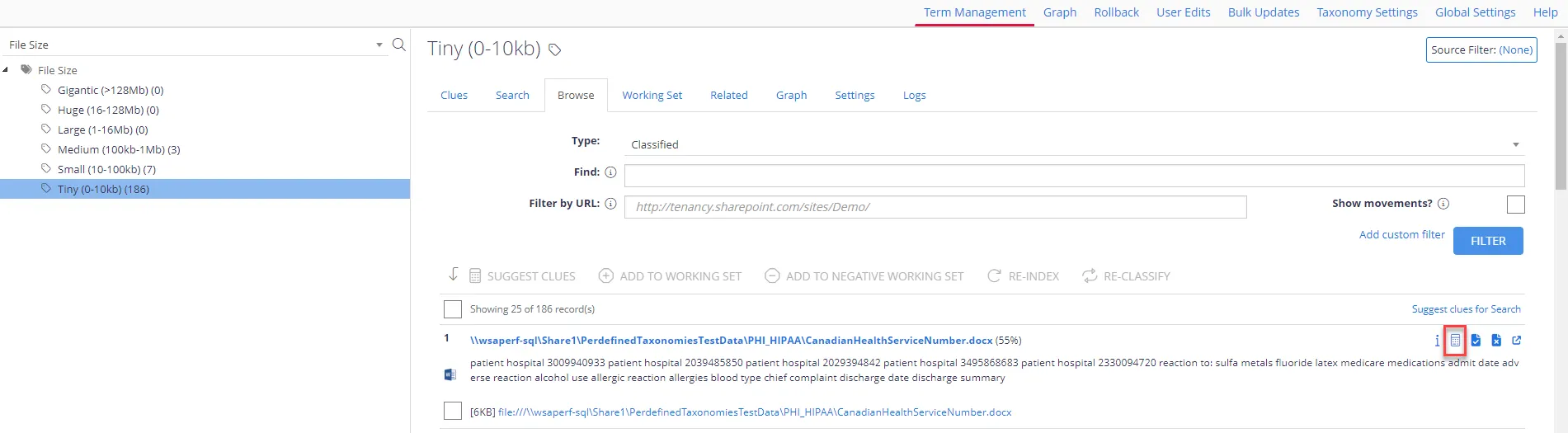
On the classified file, click the Calculator icon. The panel shows how the product calculates the classification scores.
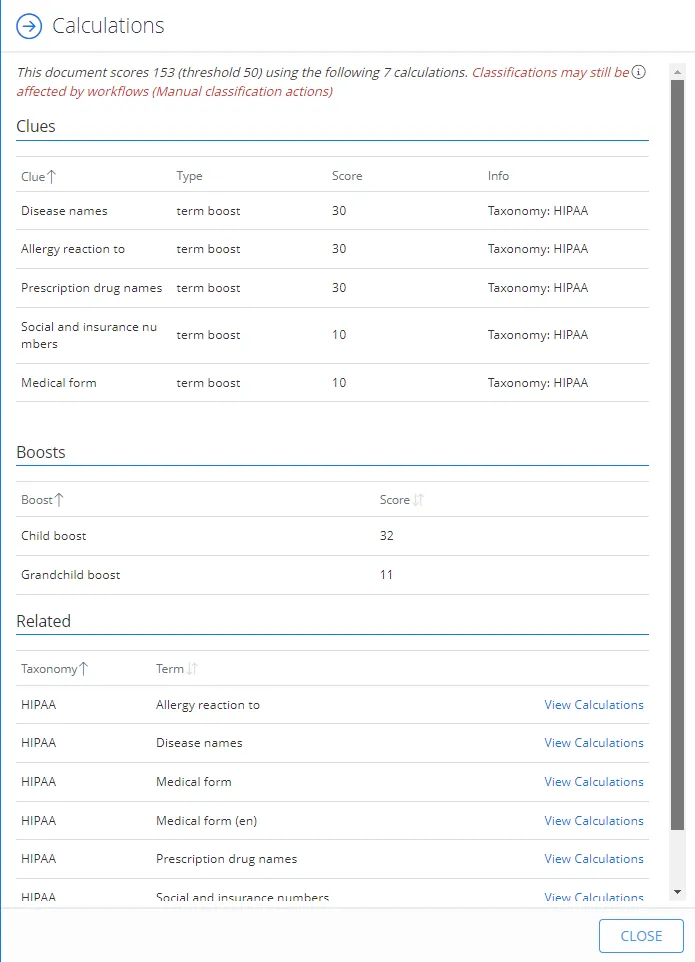
This shows the classification calculation using the latest clues definition.
There are three sections:
-
Clues – Shows how each clue contributed to the total score.
-
Boosts – Shows what boosts the system added to the clue scores when processing related terms (e.g. Parent and Child terms).
-
Related—Shows a flat list of terms that "Boosts" linked (including chained links). Selecting a term alters the display to show the corresponding clues / boosts / filters for the linked term.