File System
Use the Source configuration screen to set up the crawling and classification operations for content stored in your file server. Netwrix Data Classification can process individual files or folders. Select, respectively, File, or Folder at the first screen of the Add content source wizard.
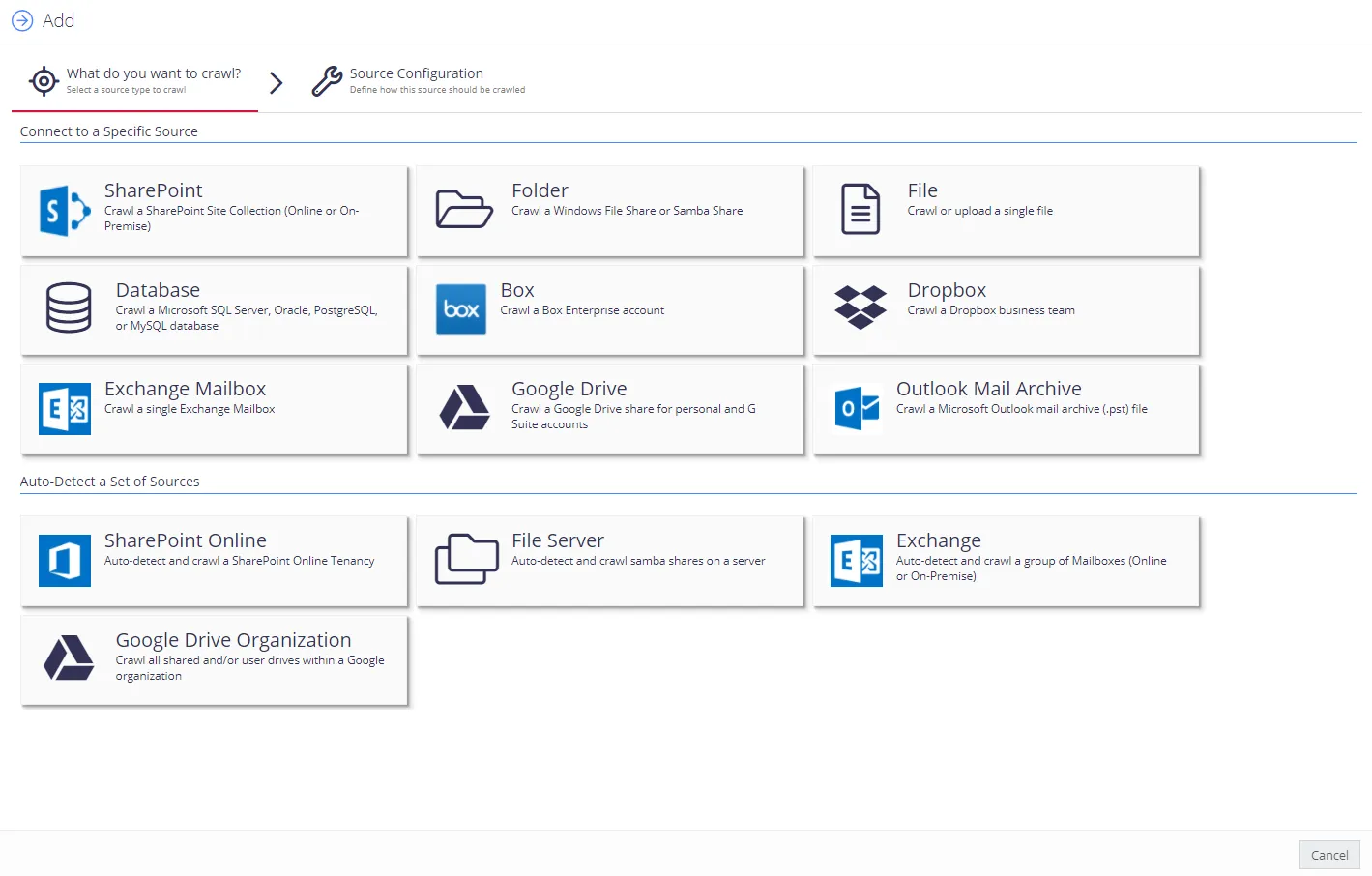
Add Folder source
Use Folder to add the following content sources:
- Windows folders
- SMB (CIFS) shares
- NFS shares
IMPORTANT! To add an NFS share, ensure you have configured it for crawling as described in Configure NFS File Share for Crawling
By default, the configuration window displays basic configuration settings only. To configure advanced settings, click the "wrench" icon in the bottom left corner.
To configure advanced settings, your user account will need advanced privileges. See Users and Security Settings for more information.
Complete the following fields:
| Option | Description |
|---|---|
| Basic settings | |
| Folder | Enter the UNC path of the root folder where collection starts. |
| Depth Limit | Specify how many levels the indexing should process. Possible options:
|
| Write classifications | Select if you want to write classifications directly into the document properties, i.e. use tagging. This applies to DOC/DOCX/XLS/XLSX/PPT/PPTX/PDF. See also Manage File System. |
| Source Group | Default value recommended. |
| Pause source on creation | Select if you want to make other configuration changes before collection of the source occurs. |
| Advanced settings | |
| Username | Specify the account used to process the folder. |
| Password | Provide a password for the account specified in Username. |
| Text Patterns | See Text Processing for more information. |
| Date Filter | Use this calendar control to instruct the program to only crawl the content modified since the specified date. This can be useful for targeting data that is current
|
| Anonymous Access Allowed | Select this option to disable security filtering for the content source. If cleared, the indexing processes collect Windows Access Control Lists (ACLs) for the files, and the product filters search results based on the end user's Windows identity. |
| Duplicate Detection Enabled | Select to exclude duplicates (i.e. documents that contain the same text content) from the index. |
| Re-Index Period | Specifies how often the product checks the source for changes. Default is 7 days. NOTE: Netwrix Data Classification monitors file shares to detect when a document is added/modified. It then queues these documents for reprocessing. It still checks the source for changes based on the re-index period in case any updates don't arrive. |
| Priority | Use default values. |
| Document Type | Specify a value to restrict queries when using the search index. |
When finished, click Save.
Add Files source
Use the File section to crawl individual files.

By default, the configuration window displays basic configuration settings only. To configure advanced settings, click the "wrench" icon in the bottom left corner.
To configure advanced settings, your user account will need advanced privileges. See Users and Security Settings for more information.
| Option | Description |
|---|---|
| Basic settings | |
| File Source | Select how you want to provide the file location:
|
| Source Group | Default value recommended. |
| Advanced settings | |
| Username | Specify the account used to process the file. |
| Password | Provide a password for the account specified in Username. |
| Anonymous Access Allowed | Select this option to disable security filtering for the content source. If cleared, the indexing processes collect Windows Access Control Lists (ACLs) for the files, and the product filters search results based on the end user's Windows identity. |
| Upload | If selected, the program uploads the file into the NDC SQL database. This allows the program to present the file to users even if they don't have access to the original file location. |
| Text Patterns | See Text Processing for more information. |
| Max Collector Retries | Specify how many retries the collector attempts before automatically removing items from the index when incremental collection indicates that the file no longer exists. Default is 3 retries. |
| Re-Index Period | Specifies how often the product checks the source for changes. Netwrix recommends using default values. Default is 7 days. |
| Priority | Use default values. |
| Document Type | Specify a value to restrict queries when using the search index. |