Communication Settings
This section contains information on how to configure settings for external communication, including configuring email groups and health service notifications. Review the following for details:
- Email Servers
- Email Groups
- Health Service Notifications
Email servers can be configured to enable external communication. Use email servers to send report subscriptions and health errors to users automatically.
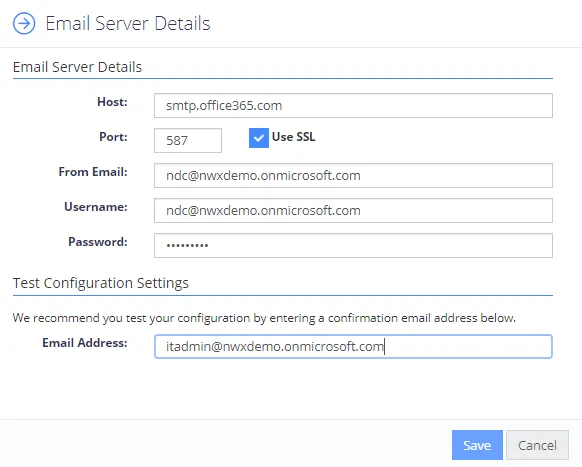
You can modify servers after initial configuration by selecting Edit, and add new SMTP servers by selecting Add Email Server Configuration.

Enter the SMTP details using the values from your network team. NDC supports SMTP servers with and without SSL configured. Anonymous SMTP server authentication is also supported.
You can supply a test email address to test the configuration settings
You use email groups to define a logical group of people to email—essentially, a mailing list.
Each email group is linked to an SMTP server, so, before configuring an email group, you must configure your Email Servers.
To add a new group, select Add Email Server Group, or select Edit on each row to configure the group members.

Each group can have one or more members, and you can assign a friendly name, which appears when you select an email group.
Configure Health Service Notifications to email a specific group of people when something goes wrong within the product. Each notification configuration is linked to an email group, so, before configuring notifications, you must configure your Email Groups.
To add a new notification configuration select Add Notification Configuration, or select Edit on each row to change the configuration.

Set notifications to trigger on warnings, or only on errors. By default, the system reports problems of any level.
You can disable or enable the Daily Summary. This functionality sends a summary email of outstanding problems each morning.
