Term Settings
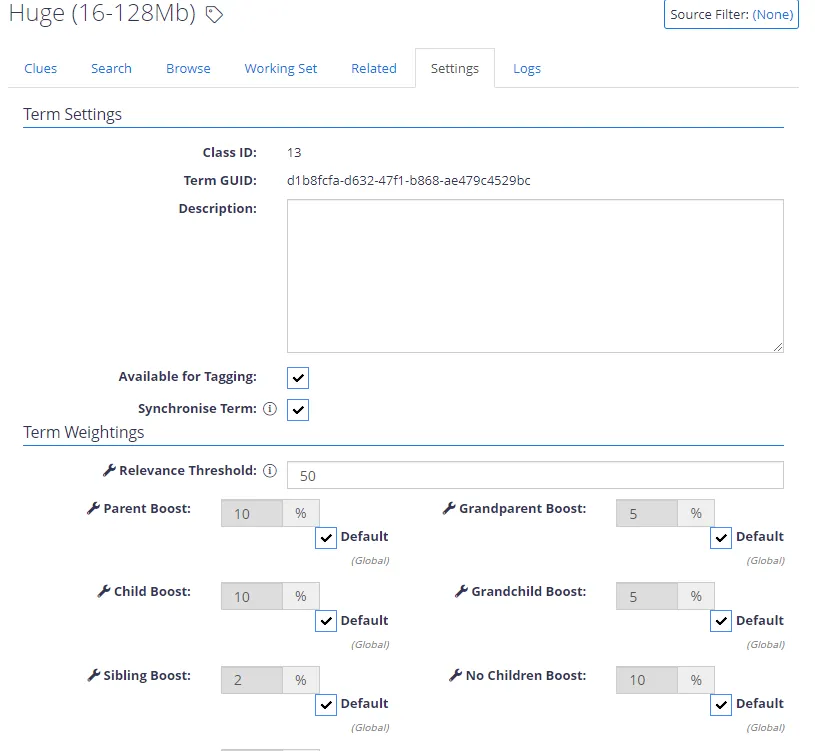
When you select a child node in the tree view, you go to the Term Management panel. The Settings tab displays settings for the selected term:
| Option | Description |
|---|---|
| Available for Tagging | Set this to “No” only when you use this class to boost another class — see Types of Clues for information on terms that use the “Term Boost” type clues. |
| Synchronise Term | Enables / Disables automatic synchronization through the TermStoreManager tool for the term and its children. |
| Relevance Threshold | The threshold for each Class defaults to 50. You can raise it to reduce how many documents the system classifies, or lower it to increase the number. |
| Boosts | The Weighting Boosts can also be adjusted for each Class. Based on the values above you would expect a 10% score boost if one of its child terms was classified. You can set the ”Child” boost to 100%, doing so will in effect enable the parent to always be tagged if the child is tagged. An example for this would be a taxonomy containing regions, if a document was tagged as ”England” it should also be tagged as ”Europe”. |