SharePoint
The SharePoint section allows for one or more site collections to be queued for processing that share the same set of crawling credentials.
The following versions of SharePoint are supported: 2010, 2013, 2016, 2019, and SharePoint Online.
If you want to make other configuration changes before collection of the source occurs ensure you tick the checkbox Pause source on creation.
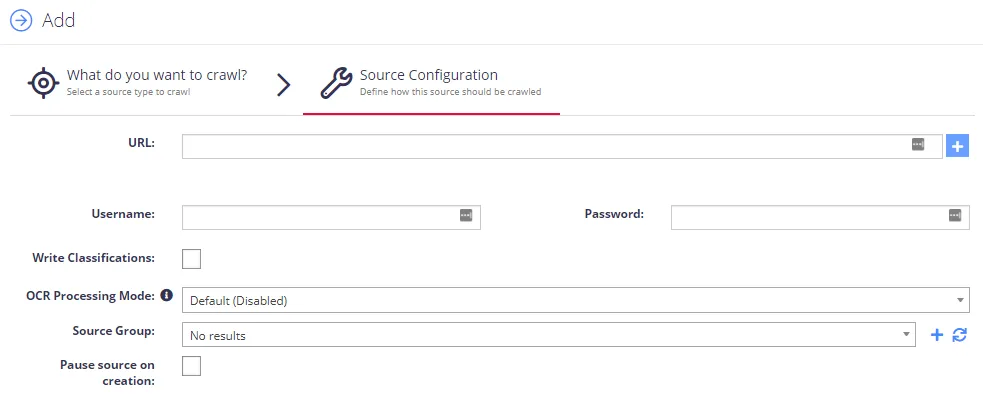
Complete the following fields:
| Option | Description |
|---|---|
| SharePoint URL |
|
| Username | Enter username in the following formats: DOMAIN\USERNAME and USERNAME@DOMAIN. |
| Write Classifications | Synchronizes classifications back to the SharePoint managed metadata fields. The written classifications will be subject to the classification configuration for the site collection. |
| OCR Processing Mode | Select documents' images processing mode:
|
| Re-Index Period | Specifies how often the source should be checked for changes. The number specifies the period in days. NOTE: Netwrix Data Classification monitors site collections to detect when a document is added/modified. These will then be queued for reprocessing. The source will still be checked for changes based on the re-index period in case any updates aren't received. See Manage Sources and Control Data Processing for more information. |
| Document Type | Specify a value to restrict queries when using the Netwrix Data Classification search index. |