Text Processing
This section contains information on how to configure text processing. Related options apply to:
- Best Bets
- Content Type Extension Mapping
- Content Type Extraction Methods
- Language Detection
- No Stem
- OCR Language Mapping
- Synonyms
- Text Patterns
Best Bets
To push selected documents to the top of a hitlist for specific queries, specify Best Bets for specific query text.
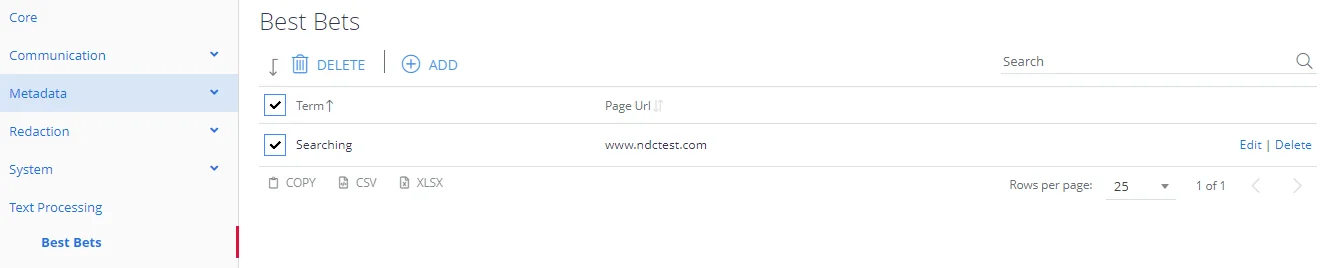
First, enter the search term to match and then click the Add button.
Next, click the term, and specify one or more URLs that should appear at the top of the hit list.
Content Type Extension Mapping
Organizations sometimes process certain file types as a different content type. This is useful for internal content types that map to an already-understood or identified content type.
In this case the example has a .rpt file being treated as a text file, as such the file will be copied to a temporary location as a .txt file and processed as if it were any other text file.

Content Type Extraction Methods
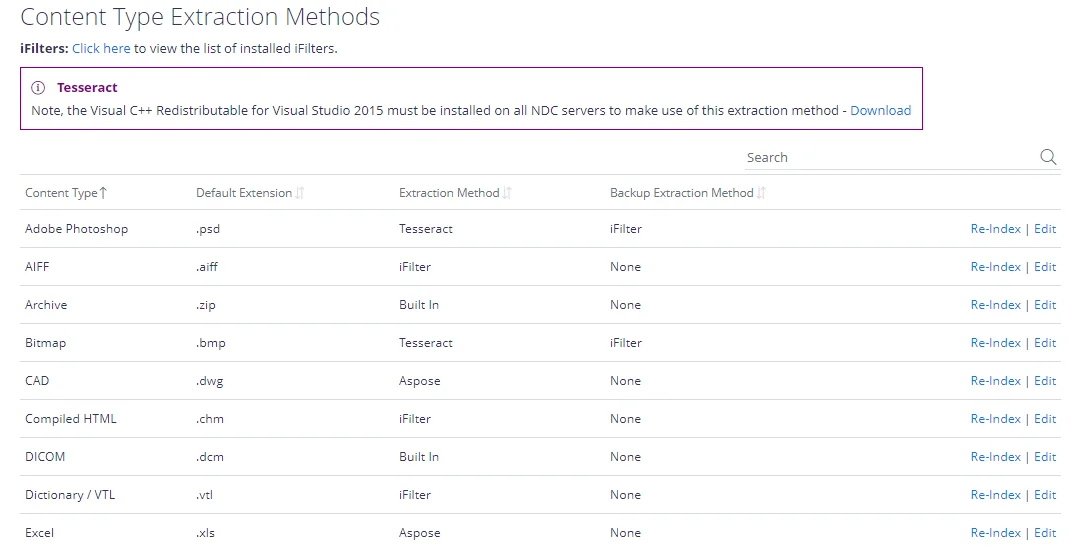
Content Type Extraction methods describe how the APIs and core services handle documents. A number of built-in processing methods are available. When no available method exists, the system defaults to running standard Microsoft Search iFilter processing.
Change extraction methods by clicking Edit and selecting your preferred processing method. Optionally, specify a backup iFilter method if the primary method fails to extract text from the document or extracts fewer than 5 characters.
After updating the extraction method, re-process previously-processed documents to ensure consistency. Select Re-index from the grid for the affected content type.
Language Detection
The language detection list specifies which languages will be considered for auto-detection.
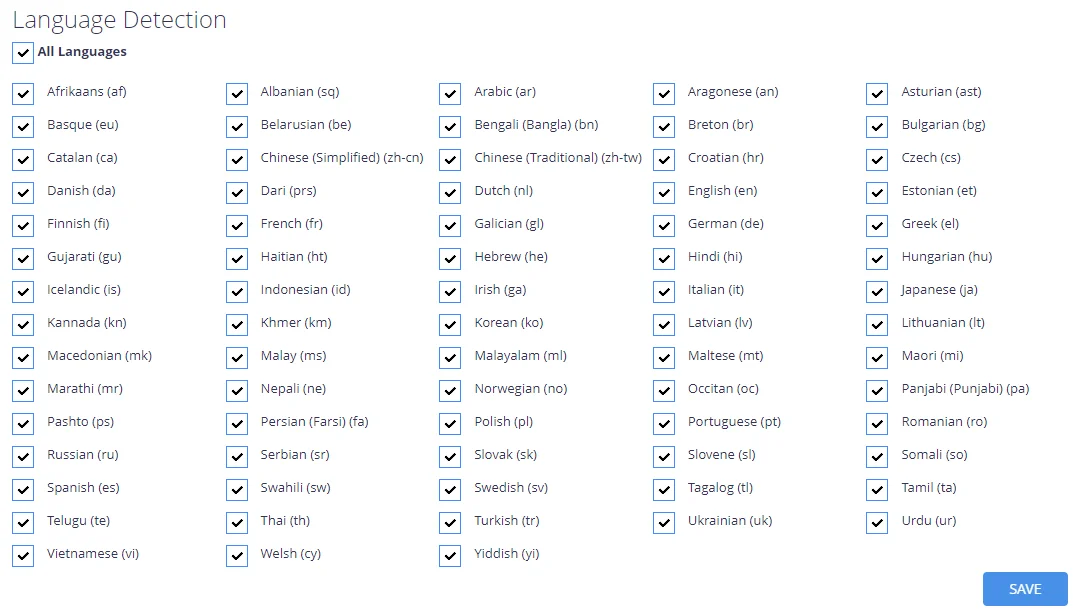
If a language is excluded then it can't be used to identify the language of a document and it will be removed from the language options in Taxonomy Manager.
TIP: You can also OCR recognition for non-English images. For more information, see How to enable OCR for non-English images.
No Stem
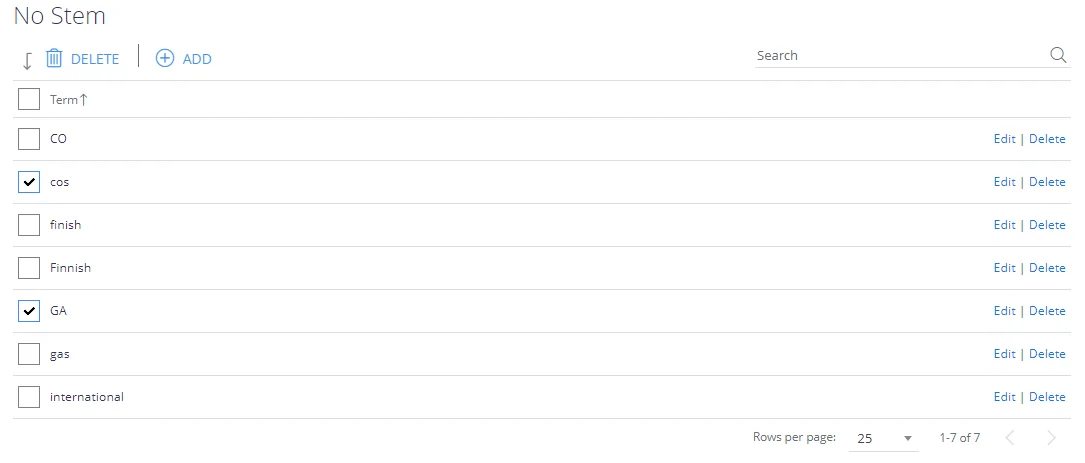
The No Stem list offers the ability to disable language stemming for a particular word or phrase, this supports the ability to always apply a phrasematch when a particular term is used as either a clue – or a search term.
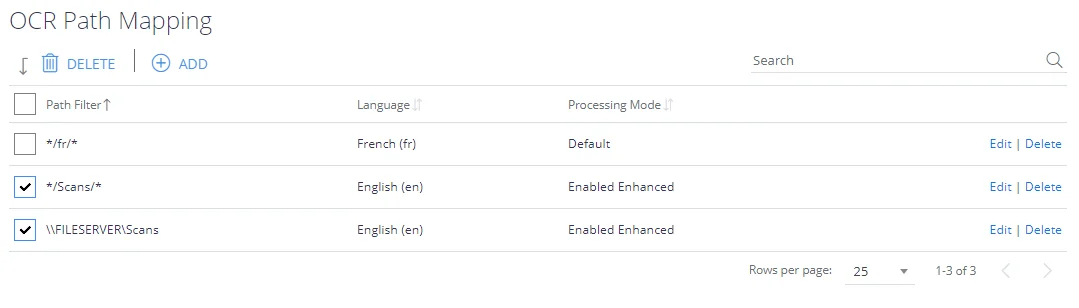
OCR Language Mapping
Use the OCR language mapping configuration screen to OCR non-English images via Tesseract. File paths (including parts of paths) can be mapped to specific Tesseract language packs.
Synonyms
To submit a query and have synonyms automatically included, configure a generic set of synonyms using the Synonyms form.

Text Patterns
Many HTML web pages contain navigation information and other extraneous information that is the same for all pages and/or not relevant to the individual page content. If all of the text is indexed from these HTML pages then this can lead to unwanted search results where a match is made, for example, to an entry in a standard page navigation area.
Use the Text Patterns feature to clean up HTML documents and to index terms that would normally be discarded.

The StartTag and EndTag values are case sensitive strings used to identify the content to be managed, the content is then managed based on the filter type.
Three tag types assist in cleanup:
- FILTER—Extracts a subset of the HTML page, before extracting the plain text. Only a single section will be extracted for each TextFilter processed.
- DELETE—Deletes sections of the HTML page, before extracting the plain text.
- INDEX TERM (EndTag ignored)—Create index terms that would otherwise not be formed. For example the term “E.ON” is a useful one for people interested in energy companies. However, this term would not normally be created because a full stop normally acts as a term separator. However, if you create an INDEX TERM for this pattern so it will be detected and indexed as required.