Configuring defaults
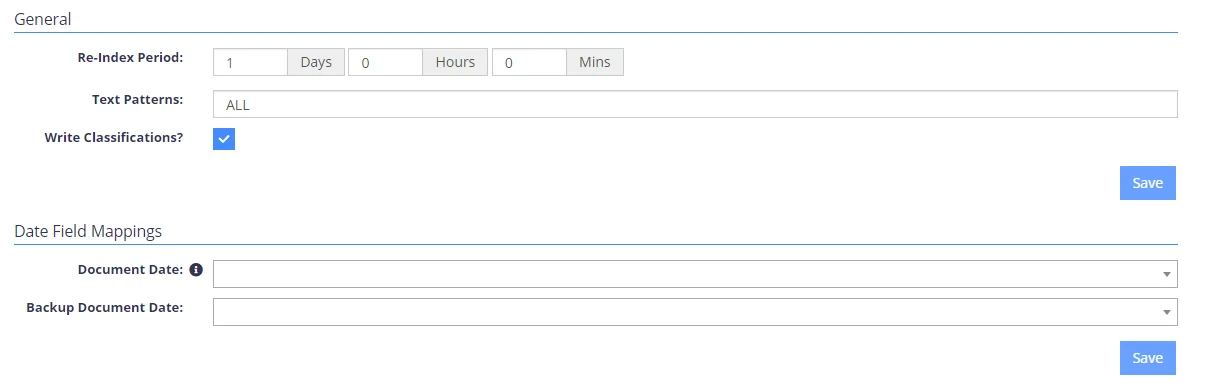
Use the Source Defaults tab to configure defaults that apply when list or subsite configurations aren't present. The following list describes the available options.
NOTE: To apply the options you set in each section, click the Save button in that section.
| Option | Description | Notes |
|---|---|---|
| General | ||
| Re-Index Period | Specify how often the content should be re-re-indexed. | Default is every 7 days |
| Text Patterns | Specify the text patterns to be used. | Default is ALL |
| Write classifications? | Select the checkbox if you want to use tagging. | See the Configuring Tagging article. |
| Date Field Mappings | ||
| Document Date | Assign the internal modified date associated with the document. The selected date will be split into 5 internal fields: DocYear, DocMonth, DocDay, DocHour, DocMins. | |
| Backup Document Date | You can use the dropdown lists to search for and assign fields to the appropriate mappings. | |
| Special Field Mappings | ||
| Use the special field mappings to map any available SharePoint fields to internal fields for search purposes. | ||
| Content Field Mappings | ||
| The values configured for each of the default content mappings will be assigned based on the base template of the list (Document Library, Generic List etc). |