Outlook Mail Archive
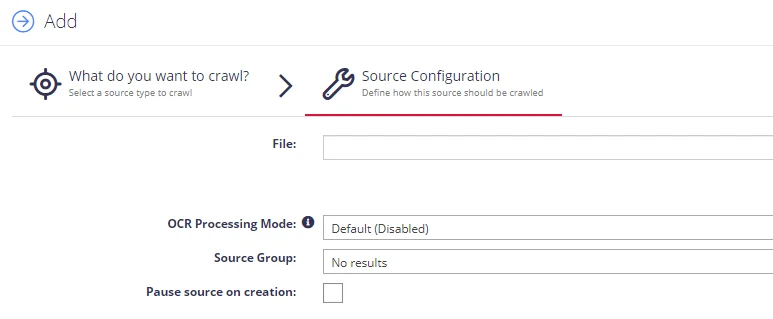
Use the Outlook Mail Archive source configuration screen to enable crawling and classification of content stored in PST files:
NOTE: If you want to make other configuration changes before collection of the source occurs, ensure you select the Pause source on creation checkbox.
Add multiple mailboxes at once using the "+" button. Collection processes all folders, emails, and attachments within the mailbox, associating attachment text with the respective email.
Select documents' images processing mode:
- Disabled – documents' images will not be processed.
- Default – defaults to the source settings if configuring a path or the global setting if configured on a source.
- Normal – images are processed with normal quality settings.
- Enhanced – upscale images further to allow more.
Folders / Items can be excluded from processing via the Exchange Exclusions management screen.