Installing Gen 7 Agent for Windows
Enter the Hub API page together with Access Credentials.
By default, the Agent username is agent with password passWord121, but you can change these.
See the Users: User Administration topic for additional information.
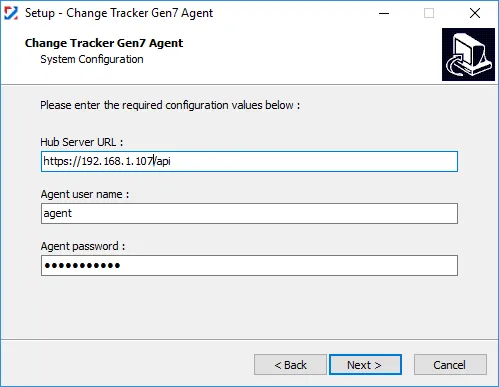
By default, the Agent registers using the name of the server, but you can customize this during installation or after installation by editing the Hub Details file. See the First Run – HubDetails.xml File topic for additional information.
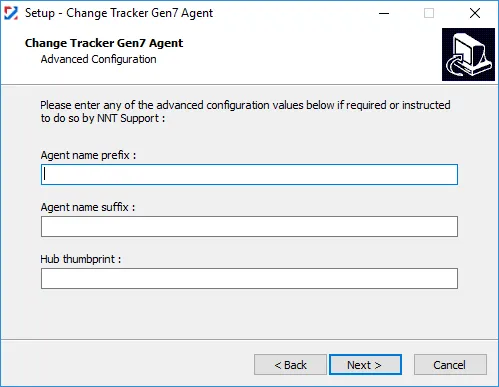
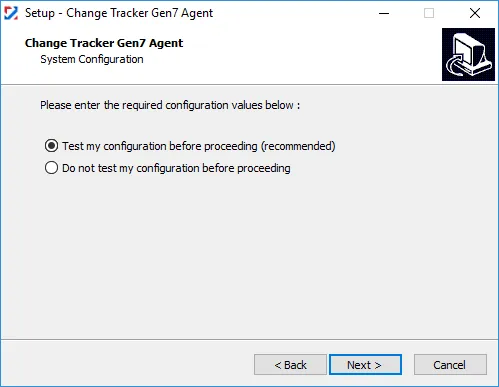
You can also customize the agent name on the Advanced Configuration step of the installation, which also lets you test agent connectivity.
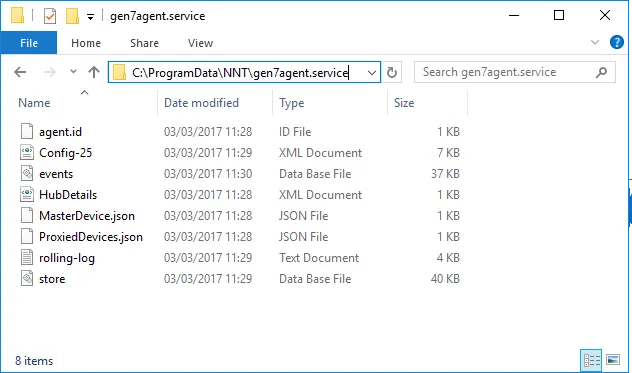
To maximize performance, Gen 7 Agent operational files are located in %PROGRAMDATA%\NNT\gen7agent.service. If you ever need to provide the rolling-log.txt file to Netwrix Support, you can find it here. See the First Run – HubDetails.xml File topic for additional information on downloading the .xml file for agents.
Run the Agent UI. See the Agent First Run topic for additional information.