Upgrade from Agent App to Gen 7 Agent
If you're using an Agent App (Version 1.0.0.x) and want to upgrade to the Gen 7 Agent, follow this procedure. As with any software upgrade, your environment might require additional steps.
The high-level overview of upgrading agents in Gen 7:
Step 1 – Stop Agent App service (you may choose to uninstall the program at this stage).
Step 2 – Run the Gen 7 Agent installer.
- You need Hub details, an Agent username, and a password.
- You might need a Thumbprint if you use a private certificate on your Hub server.
Don't set a Nameprefix or Namesuffix for the Agent name. If the Gen 7 Agent registers with the same host name as the Agent App, the Gen 7 Agent assumes the identity of the Agent App, which ensures event and report continuity.
Step 3 – After the Gen 7 Agent is operational, you can remove the Agent App (if you didn't already do this in step 1).
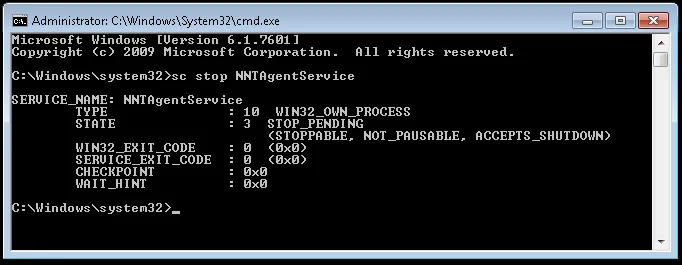
Step 4 – Stop the NNT Agent App Service.
- For Windows – Use the MS Services Console (Run > services.msc), or use the command line
as Administrator:
sc stop NNTAgentService
- For Linux – Use:
service nntagent stop
Step 5 – Install the Gen 7 Agent. Review the following for additional information:
-
Windows – See the Gen 7 Agent for Windows topic for additional information.
-
Linux – See the Installing Gen 7 Agent for Linux topic for additional information.
Step 6 – Uninstall the old Agent App.
- Windows – Using NNTAgent.exe from the command line:
C:\Windows\system32> C:\ProgramData{2443C4AA-A2DC-4926-9D6B-2D3D8AAE6006}\NNTAgent.exe /s MODIFY=FALSE REMOVE=TRUE UNINSTALL=YES
- Linux – From the terminal:
rpm -ev nnt-mono nnt-agent
-
Debian – From the terminal:
apt-get remove nnt-agent
apt-get remove nnt-mono
Remove the Gen 7 Agent files, located at:
rm -fr /opt/nnt
rm -fr /opt/mono
-
Mac OSX – From the terminal:
sudo pkgutil --forget MonoFramework-MDK-4.6.1.3.macos10.xamarin.universal.pkg
sudo pkgutil --forget nnt-gen7agent-7.0.0.19-34-x64.pkg
Remove the Gen 7 Agent files, located at:
rm -fr /var/nnt
rm -fr /opt/nnt
rm -fr /opt/mono
Contact Netwrix Support if you need help at any stage or run into issues.