Overview Tab
This page shows, at a glance, whether your compliance with the adopted hardened build standard is improving, holding steady, or declining.
The Compliance Report displays device compliance for all devices assigned to the selected report.
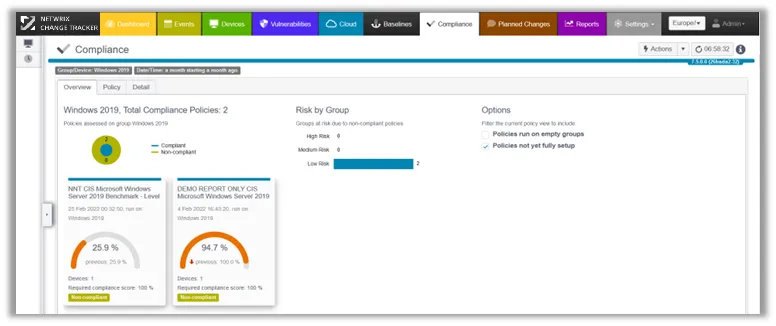
- Device/Time Filters – Your Device/Group/Time filters control the content shown.
- Dashboardlets per policy/grouping – For each group and report, Change Tracker displays an additional Dashboardlet so you can run a variety of compliance reports against the same group of systems — for example, PCI DSS and NIST 800-53.
- Risk by Group – You can assign a Risk score via Settings > Groups, which adds a dimension to help you prioritize focus on groups. See the Device Groups topic for additional information.
Template Management
As a Center for Internet Security (CIS) Certified Vendor, Netwrix provides configuration audit reports based on the CIS Benchmarks.
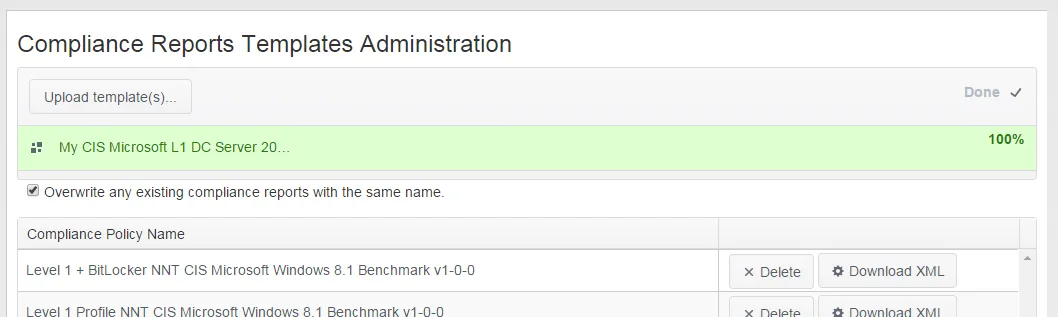
Netwrix Change Tracker bundles many of these templates, and Netwrix produces additional templates for new or updated platforms on an ongoing basis.
To import a new template or update an existing one, upload the template. Select the Overwrite checkbox if you're updating an existing template.
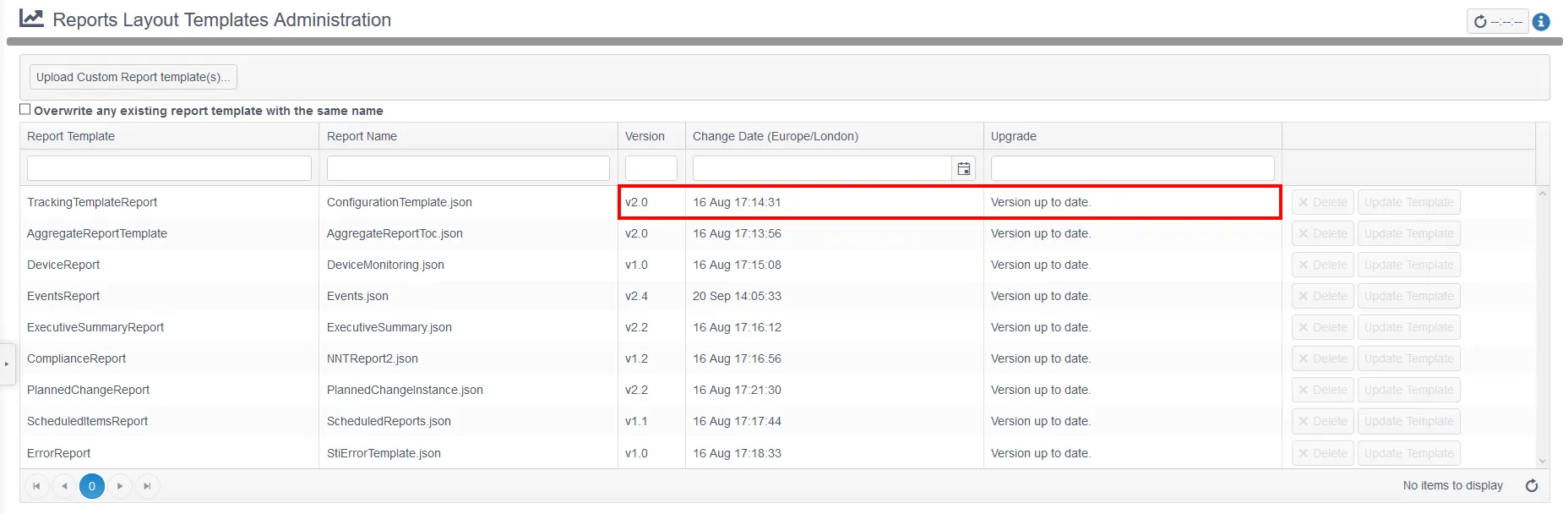
Reports Layout Templates Administration
A series of underlying templates control the formats for the various reports that Netwrix Change Tracker Gen 7 produces. You can add new templates, or updated versions of existing templates, on this page. This page displays the version and change date for each report. When a new version becomes available — either after a Gen 7 version upgrade or after you manually upload a new template through the UI — you can update the report to the new format or keep the current format.
For report template modifications or new formats, contact Netwrix Support.