Cloud Overview Tab
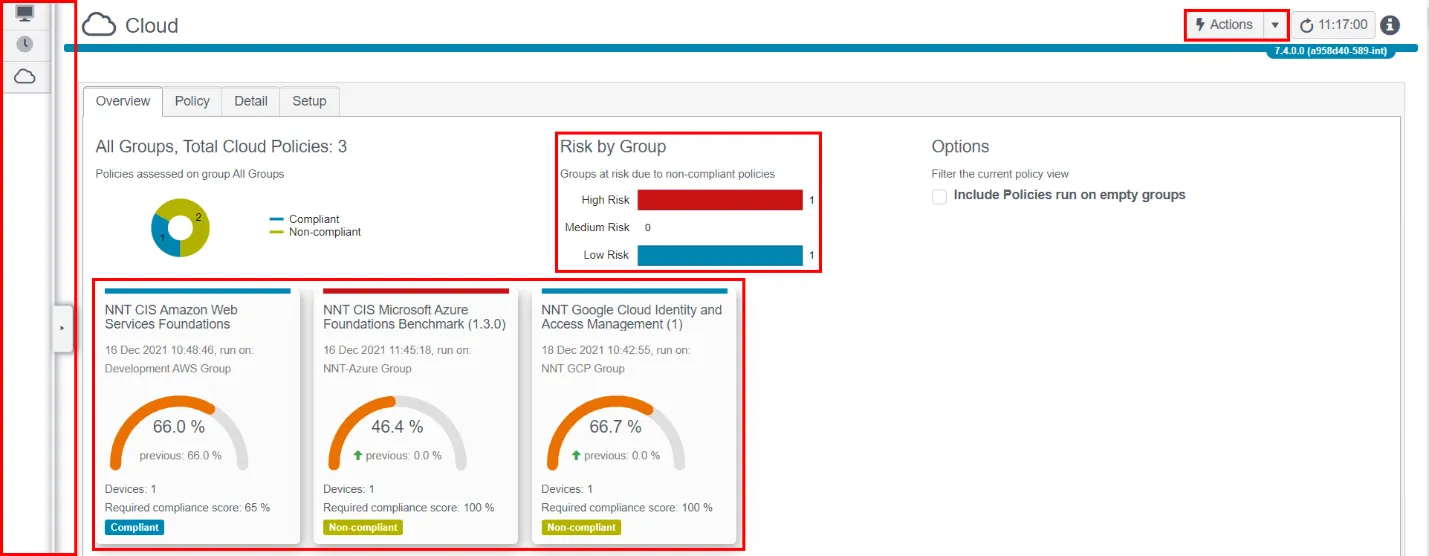
Actions Button:
To create a new Cloud Tracker report or group, use the Actions button.
Risk by Group:
Any Groups that report a score below your specified Compliance Report Score appear here, according to the Group's assigned Risk Score. See the Reports topic in the Netwrix Change Tracker Admin Guide for additional information. Click any bar to see the details of poor-scoring Cloud systems.
Filter Pop-out:
Click in this area to reveal the Date, Time, Group, Device, and Policy filters.
Policy Dashboardlets:
Shows current and previous scores for each policy group, an indication of whether compliance is improving, deteriorating, or static, the count of Cloud Systems included in the report, and whether the group has met the compliance threshold.
Click the Dashboardlet tile to see the details behind the policy.