Baseline Policy Wizard
New Policy:
Start a new Baseline Policy Wizard and provide a name for your new Policy.
Data Collection:
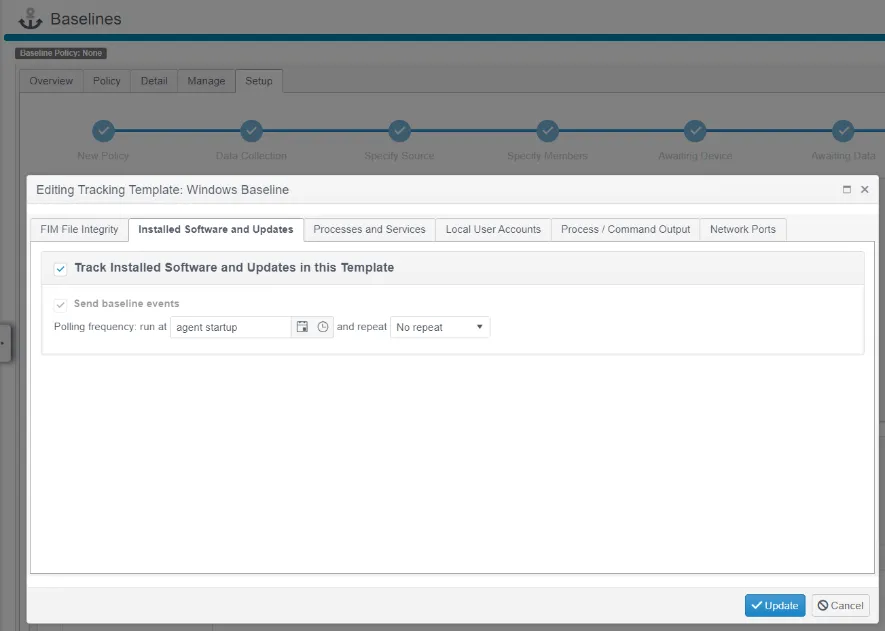
Define the Data Collection template used to gather baseline configuration data. This can be a new template, or you can reuse an existing template. The following configuration elements can be used in a Baseline Policy: File System Integrity, Installed Software and Updates, Running Processes and Service States, Local User Accounts, Command Output (which also lets you baseline Firewall and Router configs), and Open Network Ports (using a local netstat or equivalent on the host, or an NMAP network scan).
Specify Source:
Select a single device to act as the Source for Baseline Policy data. This should be a 'Control' device, or simply a 'Representative Example' of what your ideal device configuration should be — for example, a device that's patched and hardened exactly as you want every similar device to be.
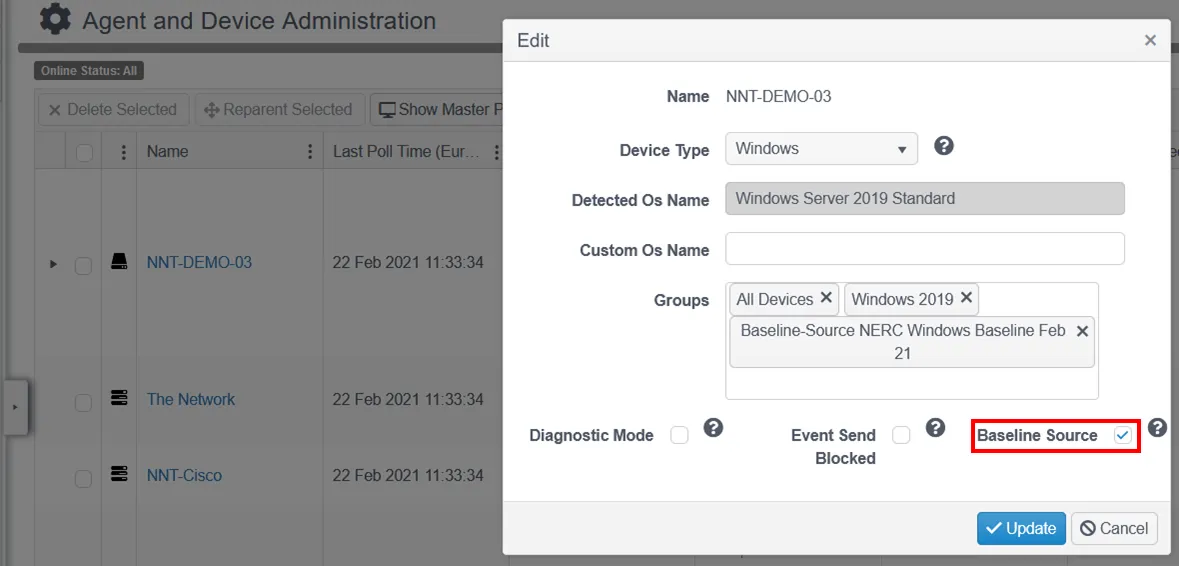
The selected Source device must be enabled as a "Baseline Source." Go to Settings > Agent and Device, select the required device, then click Edit. This is disabled by default for technical reasons: in the interest of storage and performance efficiency, not every device needs to send Baseline Events to the Hub.
Another important decision is whether to include changes from Member Devices when you make future changes to your Baseline Policy. By default, the Source device is the single source of configuration items, both for the initial policy creation and for any future changes to the Baseline — for example, when software item versions need updating after patching. In some situations, it's useful to also include changes from Member Group devices. In that case, check this box.

Specify Member:
Select a single device to act as an initial target against which the Baseline Policy Report runs. The Wizard builds a Device Group for both the Source Device and the Member Device, which in turn lets the Wizard build a Baseline Report.
Awaiting Device:
At this stage of the Baseline Wizard, you've selected a Source Device and established a Data Collection template. The Source Device Agent calls into the Hub and receives the new instruction to gather and report on the configuration data.
Awaiting Data:
Gathering the Baseline configuration data takes anywhere from 90 seconds to several minutes, depending on the nature or resources of the Source Device and the scope of the Data Collection template defined. Be patient, but you can check progress using the Check Now button.

Add Rules:
This is the penultimate stage, where you choose which configuration elements form the Baseline Policy and how, based on the Rule Options selected.
The Rule Options are what make the Baseline Policy feature in Change Tracker so powerful. A basic comparison of a device to a predefined set of configuration rules is sufficient in some circumstances, but rule logic is necessary to convey the other requirements needed in a Baseline Policy.