Policy Templates: Registry
This template applies to Windows OS only.
The Windows Registry serves as the core repository for configuration settings. Monitoring Registry Keys and Values is another way to fingerprint an application or device configuration state.
To select a Registry Key to monitor, use the Microsoft regedit program (Start > Run >
regedit). You can then browse all Registry Keys for the device, and at any point right-click to
access the tools menu, which includes an option to copy the key name. You can then paste the key
name into the Compliance Hub field.
Click Add new registry key, and type or paste the key you want to monitor. After you add a key to monitor, click Insert, then Save Settings to Device.
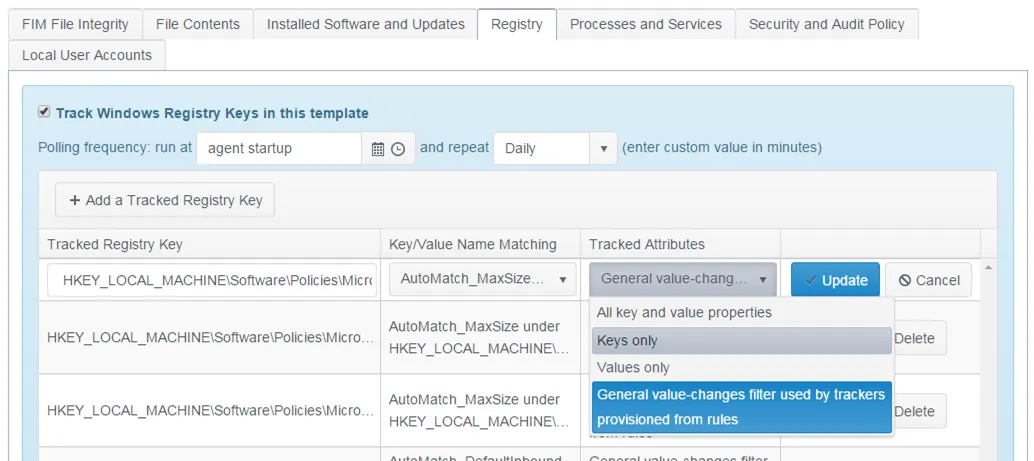
Like the File Integrity settings, you can use exclusion rules. You can also filter Registry Trackers using a Registry Key/Value Match Rule and a Tracked Attributes dimension.
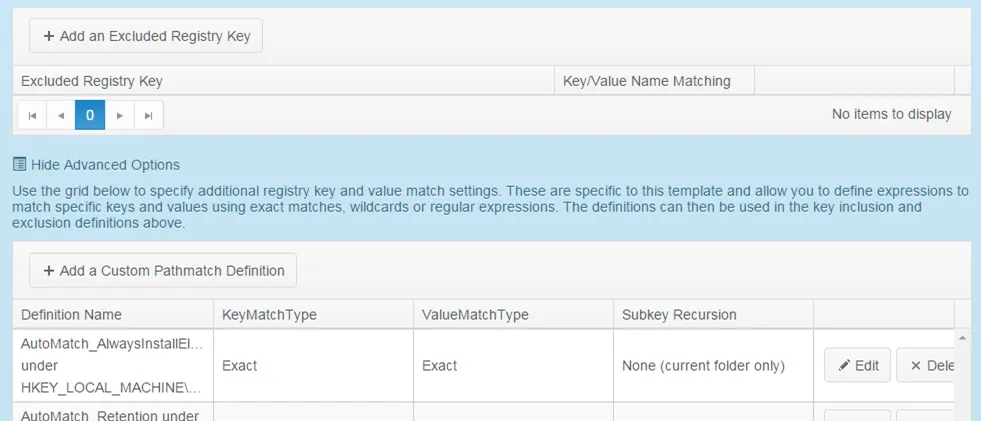
Use Advanced Options to create and edit new definitions. See Registry Inclusion/Exclusion Match Rules for additional information.