Credentials
You can access the credentials page from the Settings menu. This is where you create and manage credentials used to connect to remote devices and services.
The page is a list of grids containing credentials for different types of device, protocol, or service. Some grids are visible only if certain licenses or options are in place; this is the full list:
- ITSM System Credentials
- Cloud System Credentials
- SSH / Telnet Credentials
- Splunk Credentials
- ESXi / vCenter Credentials
- Database Credentials
Each grid has a button to create a new credential. The far-right column contains buttons to edit and delete specific credentials.
ITSM System Credentials
Use these credentials to connect to an IT Service Management (ITSM) system and discover devices to scan from the ITSM's configuration item catalog.

Cloud System Credentials
The Cloud Tracker feature uses these credentials to track changes to cloud platform configuration.

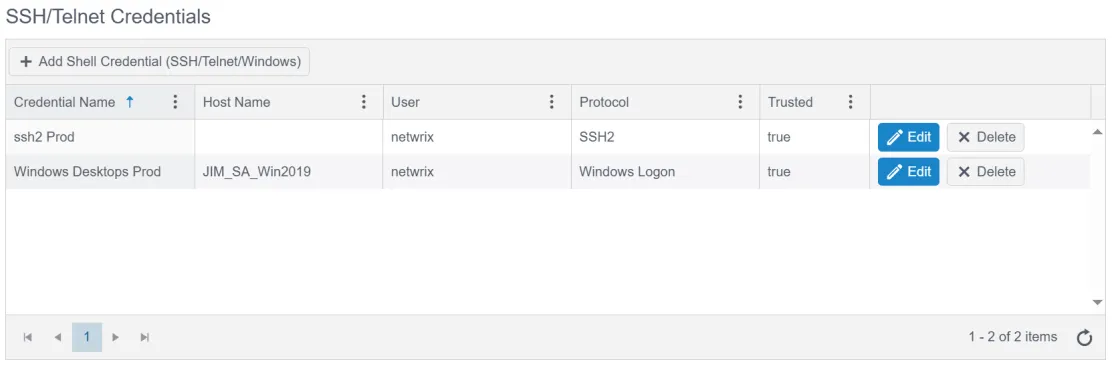
SSH / Telnet Credentials
Use these credentials for agentless connections to devices (Linux, switches, routers, etc.) via SSH or Telnet. This grid also stores credentials for Windows agentless connections.
Splunk Credentials
Use these credentials to connect to the API of a Splunk instance and pull specific logs into Change Tracker as change events.

ESXi / vCenter Credentials
Use these credentials to connect to ESXi devices, or to connect to a vSphere instance and discover all of its ESXi nodes.

Database Credentials
Database compliance reports use these credentials to connect directly to a database instance.

Note: v1 database credentials are deprecated; Netwrix maintains them only for backward compatibility. Use v2 database credentials for any new connections.
Adding a v1 database credential required a database connection string. This meant you needed a separate database credential for each database instance to monitor, even when the username and password were the same. To address this, v2 database credentials contain only a username and password.
Defining a proxied device for a database connection now requires a connection string. With this, you can use the same database credential for multiple database connections. It also means there's only one credential to update when its password expires.
For more information on v2 database credentials, see the v8.1 release notes.