Allowed Commands
The Change Tracker agent runs commands on devices to baseline and analyze configuration settings, either for Compliance Reports or Policy Templates.
Only authorized commands run, to avoid unintended consequences. Change Tracker provides a stringent approval process for any new commands introduced, either for a report or policy template, and analyzes all reports and templates to ensure all commands used are approved.
If Change Tracker encounters a new command, it flags this as follows:

You can either click the warning immediately to access the approvals workflow, or use the filter on the Policy Admin page to show a listing of all reports and policy templates with Untrusted commands.

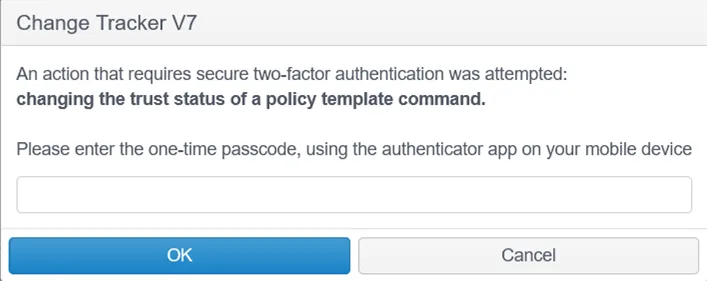
When you click the Not Trusted link, Change Tracker prompts you to enter a code generated by the two-factor authentication (2FA) resource linked to the Change Tracker instance during initial setup.
Using the Allowed Commands Page
Navigate to Settings – Allowed Commands:
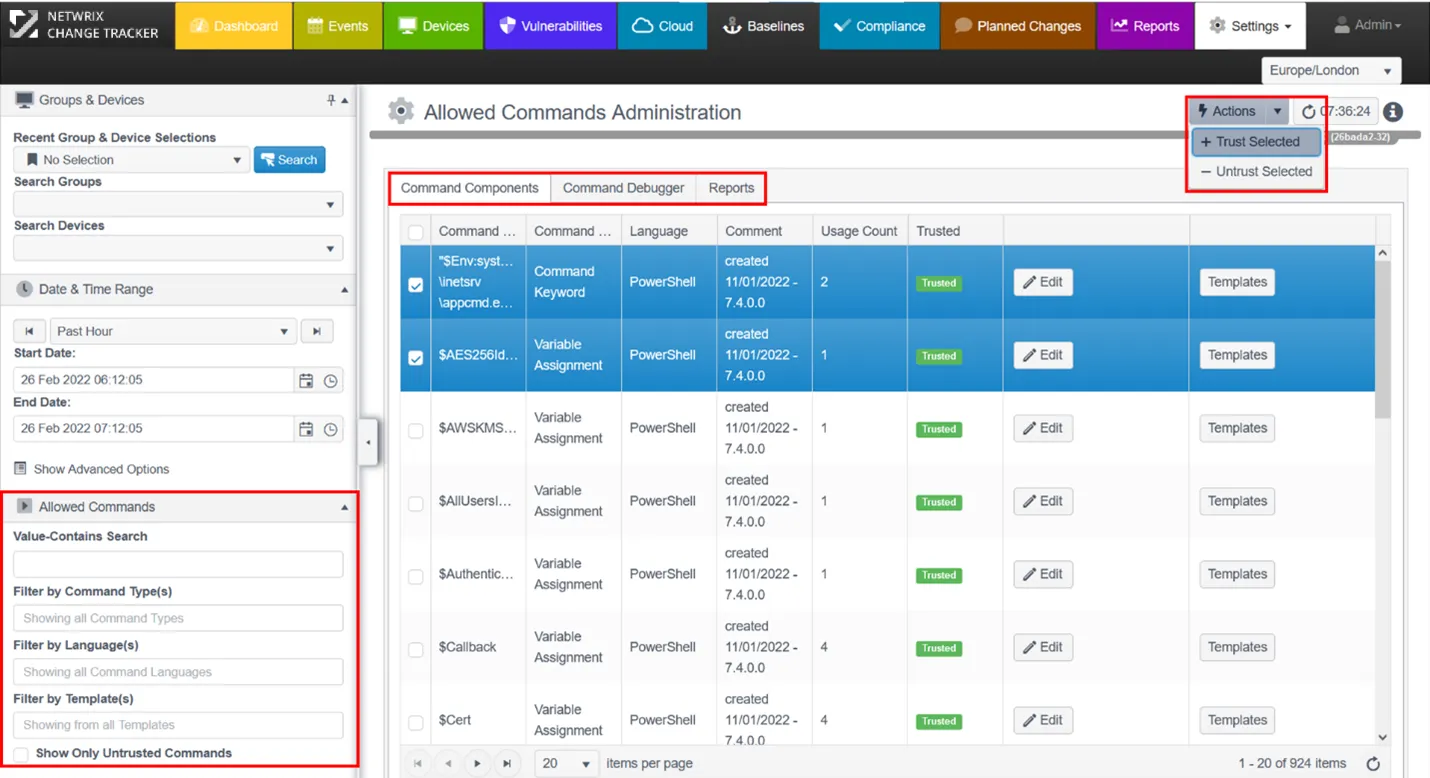
- Filters for Trusted Commands – Lets you select the commands, templates, or reports to work with;
- Allowed Commands sub-tabs;
- Actions – Lets you manage commands using bulk operations.