Agent Updates
After you download a new agent version from the customer portal, you can upload it to the Hub. You can then deploy the agent update to all devices or specific devices from within the console. You can deploy it instantly or on a schedule.

An agent update is comprised of two zip files. One is a new set of program files, the other is a .upd file, which signs the update to confirm its integrity.

Find the Agent Updates page in the Settings menu. The Actions button on this page has an option to Upload an Agent Update.
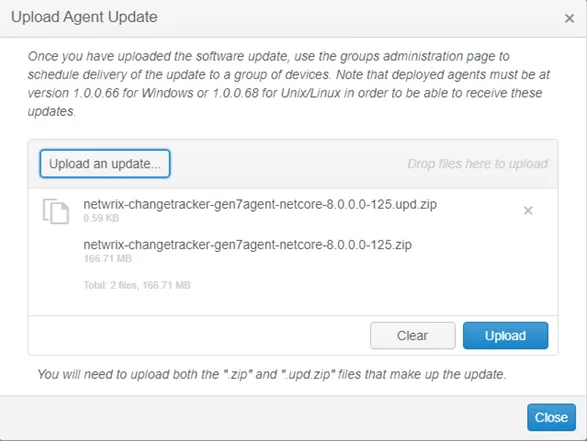
Use the resulting dialog to upload the agent update files.

You can control the deployment schedule for a new update from the Agent Software Updates tab, on a per-device-group basis. See the Device Groups topic for additional information.

Check the Devices tab to confirm the updates deployed as expected.