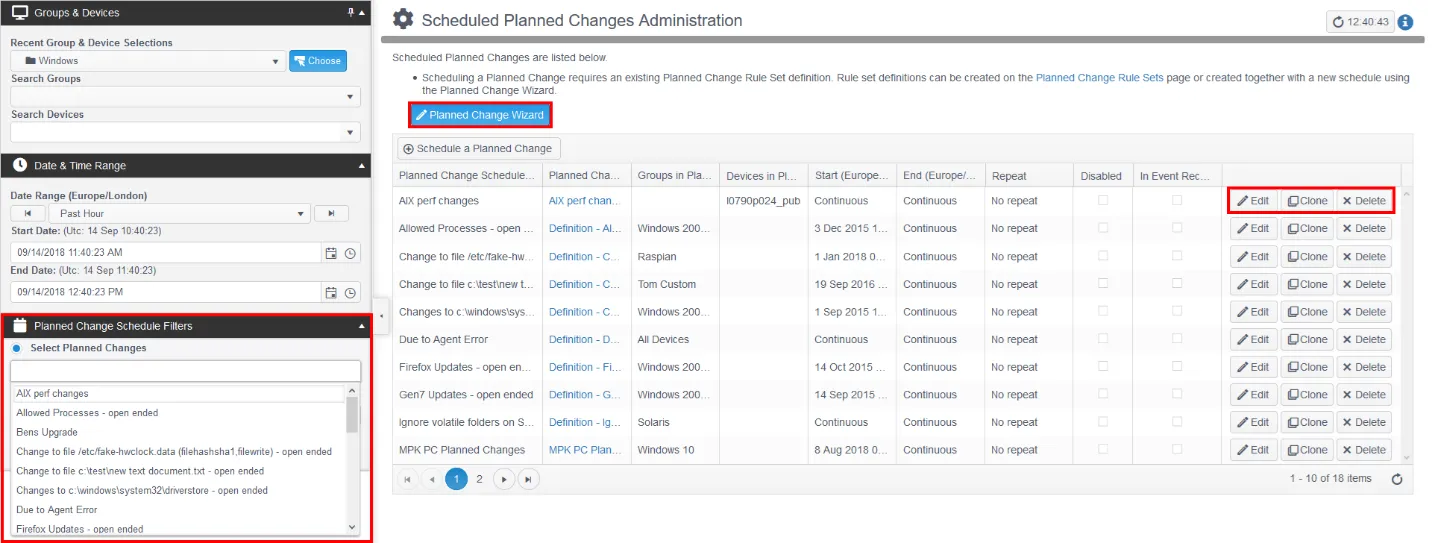
Planned Changes Administration
Edit the Schedule, Device Group assignment and Rules for Planned Changes – contact Netwrix Support for more help.
- You can also create Planned Change rules directly from observed events on the Events page.
- Alternatively, to generate Planned Change rules from a Device Group's recorded events, check In Event Recording Mode when editing rules for a Planned Change.
Scheduling, Creating, and Editing Intelligent Planned Change Rules
Any Planned Change comprises the following elements:
- Schedule – Start and End time/date, or continuous/no end date for permanently applied Planned Changes.
- Scope – The defined Planned Change rules apply to events from the selected Devices and/or Groups.
- Rules – Define any number of Rules for a Planned Change to provide a template for the types of changes to match.
- Rule Definition – You typically define Rules against Device Events, applying the Tracker™, Item Type, and logical operator to match a file/registry value/software installation etc. name/part name.
- Use the new Planned Change Wizard to guide you through the steps required to create a Planned Change Schedule and Rule Set.
note
You can also create Rules directly from an observed event using the Actions button on the Events Tab, or by recording events directly from a device group. An additional Planned Change Schedule filter is available in the Filter Control panel. To reuse a Planned Change Schedule, use the Clone button to create a copy.