Planned Changes Tab
Change Tracker’s Closed-Loop Intelligent Change Control reconciles the security benefits of forensic change control with the detailed workload necessary to review changes.
Change Tracker automatically assesses changes against expected changes to the configuration baseline, delivering all the benefits of zero tolerance to unplanned changes and a highly sensitive breach detection capability, but without the time-consuming, resource-intensive post-implementation review burden.
By automatically reducing the background noise of pre-approved changes such as known patching updates, Change Tracker exposes any unplanned changes - which may be breach activity - so you can investigate them.
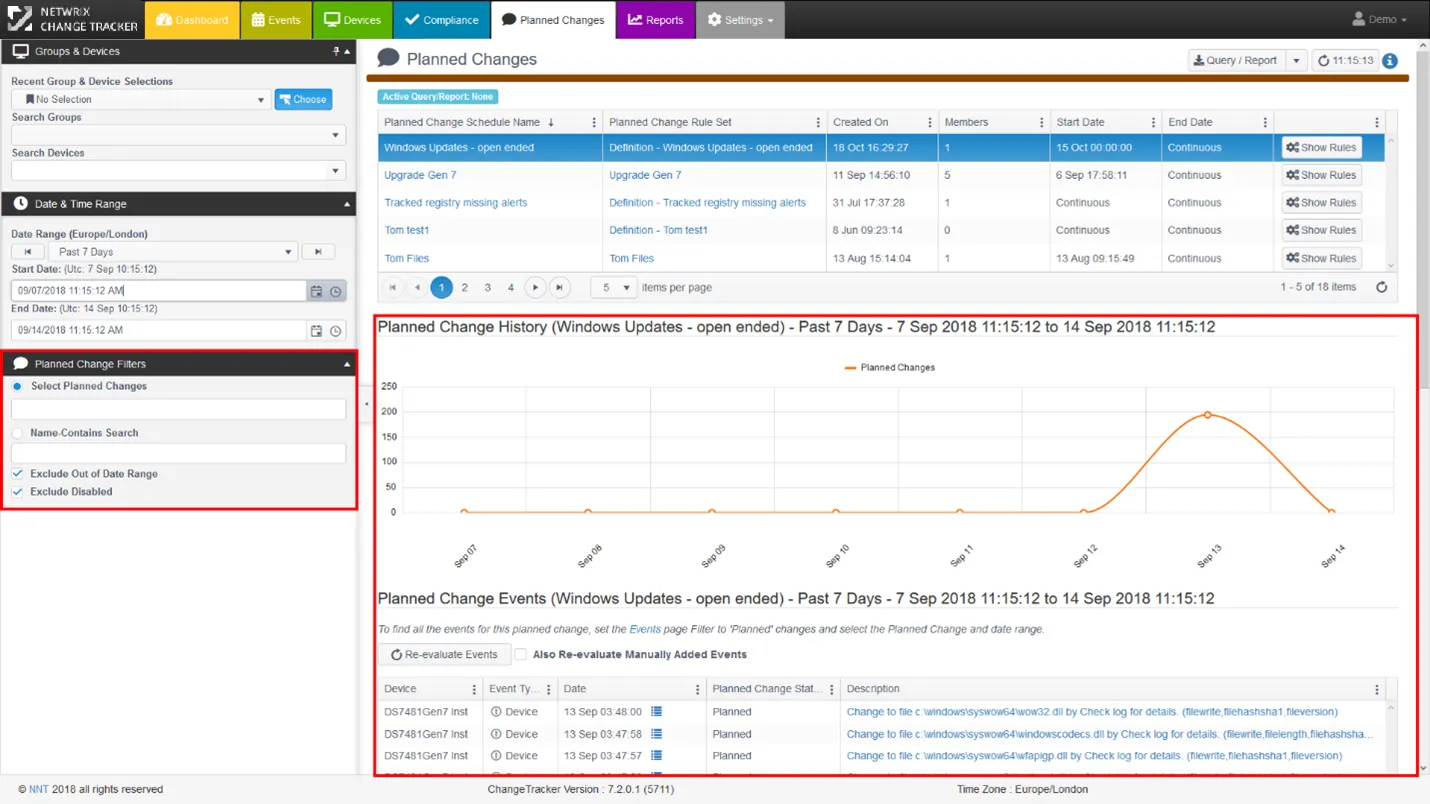
- You can either record Planned Change definitions from a device in planned change recording mode, or build them from the Events page using the Actions button. The Show Rules button displays the Rules that comprise the Planned Change definition, and you can edit them on the Settings > Planned Changes page.
- Click any Planned Change title to view the Planned Change activity and the Devices enrolled.
- Planned Change Schedules and Rulesets are modular, so you can reuse and modify them. Click either the Schedule Name or Rule Set to see details.
- The Planned Changes screen works in conjunction with the Groups & Device/Date & Time range filter controls. Change Tracker also provides an additional Planned Change filter to show just the Planned Changes of interest.
- Equally the Query/Report functions are the same as for the Events screen.
The Show Rules button is for non-admin users and shows a ‘read only’ view of rules. Click alongside any Planned Change Schedule Name to display a graphical view of changes and a full list of devices with changes below.
For more detail on Planned Change Schedule and Rule setup, see Planned Changes Administration.