Scheduling Automatic Reports
After you define a filter, you can save it, give it a name, and, if required, set an automatic schedule for generating regular reports. By default, the user who saves the Saved Query receives the notification/results email, but you can add additional recipients.
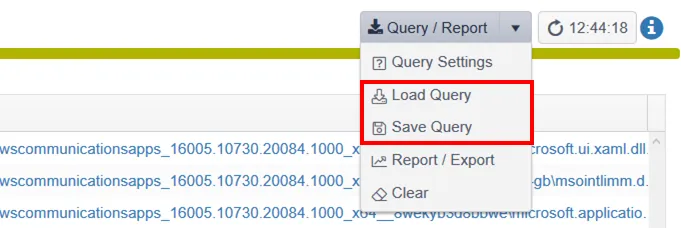
Use the on-screen Query/Report dropdown menu to adjust query filters and to export items, either on-demand or as a scheduled, regular report.

Query Settings
The Query option gives you an on-screen filter control panel like the pop-out Filter Panel.

note
Click OK at the bottom of the window when done.
Load Query and Save Query work together. After you set up your filters as you want them, you can save them for reuse.