Using the Filter Panel
The Filter panel helps you focus attention on events of interest, even in large and complex estates with thousands of change/report events to manage.
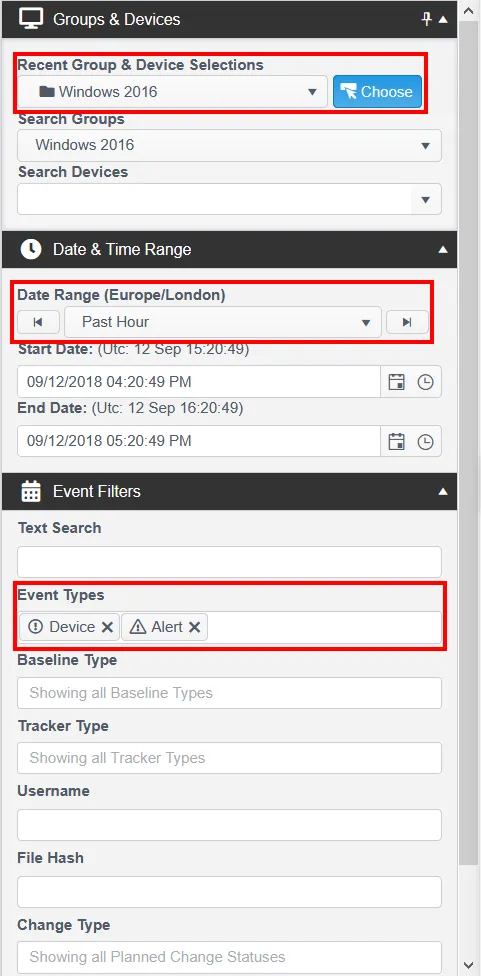
The Event Filter panel includes the following options:
- Recent Group & Device Selections — Provides a dynamically updated list of your most recently used devices and groups.
- Choose — Presents a full list of Devices to allow direct selection.
- Search Devices — Provides a dynamic filter based on a partial IP address or partial name for a Device.
- Date & Time Range Shortcuts — Provides a simple selection of predefined time ranges, with the option to cycle backward or forward.
- Event Filters — Optimized options to filter by username or file hash value.
- Planned Change — Filter further by Planned Change Schedule name.
After you set a filter, it persists across all other tabs. For example, if you switch from the Devices tab to the Events tab, Change Tracker applies the same filter to the events shown.
Filter parameters that you set also appear at the top of the Events page, even when the Filter Control panel is hidden.
