Device Tab
The Device page provides a full summary of device details, group membership, planned changes, the configuration monitoring policy applied, events, and Compliance Report results.
The Devices tab provides a ‘home page’ for any selected device. It collates full details of device activity, Policy Templates assigned, group membership, report history, and other key metrics into a single screen.
- View device inventory information and group membership.
- Complete event and report history.
- Quick access to configuration policy details via ‘Show Tracked Items’.
- View results of all past compliance reports and run new reports using ‘Run Ad Hoc compliance report’ button.
- Device inventory information and group membership.
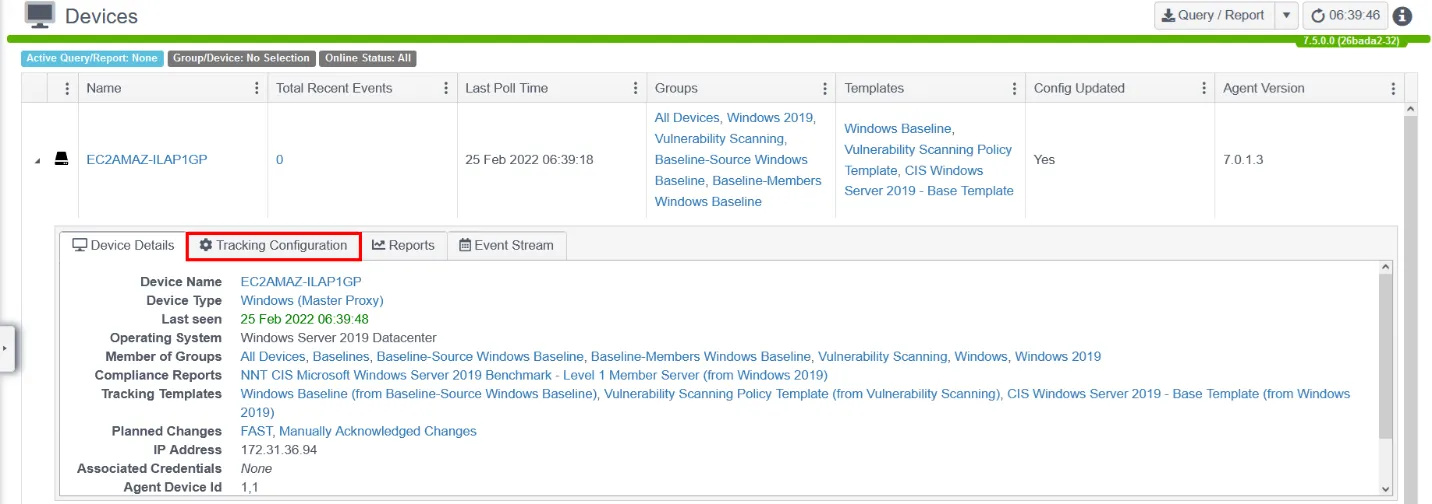
Go to the Tracking Configuration tab to see a ‘read-only’ representation of the tracking template assigned. This is a merged version of all Policy Templates inherited by the device.
To view the groups that any asset is a member of, click the group name. To view additional group members, go to Settings > Groups.
To view the latest compliance report, click the Compliance Reports name.
To view more details about a Config Template or Planned Change, click the name of the item.
For more background information on these screens and functions, see the Change Tracker Admin Guide.
The Event Stream, Configuration, and Reports tabs let you review the data for the device shown.
The Configuration tab shows the tracked items. Clicking the Start Tracker Now button either enables tracking or polls the device for current results.
Clicking the Report tab lets you view existing compliance reports or re-run a report.