Review and Manage Subscriptions
On the main Netwrix Auditor page, navigate to Subscriptions to review a list of your subscriptions.
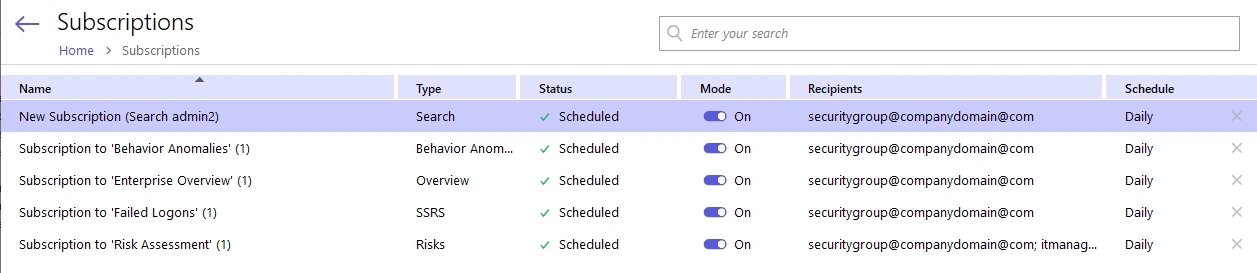
The following table provides instructions on how to manage your subscriptions.
| To... | Do... |
|---|---|
| Browse subscriptions | Enter the target subscription name in the search bar in the upper part of the Subscriptions window and click the Search icon to review results. |
| Enable or disable subscriptions | Pick a subscription and select On or Off in the Mode column. |
| Modify subscriptions | Select the subscription that you want to modify and click Edit at the bottom of the Subscriptions window. Update the subscription and save your changes. |
| Remove subscriptions | Click  icon next to the selected subscription. icon next to the selected subscription. |
Configure Subscription Generation Time
You can set the hour when Auditor starts generating subscriptions. You configure generation times separately for SSRS and other subscription types.
To configure the generation time:
- On the Subscriptions page, click Settings.
- In the Manage Subscriptions dialog, select the generation start hour for SSRS and Other types from the respective dropdowns. Available hours range from 3:00 AM to 9:00 PM.
- Click OK.
To restore the default generation times, click Restore Default. By default, SSRS subscriptions start generating at 8:00 AM and all other subscription types start generating at 7:00 AM.
NOTE: Report generation starts at the selected time based on your local server time. Actual delivery time may vary depending on the report generation process queue, system performance, and the size of data included in the reports.