Reports with Video
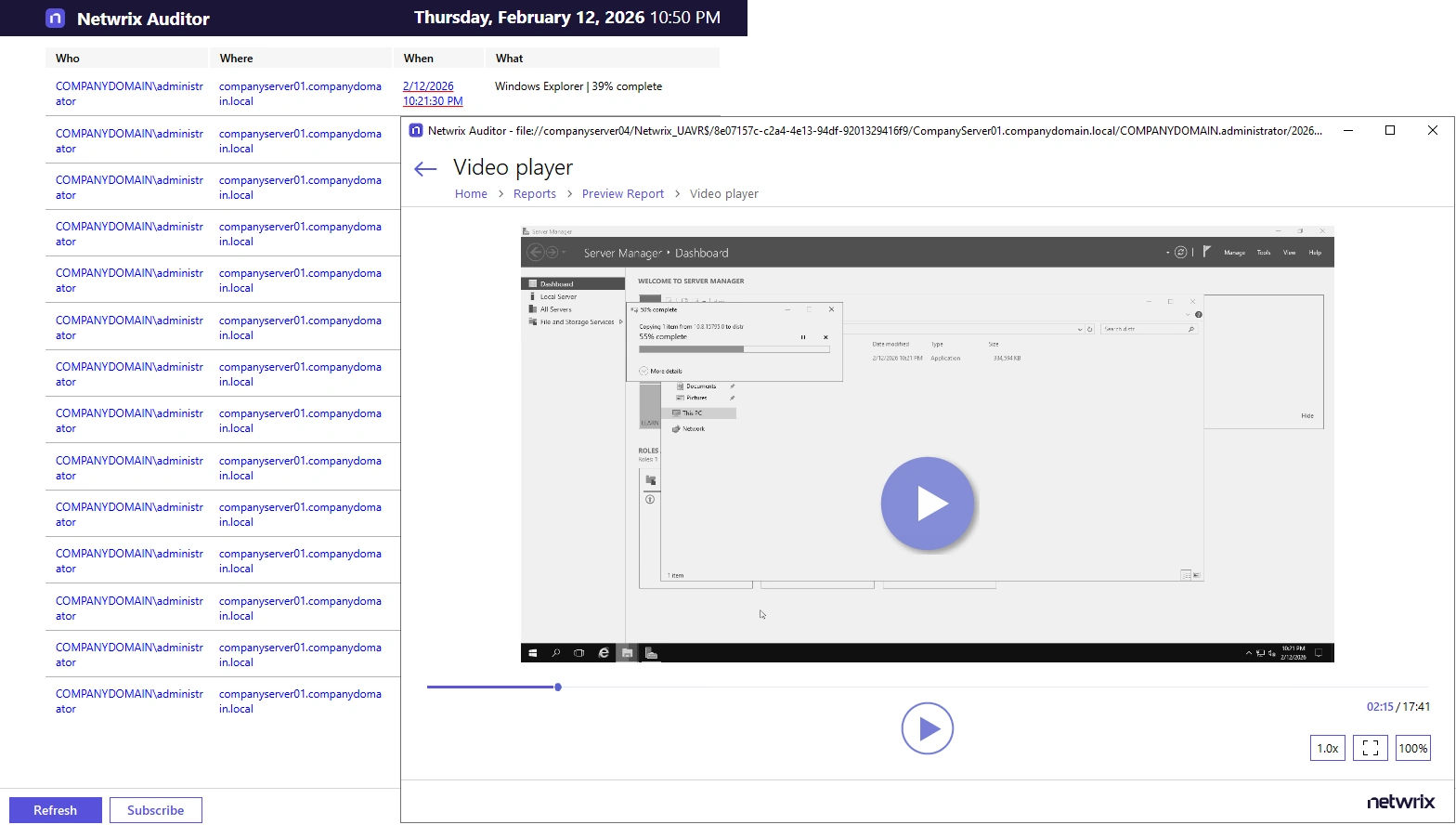
You can configure Netwrix Auditor to capture video of user activity on the monitored computers to help analyze and control changes made there. When you click a link, a video player opens and playback of the recorded user activity starts, showing launched applications, actions, etc.
To view reports with video, navigate to Reports → User Activity.
In the report filters, select a monitoring plan you want to generate a report for. To review data sources and items included in each plan, navigate to the Monitoring Plans section.
Each report has a set of filters which help organize audit data in the most convenient way. See the View Reports topic for additional information. You can also create a subscription to any report you want to receive regularly. See the Subscriptions topic for additional information.
To play a video:
- Navigate to Reports → User Activity. Select any report and click View.
- Click a link in the When column.
To open User Activity report for the selected user or server, you can also click the link in the Who and Where columns of the All Users Activity report.
Note: In Microsoft SQL Server Reporting Services (SSRS) 2019 and later, hyperlinks using the file:// protocol may not appear or be clickable in reports (for example, links to video recordings). This occurs because the SSRS server property SupportedHyperlinkSchemes doesn't include the file protocol by default.
To enable support for file:// links, update the SupportedHyperlinkSchemes property to include file (for example: http,https,mailto,file) in the SSRS configuration. You can do this in one of two ways:
- Via SQL Server Management Studio (SSMS): Connect to the Report Server > right-click the server name > Properties > Advanced tab > find SupportedHyperlinkSchemes and add file to the value > click OK.
- Via PowerShell: Run Invoke-Sqlcmd to update the SupportedHyperlinkSchemes value in the ReportServer database, then restart the service with Restart-Service SQLServerReportingServices.
Even after enabling this setting, modern web browsers (such as Chrome, Edge, and Firefox) may still block file:// links when you access reports through the SSRS Web Portal due to browser security restrictions. These links work as expected when you open them from the Netwrix Auditor console.